Book Appointment Now
IPTV Reseller Customer Onboarding: Easy Setup Guide 2026
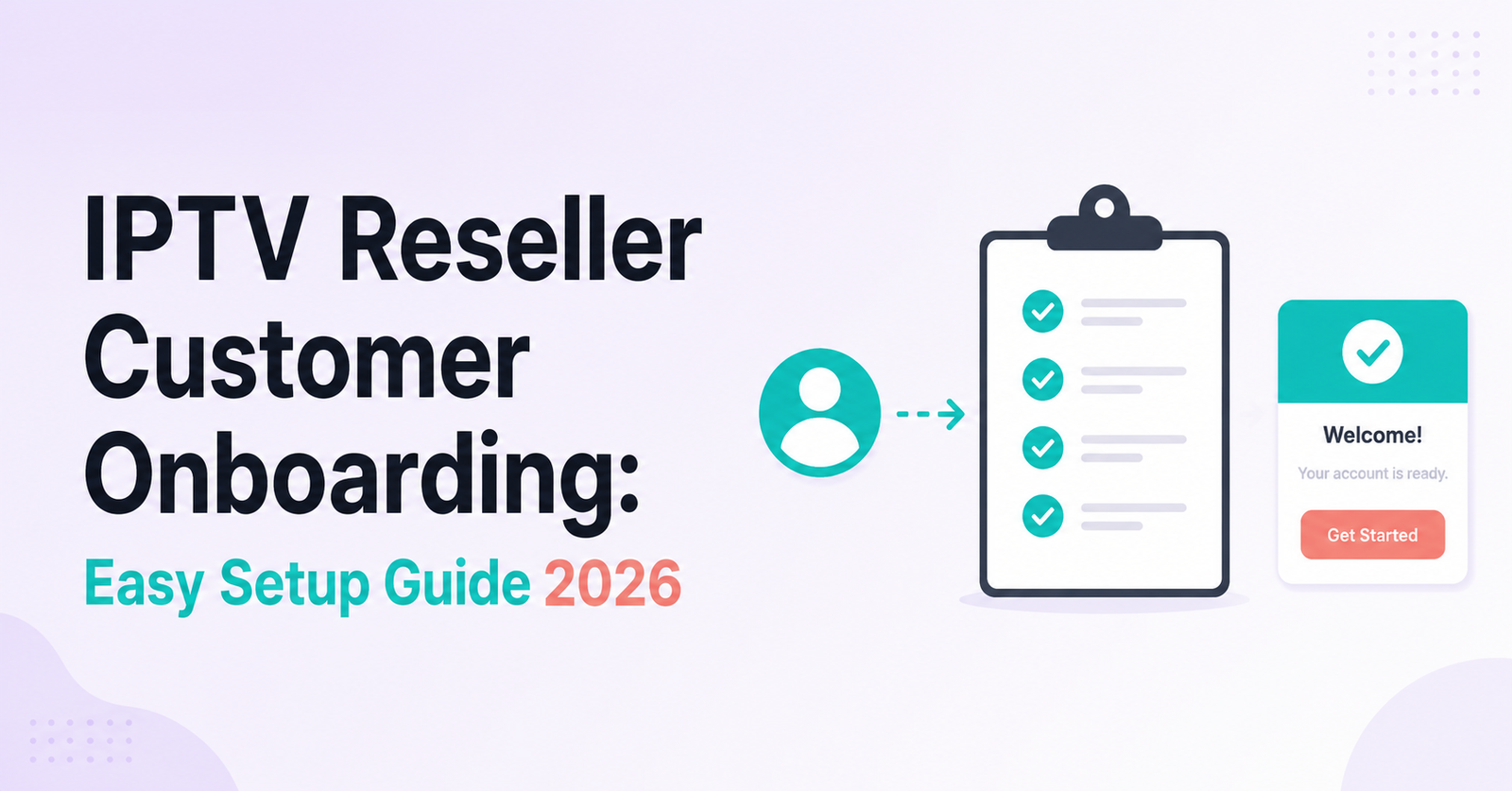
IPTV Reseller Customer Onboarding decides more about your renewal rate than your channel list ever will. Get the first hour wrong, credentials sent late, wrong package assigned, no device check beforehand, and a customer who just paid for twelve months can end up on your refund list within a week. The fix isn’t complicated. Confirm the device before you activate anything, send login details in a format the person can actually follow without messaging you back three times, and check the line again after the first stream to be sure it plays the way you told them it would.
The Onboarding Window Most Resellers Get Wrong
Most onboarding problems don’t happen during setup. They happen before it, in the gap between a customer agreeing to buy and you actually creating their line. A UK IPTV reseller who takes payment and immediately generates credentials without asking what the customer intends to watch on is setting up a support conversation for later, not saving time now.
Ask two questions before you touch the dashboard: what device will this go on, and does the customer already use IPTV or are they switching from something else. A first-timer coming from a licensed streaming service needs a slower, more explicit walkthrough than someone migrating a customer base from another panel. Treat both the same and you’ll spend more time explaining basics to the new customer than you would have spent asking upfront.
Building an IPTV Reseller Customer Onboarding Sequence That Doesn’t Rely on Memory
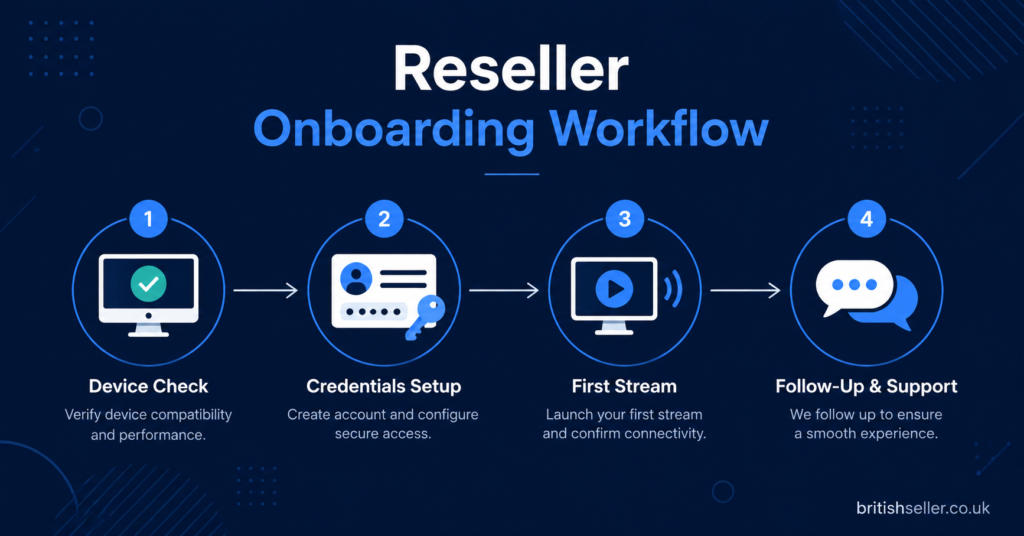
Once you’re handling more than a handful of customers a week, doing onboarding from memory starts to fail. You forget to mention the app download, you send the wrong username format, you skip the follow up message because three other customers messaged in between. None of this is a character flaw. It’s what happens when a manual process scales past the point it was designed for.
The fix is a written sequence you follow every time, not a mental checklist. Write down the exact order: qualify the device, create the line, send credentials in a fixed template, confirm the first stream works, follow up after 48 hours. It sounds basic, but a fixed sequence is the difference between a reseller who onboards ten customers a week without drama and one who’s constantly firefighting because half of them skipped a step somewhere.
Pro tip: Keep your onboarding template in a notes app or pinned message rather than retyping it each time. Consistency matters more than personalisation at this stage.
Before You Create the Line: Three Checks That Prevent Half Your Support Tickets
Three checks, done before activation, remove most of the tickets that show up in week one.
The first is device confirmation. Smart TV apps, Firestick apps, Android boxes and mobile players don’t all behave identically, and a customer who assumes their setup is “the normal one” often means something different from what you assume. Ask directly rather than guessing.
The second is connection type. Whether the customer is using M3U or Xtream Codes login changes what information you need to send them and which app you should point them towards. Sending an M3U link to someone who downloaded an Xtream-only app just creates a confused first message from a customer who hasn’t even watched anything yet.
The third is naming. Customer lines with clear, consistent naming inside your panel save you real time later when you’re renewing, troubleshooting or checking usage. A line named after the customer’s actual name or order reference is far easier to manage at volume than one named after whatever felt convenient in the moment.
Sending Credentials Without Losing the Customer in the First Message
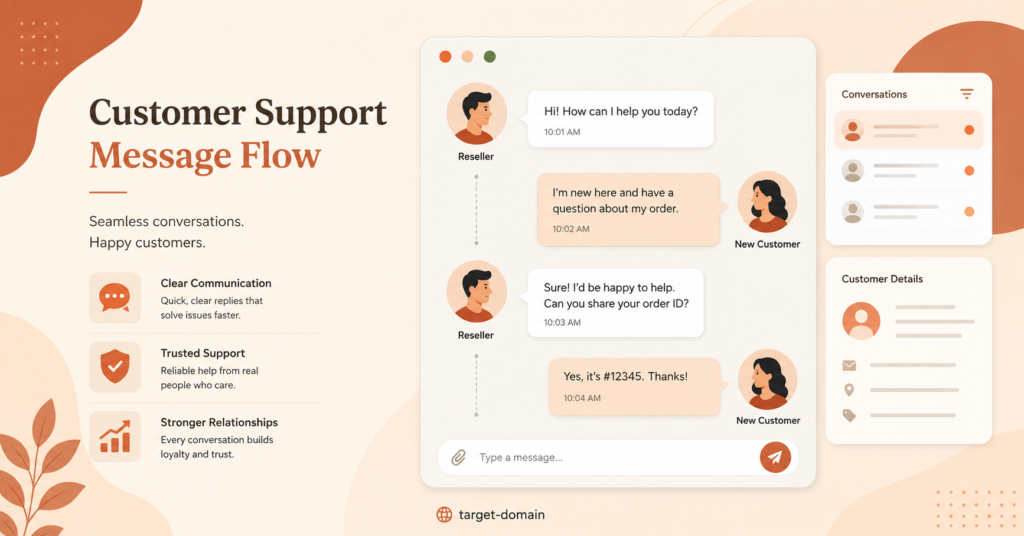
The message that hands over login details is where a lot of onboarding quietly falls apart. A wall of technical terms, dropped into a chat with no structure, tells a non-technical customer that this is going to be complicated. Some of them won’t say so. They’ll just quietly stop replying and ask for a refund a few days later.
Structure the message so the customer can follow it without asking anything back. State the app name first, then the exact steps to download it, then the login details themselves, clearly labelled rather than pasted in as a single unformatted block. If the customer’s device needs a slightly different setup path, say so explicitly rather than assuming they’ll work it out.
Pro tip: Send a short screen recording or a link to a setup guide alongside the credentials for first-time IPTV users. It answers the “how do I actually use this” question before it becomes a message you have to type out individually every time.
| Onboarding Stage | What Goes Wrong | Better Approach |
|---|---|---|
| Before activation | Device and connection type not confirmed | Ask both questions before creating the line |
| Sending credentials | Unstructured technical message | Fixed template with clear steps and labels |
| First 48 hours | No follow up, issues surface as refund requests | Proactive check-in message after first stream |
| Ongoing management | Poor line naming, no records | Consistent naming and a simple customer log |
The First 48 Hours After Activation
Onboarding doesn’t end when the credentials are sent. The first two days are when most technical issues actually surface, and reaching out first changes how the customer experiences a problem.
A short message after the initial setup, asking whether the picture is clear and the app opened without issue, does two things. It catches a genuine fault before the customer has decided you’re unreliable, and it signals that support exists beyond the point of payment. Customers who hear nothing after handing over money and getting login details tend to assume they’re on their own if something goes wrong, and that assumption is what turns a fixable buffering issue into a refund demand instead of a support ticket.
Common Onboarding Mistakes That Quietly Cost Renewals
A few patterns show up repeatedly across UK IPTV resellers who struggle with early cancellations.
Skipping the device question and assuming every customer wants the same setup is one. Sending credentials with no explanation of which app to use is another, particularly damaging for customers unfamiliar with IPTV generally. Activating a line before payment has actually cleared, then having to chase or reverse it, damages trust on both sides. And treating the first message as the last point of contact, rather than checking back in, leaves genuine faults undiscovered until the customer has already decided not to renew.
None of these mistakes are dramatic on their own. Together, across a customer base of any real size, they add up to renewal rates that sit well below what the underlying service quality should support.
Onboarding Sub-Resellers Is a Different Job to Onboarding Subscribers
If part of your business involves selling credits to sub-resellers rather than end viewers, the onboarding conversation changes. A sub-reseller needs clarity on margin structure, credit top-up process and where their responsibility ends and yours begins, not a walkthrough of how to install a streaming app on a Firestick.
Mixing the two approaches, treating a sub-reseller like a subscriber or the reverse, tends to create confusion about who’s responsible for supporting the end customer when something goes wrong. Keep the two onboarding paths separate, even if you’re running both from the same panel.
Scaling Onboarding Once You’re Activating Several Customers a Day
At low volume, a slightly inconsistent process is manageable. Past a certain point, usually somewhere around several activations a day, an ad hoc approach starts producing errors you can’t easily track back to their source.
Saved reply templates, a shared naming convention and a simple log of who’s been onboarded and when turn onboarding from a series of individual judgement calls into a repeatable process. It also makes it possible to hand parts of the work to someone else on your team later without them needing to reconstruct your entire mental process from scratch.
Pro tip: Keep a short internal note against each new line for the first month, covering device, package and any issue raised. It takes seconds to add and saves considerable time if a renewal query or dispute comes up later.
Frequently Asked Questions
How long should IPTV reseller customer onboarding take?
Most straightforward activations take a few minutes once the device and connection type are confirmed. The slower part is the conversation beforehand, which is worth the extra time because it prevents most issues that would otherwise take far longer to resolve after the fact.
Should I activate the line before or after payment has cleared?
After. Activating on the promise of payment, rather than confirmed receipt, creates situations where you’re chasing money on a line that’s already live, which is harder to resolve cleanly than a short delay before activation.
What should a welcome message actually include?
The app name and download steps, clearly labelled login details, and a note on what to do if something doesn’t load first time. Keeping it structured rather than conversational makes it far easier for a new customer to follow without replying with questions.
Does onboarding need to be different for yearly customers compared to monthly ones?
The technical steps are the same, but a yearly customer represents a larger commitment on both sides, so it’s worth being more thorough with the initial device check and follow up. A monthly customer who has a bad first week simply doesn’t renew. A yearly customer who has a bad first week often wants a refund.
How do I reduce support tickets in the first week without spending more time per customer?
Front-load the questions rather than the fixes. A device and connection check before activation takes under a minute and prevents the far longer back and forth that comes from guessing wrong.
Image Title: Reseller Onboarding Workflow
Image Prompt: Modern professional blog illustration showing a simple horizontal workflow of four connected steps representing a customer onboarding sequence, using a deep navy background, clean geometric icons for device check, credentials, first stream and follow up, minimal flat design style, clear visual hierarchy, small readable text reading britishseller.co.uk near the bottom corner, no logos, no broadcaster branding, no screens showing entertainment content
Size: 1200×628
Image Title: Customer Support Message Flow
Image Prompt: Modern professional blog illustration depicting a stylised chat conversation bubble sequence between a reseller and a new customer, warm terracotta and cream colour palette, soft rounded shapes, two to three abstract UI elements suggesting a messaging app without replicating any real brand interface, clean composition with generous negative space, small target-domain text near the bottom, no logos, no copyrighted app icons, no entertainment artwork
Size: 1200×628
IPTV Reseller Panel Customer Onboarding, done properly, is less about the technology and more about sequencing: qualify before you activate, structure the credentials message so nobody has to guess, and check back in before a small issue turns into a refund request. None of this requires new tools or extra spend, just a repeatable process you follow the same way every time. Resellers who treat onboarding as a fixed sequence rather than something improvised per customer tend to see fewer week-one tickets and noticeably better renewal rates once the initial credit pack is spent. If you’re still setting up your reseller account and credit packages, building this sequence in from day one is far easier than retrofitting it once you’re handling dozens of customers.
New Customer Onboarding Checklist
- Confirm the customer’s device and connection type before creating the line
- Check whether the customer has used IPTV before or is switching from something else
- Use a consistent naming convention for every new line in your panel
- Send credentials using a fixed, clearly labelled template rather than a plain block of text
- Include app download steps specific to the customer’s device
- Confirm the first stream works before considering onboarding complete
- Send a follow-up check-in within 48 hours of activation
- Log the device, package and any issue raised against the customer for the first month
- Keep sub-reseller onboarding separate from subscriber onboarding
If you’re troubleshooting a customer’s setup after onboarding rather than before it, our guide on fixing common app errors covers the issues that come up most often, and our overview of device and player options is worth sending to customers who are still deciding what to install. For resellers weighing up whether their current setup is ready to handle more volume, our page on what you need before reselling is a useful starting point.