Book Appointment Now
IPTV Reseller Accessibility Checklist for Support Teams 2026
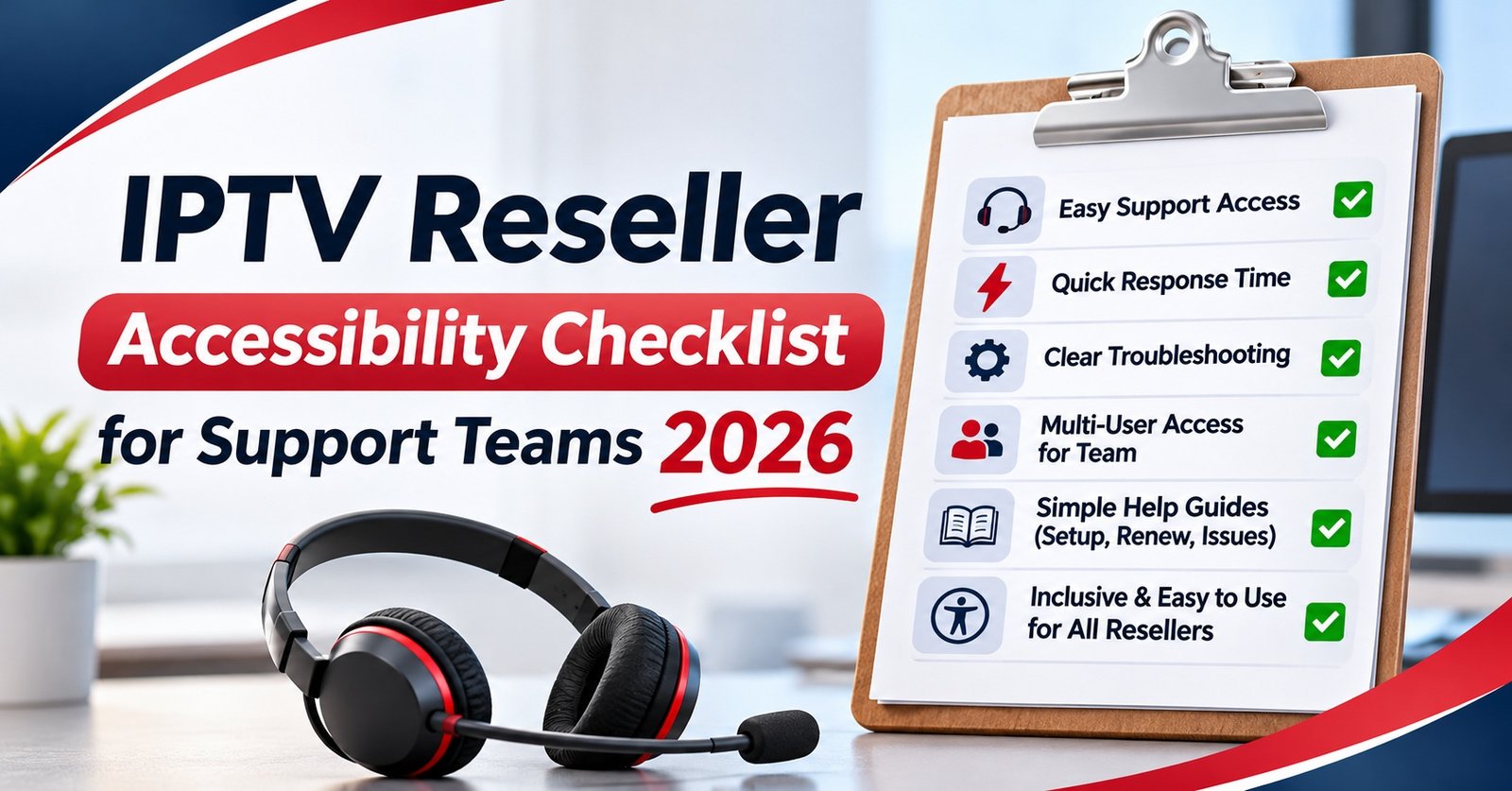
An IPTV Reseller Accessibility Checklist should cover the parts of the service you actually control: your website and checkout, activation messages, device setup instructions, support channels and renewal reminders. In Great Britain, the Equality Act 2010 expects anyone providing a service to the public to anticipate the barriers disabled customers face and make reasonable adjustments in advance, not after someone complains. That gives you a simple test. Can a customer who uses a screen reader, can’t manage a phone call, or struggles with small text buy, set up, get help and renew without needing someone else to do it for them?
Subtitles, audio description and sign language on the programmes themselves are a separate matter. Those access services travel with the content, and they’re the responsibility of the licensed broadcasters and on-demand services that hold the rights, not whoever sells access through a panel. Keeping the two apart stops a IPTV panel reseller from promising features they can’t deliver. It also raises a harder question that’s better asked early. If a supplier can’t explain where its content rights come from, accessible design won’t make that service legitimate to resell.
Two Layers That Often Get Confused
Most confusion about accessibility in the IPTV business comes from treating “the service” as one thing. In practice there are three distinct layers, and each has a different owner.
| Layer | What it includes | Who answers for it |
|---|---|---|
| Your customer-facing service | Website, checkout, activation messages, setup guides, support, renewals | You, as the business selling to the public |
| The player or app interface | Menus, remote control navigation, caption display settings, text size | The app developer, though you choose which apps you recommend |
| Programme access services | Subtitles, audio description, signing on the content itself | The licensed broadcaster or on-demand service holding the rights |
The first row is where your legal duty mostly sits and where you can make real improvements this week. The second row is about honest recommendations: you can’t rewrite a third-party player, but you can tell customers which apps let them enlarge text or switch captions on, and which ones don’t. The third row is the one resellers most often get wrong. You don’t control it, so you can’t promise it.
What UK Law Actually Asks of a Reseller
Great Britain: the Equality Act 2010
Section 29 of the Equality Act 2010 makes it unlawful for a service provider to discriminate against people who use or want to use its services. Section 20 sets out the duty to make reasonable adjustments, and Schedule 2 explains how that duty works for services. The important point in Schedule 2 is that the duty is owed to disabled people generally. You’re expected to think ahead about likely barriers, not wait until a specific customer runs into one.
The Act doesn’t mention websites, apps or any technical standard by name. What counts as “reasonable” depends on things like cost, practicality and the size and resources of the business. A two-person reseller operation isn’t held to the same standard as a national retailer, but small size doesn’t remove the duty. Fixing an unlabelled checkout form or offering a written alternative to voice-only support is cheap enough that it’s hard to argue it would be unreasonable.
The Equality and Human Rights Commission enforces the Act in Great Britain. In May 2026 an updated draft Code of Practice for services, public functions and associations was laid before Parliament. It’s worth reading the reasonable adjustments chapters, because courts take the statutory code into account.
Northern Ireland follows different legislation
Most of the Equality Act doesn’t extend to Northern Ireland. Disability protection in services there still comes mainly from the Disability Discrimination Act 1995. The practical expectations are similar, but if you have customers in Northern Ireland, don’t assume Great Britain guidance carries over word for word.
Where WCAG 2.2 fits in
The Web Content Accessibility Guidelines are published by the W3C, and WCAG 2.2 became a formal Recommendation on 5 October 2023. Level AA is the benchmark most organisations aim for. For a private business it isn’t a statutory requirement in itself. It’s the clearest available evidence that you took the anticipatory duty seriously. If a complaint ever arises, a site tested against WCAG 2.2 AA, with notes on what you fixed, puts you in a much stronger position than one that was never tested.
The UK’s accessibility regulations for public sector websites and apps apply to public bodies, not to resellers. Some operators copy the public sector accessibility statement format, which is fine as a model. Claiming you “comply with the regulations” is not, because they don’t apply to you, and the claim suggests testing you probably haven’t done.
The Media Act 2024 and Tier 1 on-demand services
This is where the content layer is regulated. Under the Media Act 2024, the government has designated on-demand services with more than 500,000 average monthly UK users as Tier 1, with the regulations in force from 1 April 2026. Ofcom consulted during 2026 on a Tier 1 Accessibility Code that sets minimum quotas for subtitles, audio description and signing, phased in over several years. Check Ofcom’s website for the final code and its start dates before you quote any figures.
For a panel reseller, the lesson isn’t that these quotas apply to your panel. It’s that the licensed services are being held responsible for access services on their own programmes. That supports the line drawn in the table above: access services belong to whoever holds the content rights.
Customers outside the UK
If you sell into Ireland or elsewhere in the EU, the European Accessibility Act has applied since 28 June 2025 to e-commerce and certain audiovisual services, with an exemption for the smallest service businesses. In the United States, website accessibility claims are usually brought under the Americans with Disabilities Act, and courts haven’t taken a single consistent view. If a meaningful share of your customers is overseas, local advice is worth paying for.
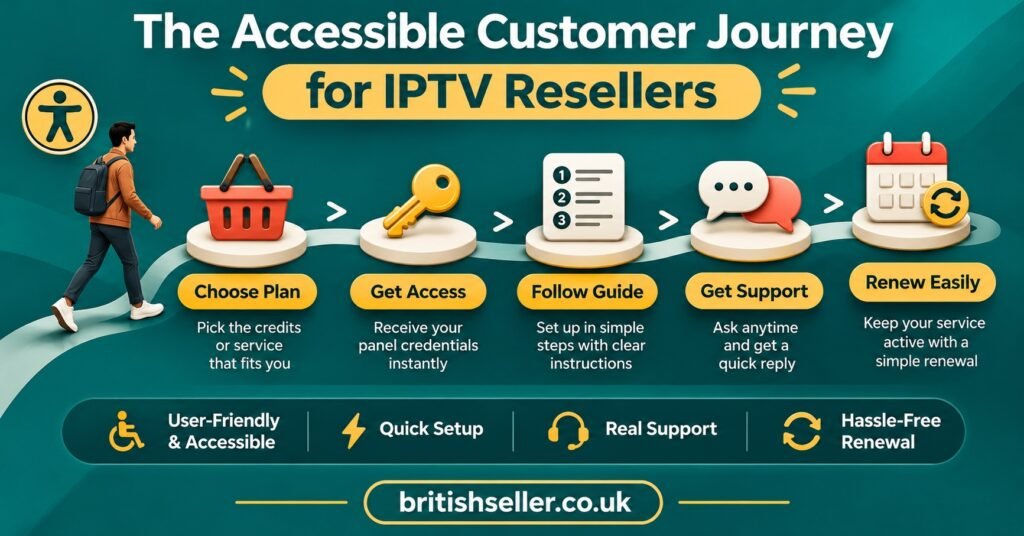
The IPTV Reseller Accessibility Checklist, Touchpoint by Touchpoint
It’s easier to work through accessibility in the order a customer meets your business than to start from a list of technical criteria. Each stage below names what to test and what usually goes wrong.
Website and checkout
Start with the purchase, because a customer who can’t pay never reaches the other stages. Try buying a plan using only the keyboard: Tab to move, Enter to select, no mouse. Every field needs a visible label, and error messages should say what went wrong in words, not just turn a box red. Put plan prices and terms in real text, not inside images. Check colour contrast on buttons, which is often weak on dark themes. WCAG 2.2 added criteria on minimum target size for buttons and on login steps that don’t depend on solving puzzles or remembering codes, so look closely at image-based CAPTCHAs.
Pro tip: Turn on your phone’s built-in screen reader (VoiceOver on iPhone, TalkBack on Android) and try to buy your cheapest plan with your eyes closed. Ten minutes of this will find most of the problems an automated scanner misses.
Activation details and login credentials
Send credentials as text that can be selected and copied, never as a screenshot. A screen reader can’t read text inside an image, and someone with limited dexterity shouldn’t have to retype a long server address by hand. Where you generate passwords, avoid characters that look alike, such as a zero and a capital O. Make it easy to ask for the details again in another format.
Device setup instructions
Video walkthroughs are popular, but a video-only guide shuts out some customers. Every setup video should have an accurate written version alongside it, with numbered steps. Because these are your own videos, you can add captions to them yourself. Describe buttons and menus by name (“open Settings, then choose Playlist”) rather than by position (“tap the icon top right”), since position doesn’t help someone who can’t see the screen. If you keep a general setup guide, such as one on getting Smart IPTV running for UK customers, apply the same rules to it.
Inside the player
You can’t redesign a third-party app, but you can choose which apps you recommend and describe them honestly. Before recommending one, check whether it can display captions when a stream carries them, whether text size can be changed, and whether the menus work comfortably with a TV remote. Write down what you find. If a customer tells you they’re hard of hearing, you’ll then know which app to suggest instead of guessing.
Support channels
One support channel is rarely enough. Voice notes exclude Deaf customers, and text-only chat can be hard for people with some visual or cognitive impairments. Offer at least one written and one spoken route, and let customers tell you which they prefer. Record that preference in your reseller dashboard notes so the next person who handles the account doesn’t have to ask again. Avoid identity checks that only work over a phone call. Allowing extra time for replies is a small adjustment that matters to many customers, and it’s also good support practice in general, as covered in our guide to keeping subscribers renewing month after month.
Renewals and billing
Renewal reminders should be in plain language: what’s expiring, when, the price, and one clear way to pay. Send them early enough that a customer who needs help with payment has time to ask for it. If you automate reminders, test what the message looks like on a screen reader before it goes to everyone. Our notes on tracking expiry dates and renewal timing explain the scheduling side.
A short accessibility statement
Finally, publish a plain page that says what you’ve tested, what you know still needs work, and how a customer can ask for an adjustment. Keep it honest. A statement that admits two known gaps and gives a contact route builds more trust than one claiming full compliance.
Checking the Legal Sources Yourself
Secondary blogs summarise these rules, and some get them wrong. If you’re making decisions or writing customer-facing claims, go to the primary sources.
| Official source | What it settles | What to check |
|---|---|---|
| legislation.gov.uk (Equality Act 2010, sections 20 and 29, Schedule 2) | The legal duty itself | The banner showing whether the text is up to date with amendments |
| GOV.UK (EHRC Code of Practice for services) | How the duty is interpreted in practice | Whether you are reading the draft or the version in force |
| W3C (WCAG 2.2) | The technical benchmark | Level A and AA criteria, especially the criteria added in 2.2 |
| GOV.UK and Ofcom (Tier 1 designation and Accessibility Code) | Obligations on large on-demand services | The user threshold and the code’s start date |
| GOV.UK (Intellectual Property Office guidance) | Where copyright lines are drawn for streaming | How illicit streaming is defined |
On legislation.gov.uk, look for the notice near the top of each provision that tells you whether outstanding changes have been applied. On GOV.UK, check the publication date and whether a document is marked as draft. Both details are easy to miss.
The same approach applies to your supplier. Ask in writing which entity holds the distribution rights for the content in the service, and keep the reply. Ask whether the streams carry subtitle or audio description tracks where the original broadcaster provides them. A legitimate supplier can answer both questions without difficulty. If you get vague answers, treat that as a warning about the service itself, not only about its accessibility.
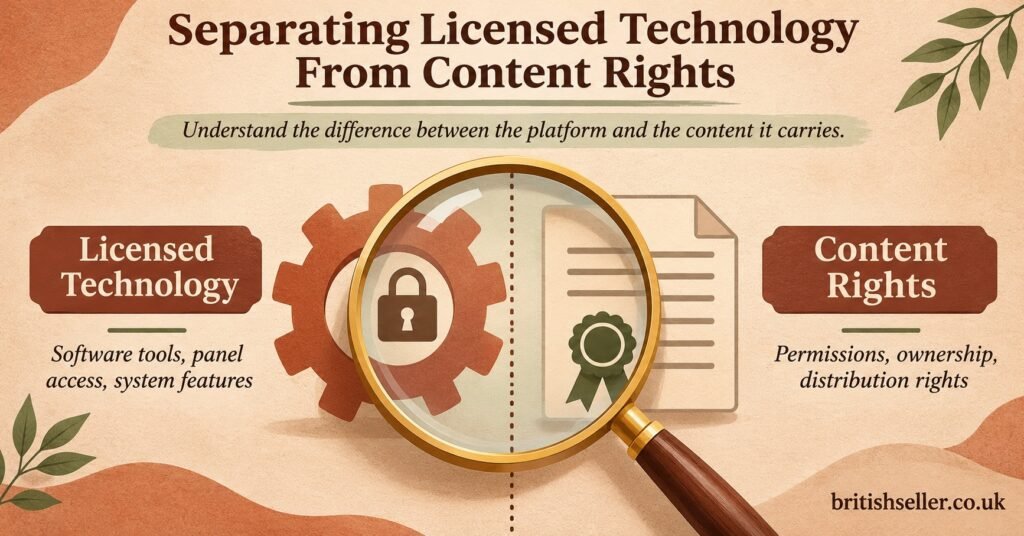
Where Licensed Technology Ends and Content Rights Begin
A IPTV reseller panel, a player app, a streaming protocol and a billing system are all technology. You can license them, pay for them and use them legitimately. None of that gives anyone the right to distribute a particular channel or programme. Distribution rights come from the content owners and their authorised partners, under the Copyright, Designs and Patents Act 1988 and the licensing agreements that sit on top of it.
The Intellectual Property Office’s guidance on illicit streaming devices defines illicit streaming as watching content without the copyright owner’s permission by any means, not only through specific hardware. That’s why accessibility can’t be used as cover. A well-designed checkout, captioned setup videos and a thoughtful support process are good practice. They don’t make a service that lacks content rights any less unlawful.
There’s a related trap. Some well-meaning operators consider adding their own subtitle files to programmes that arrive without them. Creating and distributing subtitles for someone else’s programmes raises copyright questions of its own, and it isn’t a gap a reseller should try to fill. The better approach is to tell customers plainly which access services the licensed source provides and which player settings display them.
This is also where legitimate operators can stand out. Being able to show customers both an honest accessibility statement and a clear account of where content rights sit is a real difference from operators who can offer neither.
Mistakes That Undermine Trust
Treating a plugin as a fix. Toolbar widgets that change fonts or contrast can help some visitors, but they don’t repair unlabelled form fields, broken keyboard navigation or text inside images. Fix the underlying page first.
Promising subtitles on everything. Whether a programme carries subtitles depends on the licensed source. A blanket promise sets up a dispute the first time a customer finds a programme without them.
Publishing video-only setup help. It looks modern and it’s quick to produce, but it leaves out anyone who can’t see or hear the video properly.
Running support through a single channel. Voice notes are convenient for the person sending them. For a Deaf customer, they mean no support at all.
Treating accessibility as a one-off project. Every theme update, new payment plugin or redesigned pricing page can break something that worked before. Re-test after changes, not only once a year.
Frequently Asked Questions
Does a very small reseller still have a duty to make adjustments?
Yes. The duty applies to service providers regardless of size. Size and resources affect what’s considered reasonable, so a small operator isn’t expected to commission a full professional audit, but low-cost fixes such as text alternatives, labelled forms and a written support route are hard to justify leaving out.
Is WCAG 2.2 Level AA a legal requirement for my website?
Not directly for a private business in the UK. The Equality Act doesn’t name any technical standard. WCAG 2.2 AA is the most widely recognised benchmark, so meeting it, and keeping records of your testing, is the most practical way to show you took the duty seriously.
Can I advertise that my service includes subtitles?
Only describe what you can verify. You can say which recommended apps can display captions, and that subtitle availability depends on the licensed source of each programme. Don’t promise subtitles across the whole service.
Do the Ofcom Tier 1 rules apply to resellers?
The Tier 1 regime covers on-demand programme services with more than 500,000 average monthly UK users. A reseller selling access through a panel isn’t usually the type of business it’s aimed at. If you’re unsure whether your business counts as an on-demand programme service at all, get proper legal advice rather than guessing.
What should a reseller’s accessibility statement include?
What you’ve tested and how, any known issues and when you expect to fix them, the support channels available, and a simple way to ask for an adjustment. Date it and update it when anything changes.
Action List for This Month
- Buy your cheapest plan using only a keyboard, then again with a phone screen reader
- Replace any credentials, prices or instructions shown as images with real text
- Add a written, numbered version beside every setup video and caption your own videos
- Check two recommended player apps for caption display, text size and remote navigation, and write down the results
- Set up at least one written and one spoken support channel, and record each customer’s preferred method in their account notes
- Rewrite renewal reminders in plain language and test one on a screen reader
- Ask your supplier in writing who holds the content distribution rights, and keep the reply on file
- Publish a short, dated accessibility statement with a contact route for adjustments
Making Accessibility Part of How You Sell
An IPTV Reseller Accessibility Checklist is most useful when it changes how you work, not when it’s filed away. The legal duty in Great Britain is anticipatory, so the strongest evidence of meeting it is a record of testing your checkout, messages, guides and support before anyone complains. The checklist also has clear limits. It covers your service and your honesty about the apps you recommend. It can’t make up for missing access services on programmes you don’t control, and it can’t make content without proper rights legitimate. Start with the keyboard-only purchase test this week, because it usually shows where the rest of the work is.