Book Appointment Now
IPTV VOD Organization: A Reseller’s 2026 Guide
The Silent Churn Problem: Why IPTV VOD Organization Matters More Than You Think
A subscriber opens your panel, scrolls through 14,000 titles dumped into a single list, and closes the app within nine seconds. You never hear from them again. No complaint ticket. No refund request. Just silence, and one fewer renewal next month. That silence is the most expensive problem in the UK IPTV reseller business, and it almost always traces back to the same root: terrible IPTV VOD organization.
Most resellers obsess over channel counts and server uptime. Fair enough, those matter. But the catalogue experience, the thing subscribers actually interact with every single evening, gets treated like an afterthought. Titles get dumped in bulk. Categories stay whatever the provider shipped. Nobody audits, nobody curates, and nobody wonders why the “recently added” row hasn’t changed in three weeks.
This piece isn’t going to lecture you about the importance of content libraries. You already know they matter. What we’re doing here is cracking open the operational side, the taxonomy decisions, the panel-level tricks, the metadata hygiene routines, and the scaling logic that separates a forgettable reseller from one that households genuinely prefer.
Why Sloppy IPTV VOD Organization Is a Churn Multiplier
Churn in the UK IPTV reseller space rarely comes from a single catastrophic failure. It’s cumulative friction. A subscriber tolerates buffering once. They forgive a brief outage. But when they can’t find anything to watch three nights in a row, they start browsing competitors.
Poor IPTV VOD organization creates that friction at the most vulnerable moment, when someone is deciding whether your service is worth keeping. The remote is in their hand, and patience is thin.
Pro Tip: Track how many support tickets mention “can’t find” or “where is.” If that phrase appears in more than 5% of your tickets, your VOD taxonomy is actively losing you subscribers.
The psychology here isn’t complicated. Streaming giants spend millions on recommendation engines precisely because discovery drives retention. You don’t have a recommendation engine. What you do have is category structure, sorting logic, and naming conventions, and those three levers, handled well, can close a surprising amount of the gap.
The Taxonomy Trap: Default Categories Are Not Your Friend
Every panel provider ships VOD content with pre-set categories. “Action,” “Comedy,” “Drama,” “Horror”: the basics. Most resellers never touch them. That’s a mistake, because those defaults were built for the provider’s convenience, not your subscriber’s browsing habits.
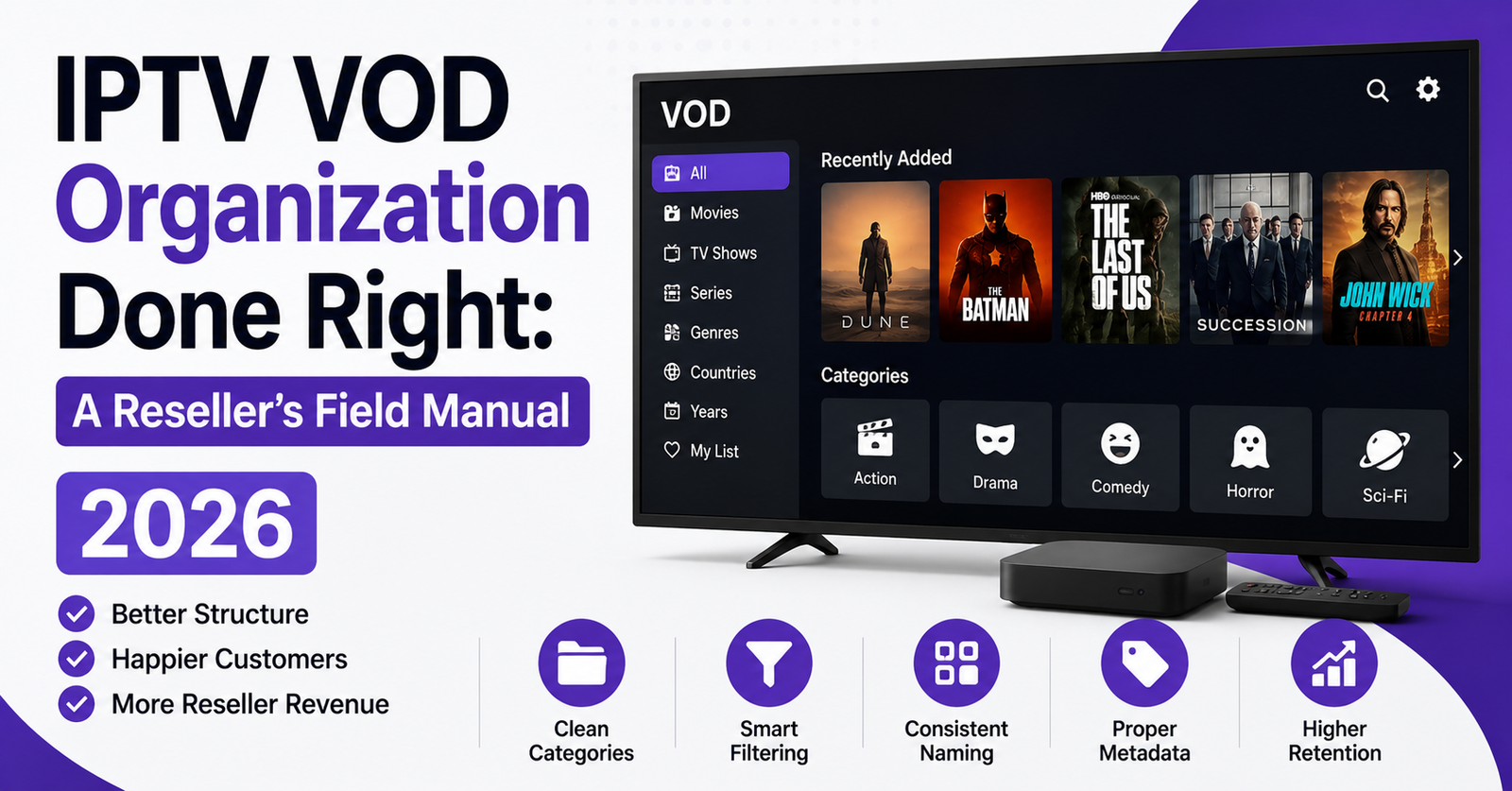
Effective IPTV VOD organization starts with rethinking categories from the subscriber’s perspective. A family household doesn’t browse by genre the way a film enthusiast does. They browse by mood, by who’s watching, by what’s new, and by what their kids are allowed to see.
- Mood-based categories (“Easy Watching,” “Thrillers & Suspense,” “Feel-Good”) outperform strict genre labels in household panels
- Audience segments (“Kids Safe,” “Family Night,” “Adults Only”) reduce friction for shared accounts
- Temporal buckets (“Added This Week,” “Trending Now,” “Classic Collection”) keep the catalogue feeling alive
- Regional groupings (“Bollywood Hits,” “Turkish Series,” “Arabic Cinema”) serve multilingual households without clutter
Relying on default taxonomy is like opening a shop and letting the warehouse crew decide where to shelve everything. Your IPTV VOD organization should reflect how your specific subscriber base actually searches, not how the content arrived on your server.
Metadata Hygiene: The Invisible Backbone of IPTV VOD Organization
Here’s something that separates professional resellers from amateurs overnight: metadata quality. A title with a misspelled name, a missing poster, a blank description, or a wrong release year doesn’t just look sloppy, it breaks search functionality and makes your entire catalogue feel untrustworthy.
IPTV VOD organization at scale depends on clean, consistent metadata across every single title. That means:
| Metadata element | Common problem | Impact on subscriber |
|---|---|---|
| Title spelling | Mixed formats, typos | Search returns nothing |
| Poster/thumbnail | Missing or wrong image | Browsing feels broken |
| Description | Blank or copied wrong | Subscriber skips title |
| Release year | Missing or inaccurate | Sorting by year fails |
| Genre tags | Wrong or too broad | Category browsing useless |
| Language tag | Missing entirely | Multilingual users frustrated |
If your provider’s metadata is messy, and most providers’ metadata is messy, you have two options. Either you invest time cleaning it manually, or you build a process for flagging and fixing errors weekly. There’s no third option where you ignore it and retention stays healthy.
Pro Tip: Set up a simple spreadsheet audit. Export your VOD list monthly, filter for blank descriptions or missing posters, and fix the top 50 titles first. Those are usually the ones subscribers actually try to find.
Structuring VOD for Multi-Tier Reseller Panels
If you’re running a sub-reseller operation, IPTV VOD organization gets more complex fast. Your sub-resellers may serve different demographics, different regions, different household types. A one-size-fits-all VOD structure creates problems downstream.
The smarter approach is building a modular catalogue, a master library that you’ve organized at the top level, with the ability for sub-resellers to toggle category visibility based on their audience. Not every panel supports this natively, but most Xtream-based systems allow category-level control through reseller permissions.
Think of it as layers. Your master IPTV VOD organization establishes the taxonomy, the metadata standards, and the naming conventions. Sub-resellers then activate or deactivate categories based on what their subscribers actually want. A reseller serving South Asian households in Birmingham doesn’t need the same front-page layout as one serving Eastern European expats in London.
This modular structure also protects you legally. By controlling category visibility at the panel level, you can restrict certain content types without removing them from the master catalogue, useful when compliance requirements differ by region or when a sub-reseller operates under stricter local norms.
Fixing the Library That Looks Abandoned
Nothing kills perceived value faster than a VOD library that looks abandoned. Subscribers notice when the “New Releases” section hasn’t changed in a month. They notice when the first row of every category shows the same twelve titles it showed in January. The catalogue starts feeling like a warehouse nobody maintains, and that perception spreads through word of mouth faster than any marketing campaign can counter.
Solving the dead library problem is central to sustainable IPTV VOD organization. Here’s a rotation protocol that works without consuming your entire week:
- Weekly: move genuinely new additions to the top of relevant categories. Even five fresh titles repositioned weekly keeps the catalogue feeling alive.
- Biweekly: rotate the “Featured” or “Staff Picks” row. Curate eight to ten titles that you’d genuinely recommend. Subscribers notice curation.
- Monthly: archive underperforming content. Titles with broken streams, outdated metadata, or zero engagement should be hidden, not left cluttering the library.
- Quarterly: review your full category structure. Kill categories with fewer than 15 working titles. Merge overlapping ones. Add any new groupings that subscriber behaviour suggests.
Pro Tip: If your panel supports custom ordering, pin two or three genuinely excellent titles at the top of your most-browsed categories. First impressions inside a category matter almost as much as the category structure itself.
This discipline is what transforms IPTV VOD organization from a setup task into an ongoing operational advantage.
Why Search Is Where Most Resellers Quietly Lose Subscribers
You can build the most elegant category tree in the reseller space, and a subscriber will still open the search bar and type a title name. If your search function can’t handle a minor misspelling, returns nothing for a partial query, or takes eight seconds to load results, the category work barely matters.
Search is the other half of IPTV VOD organization, and it’s the half most UK IPTV resellers completely ignore because it feels like a technical issue rather than a content issue. But it’s both.
On the content side, search quality depends entirely on metadata. If a title is listed as “Avangers Endgme” in your database, no search engine on earth will return it when someone types “Avengers.” Cleaning metadata isn’t optional, it’s what makes search actually work.
On the technical side, HLS latency in catalogue loading and DNS poisoning affecting API calls to your VOD database can both degrade search performance. If your panel queries the VOD list from a remote server on every search request rather than caching locally, subscribers in regions with aggressive ISP throttling will experience painful delays. Here’s how the common search failures map to fixes:
| Search issue | Root cause | Fix |
|---|---|---|
| No results for valid titles | Metadata typos | Audit and correct title strings |
| Slow search response | No local caching | Enable panel-side VOD caching |
| Partial matches fail | Strict match algorithm | Switch to fuzzy search if panel supports it |
| Search returns wrong category | Incorrect genre tags | Reclassify titles with proper tags |
Your IPTV VOD organization is only as good as the subscriber’s ability to find what they opened the app to watch.
Load Balancing Your VOD Catalogue Across Servers
This is where IPTV VOD organization intersects with infrastructure in ways most resellers never consider. A large VOD library, say 15,000+ titles, stored on a single server creates a bottleneck. When 200 subscribers hit the VOD section simultaneously during peak evening hours, that server’s read throughput becomes the ceiling on everyone’s experience.
Smart operators distribute VOD content across backup uplink servers, segmented by category or by content age. Current titles and high-demand content sit on your fastest, most redundant nodes. Older catalogue content, the stuff that gets five plays a month, lives on secondary infrastructure where storage is cheaper and bandwidth allocation is lower.
This tiered approach to IPTV VOD organization at the infrastructure level accomplishes two things simultaneously. First, it keeps peak-hour performance stable for the content subscribers actually watch. Second, it reduces your hosting costs by not paying premium server rates for a 2009 film that nobody has streamed since February.
Pro Tip: Monitor which VOD titles actually get played. Most resellers have no idea that 60 to 70% of their catalogue generates virtually zero views. That dead weight costs server resources and clutters the browsing experience. Trim aggressively.
Parental Controls and Content Segmentation
Household subscribers, the segment that renews most consistently, care deeply about one thing that resellers chronically underserve: content safety for children. A parent who discovers their eight-year-old browsing unrestricted adult content on your service doesn’t send a support ticket. They cancel and warn their friends.
Proper IPTV VOD organization includes content segmentation by age rating or content type, enforced at the panel level. This isn’t just a “nice to have” feature. For resellers targeting family demographics in the UK and European markets, it’s an operational necessity.
The implementation varies by panel, but the principle is consistent. Create clearly separated categories with unambiguous labels. “Kids Zone” should contain nothing a parent would object to. “Adults Only” should require a PIN or profile switch. The grey area in between, content that’s fine for teenagers but not for young children, needs its own tier.
Resellers who nail this segmentation within their IPTV VOD organization see measurably lower churn among household accounts. It’s one of those features that subscribers don’t praise when it works, but absolutely punish you for when it doesn’t.
What Happens to Your VOD Taxonomy During a Provider Migration
Every experienced reseller has lived through this nightmare: your provider collapses, gets shut down, or simply degrades past usability, and you need to migrate your subscriber base to a new panel. Your carefully built IPTV VOD organization, the categories, the custom sorting, the curated rows, doesn’t transfer. You’re starting from scratch.
The operators who recover fastest from provider migrations are the ones who kept external documentation of their taxonomy. A simple document listing your category structure, naming conventions, and any custom metadata corrections means you can rebuild your IPTV VOD organization on a new panel in days instead of weeks.
- Export your category tree and custom labels to a spreadsheet before you ever need it
- Document any metadata corrections you’ve made, they’ll need redoing on the new system
- Keep a list of your top 100 most-watched VOD titles so you can verify they exist on the new provider
- Screenshot your category layout so sub-resellers can replicate it quickly on their end
This is disaster preparedness, and it’s the kind of mundane operational work that pays for itself tenfold during the one week a year when everything goes wrong.
Pro Tip: Treat your VOD taxonomy like a business asset. If it only exists inside your current panel and nowhere else, you’re one provider shutdown away from rebuilding months of work from memory.
IPTV VOD Organization and ISP Blocking in 2026
The enforcement landscape in 2026 has evolved beyond simple IP blocking. AI-driven deep packet inspection now allows major ISPs to identify and throttle IPTV traffic patterns, and VOD streams are not exempt. Large catalogue requests, the kind generated when a subscriber opens your VOD section and the panel loads thousands of thumbnails simultaneously, can trigger traffic pattern flags.
IPTV VOD organization plays a defensive role here. Lazy-loading thumbnails rather than bulk-loading them on category open reduces the burst traffic signature. Paginating your VOD catalogue so only 20 to 30 titles render per scroll event keeps network requests looking more like standard browsing behaviour and less like a mass content pull from an unauthorised service.
Additionally, DNS poisoning tactics used by ISPs in 2026 can disrupt the API calls your panel makes to populate VOD metadata. If your panel resolves VOD server addresses through standard DNS, those lookups are vulnerable. Resellers running their own DNS resolution or using encrypted DNS for panel-to-server communication maintain more consistent VOD performance for subscribers behind aggressive ISPs.
This intersection of IPTV VOD organization and anti-blocking strategy is something almost nobody in the reseller community discusses publicly, but it’s increasingly central to maintaining service quality.
Scaling VOD Without Scaling Chaos
Growing from 5,000 to 50,000 VOD titles sounds like an upgrade, but in practice, without proportional investment in IPTV VOD organization, it’s a downgrade. More content with the same category structure means more clutter. More titles with the same metadata quality means more broken entries. More volume on the same server architecture means more buffering.
Scaling VOD responsibly means scaling your organizational infrastructure alongside your content volume:
- Every 5,000 new titles should trigger a category review, do existing buckets still make sense, or do you need to split them?
- Metadata audits should scale with library size, a monthly check is fine at 5,000 titles, but at 30,000 you need automated flagging for blank fields
- Server load testing should include VOD-specific scenarios, not just live channel concurrency
- Sub-reseller communication should include VOD changelog updates so downstream operators know what’s been added or removed
The resellers who scale successfully treat IPTV VOD organization as a living system that grows with the business. The ones who struggle treat it as a one-time setup and wonder why their catalogue feels worse as it gets bigger.
Frequently Asked Questions
How often should I reorganize my IPTV VOD categories?
A full category audit works best on a quarterly cycle, with minor adjustments biweekly. As your library grows, stale categories accumulate titles that no longer fit or contain broken streams. Quarterly reviews let you merge underperforming categories, split overstuffed ones, and align your IPTV VOD organization with current subscriber browsing patterns rather than outdated assumptions.
Does IPTV VOD organization actually affect subscriber retention?
Directly, yes. Subscribers who struggle to find content disengage silently, they don’t complain, they simply stop renewing. Clean taxonomy, working search, and curated category rows reduce browsing friction. Resellers who invest in catalogue presentation consistently report lower monthly churn than those running default provider structures with no customization.
What is the best way to handle multilingual VOD libraries?
Separate content by language at the top category level rather than mixing everything into genre-based folders. A subscriber looking for Turkish drama shouldn’t have to scroll past English-language thrillers to find it. Dedicated regional or language categories within your IPTV VOD organization serve multilingual households far more effectively than a single merged library.
Can poor VOD metadata trigger ISP blocking?
Not the metadata itself, but the traffic patterns it creates. When a panel bulk-loads thousands of thumbnails or poster images due to unoptimized catalogue structure, the resulting burst traffic can resemble patterns that AI-driven ISP filters flag. Lazy-loading and pagination within your IPTV VOD organization reduce this risk substantially.
How do I manage IPTV VOD organization across multiple sub-resellers?
Build a master taxonomy at the top level with consistent naming conventions and metadata standards. Then grant sub-resellers category-level visibility controls so they can activate or deactivate sections based on their audience. This modular approach preserves consistency while allowing downstream customization without fragmenting your entire organizational framework.
What tools can I use to audit my VOD catalogue?
Most Xtream-based panels allow VOD list exports in CSV or API format. Export your full catalogue monthly, filter for missing posters, blank descriptions, or duplicate entries in a spreadsheet, and prioritize corrections by title popularity. Some resellers build lightweight scripts that flag metadata gaps automatically, but even a manual spreadsheet audit covers the essentials of IPTV VOD organization hygiene.
Is it worth removing low-performing VOD titles from my library?
Absolutely. Titles with zero plays over 90 days consume server resources, clutter search results, and dilute category quality. Hiding or archiving dead content is one of the fastest ways to improve perceived catalogue quality. A curated library of 8,000 working, well-tagged titles outperforms a messy dump of 20,000 every time.
How does IPTV VOD organization differ for live-event replay content?
Replay or catch-up content needs its own time-sensitive category structure, organised by date first, then event type. Unlike standard VOD, replays lose value rapidly, so automated expiry rules matter here. Set content to auto-hide after 7 to 14 days to prevent your replay section from becoming a graveyard of outdated listings that nobody will ever watch.
Success Checklist for IPTV VOD Organization
- Audit your current category structure against actual subscriber browsing behaviour, not provider defaults
- Export your full VOD list and flag every title with missing posters, blank descriptions, or incorrect metadata
- Establish a weekly rotation schedule for “New” and “Featured” categories to eliminate the dead library effect
- Implement audience-based segmentation (Kids, Family, Adults) with panel-level PIN controls for restricted content
- Test your search function with common misspellings and partial titles, fix every failure you find
- Distribute high-demand VOD content across backup uplink servers to prevent peak-hour bottlenecks
- Document your full taxonomy externally so you can rebuild it within 48 hours after any provider migration
- Enable lazy-loading and pagination for VOD thumbnails to reduce ISP-flaggable burst traffic patterns
- Schedule quarterly category reviews and monthly metadata audits as recurring calendar events
- Monitor churn patterns for correlation with VOD complaints, “can’t find” tickets are your early warning system
For a deeper look at building a resilient IPTV Panel reseller operation from infrastructure to subscriber retention, explore the complete UK IPTV reseller resource hub at British Seller.