Book Appointment Now
IPTV Stream Monitoring: A Reseller’s Guide for 2026
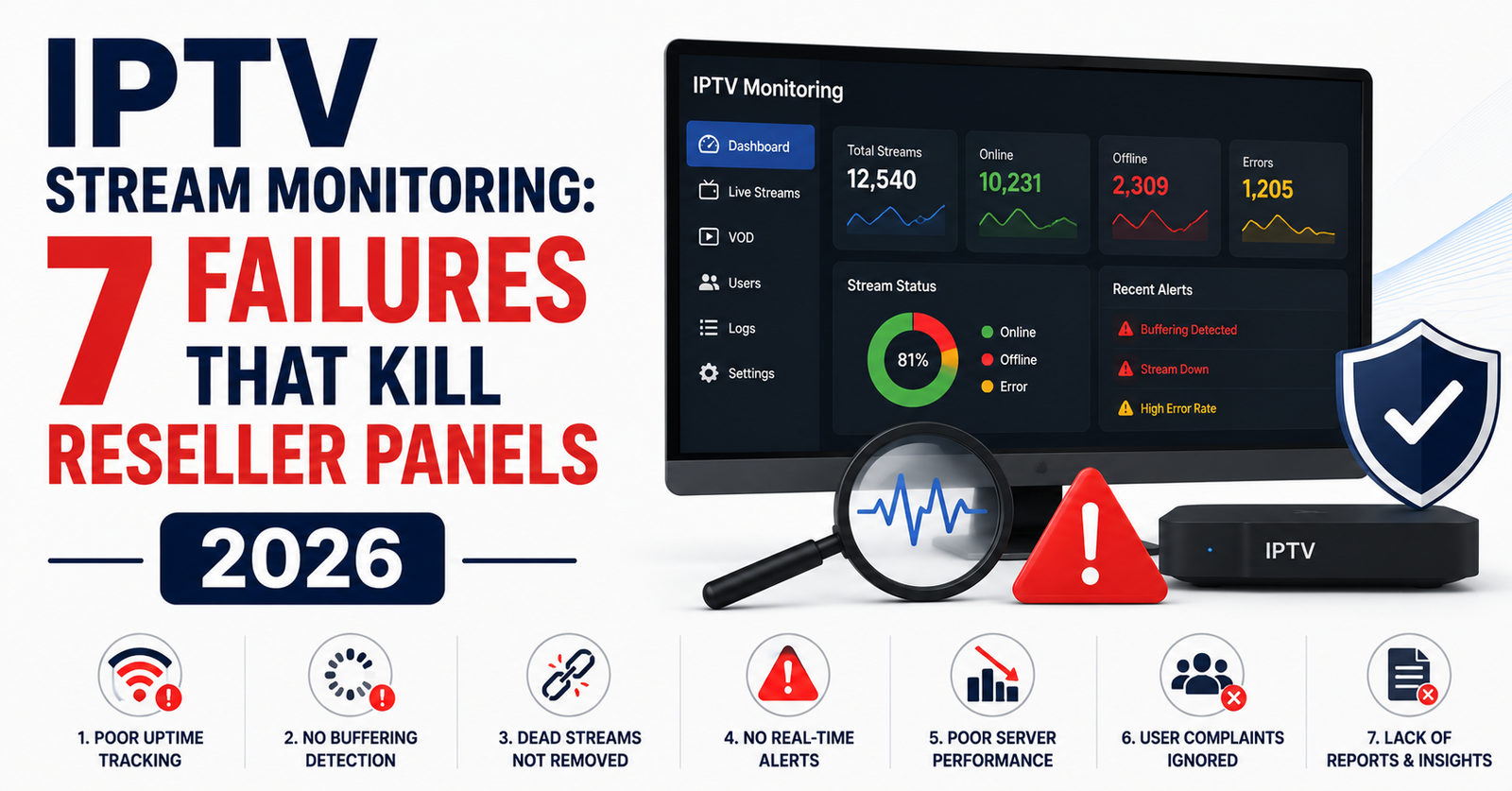
Your Panel Isn’t Dying Because of Content, It’s Dying Because Nobody’s Watching the Streams
Let me say something that most IPTV guides won’t: the majority of resellers who lose 30% or more of their subscriber base in a single quarter never had a content problem. They had an observation problem. Their streams were stuttering, freezing, dropping to garbage bitrates at peak hours, and nobody on the operations side noticed until the refund requests started flooding the inbox.
That’s what IPTV stream monitoring actually solves. Not in theory. In practice. In the middle-of-the-night, server-just-dropped, 400-subscribers-watching-the-match kind of practice.
If you’re running a UK IPTV reseller panel in 2026 and you don’t have a dedicated IPTV stream monitoring workflow, you’re not operating a business. You’re operating a complaint desk with a subscription form attached to it.
This piece isn’t about convincing you monitoring matters. You already know it does. This is about showing you exactly where most resellers get it wrong, what the monitoring stack actually looks like at scale, and how to build the kind of operational awareness that keeps panels alive when others fold.
What IPTV Stream Monitoring Actually Means Beyond the Buzzword
There’s a gap between what people think IPTV stream monitoring is and what it requires at the panel level. Most newcomers assume it means checking if a channel loads. That’s not monitoring, that’s a spot-check.
Real IPTV stream monitoring involves continuous, automated evaluation of stream health across every major channel category your panel serves. That means tracking bitrate consistency, HLS segment delivery times, audio-video sync, EPG alignment, and failover response when a source goes down.
Think of it this way. If a subscriber in Manchester hits play on a premium sports stream at 20:00 on a Saturday and it takes four seconds to buffer, that’s a monitoring failure, not a network failure. The network might be fine. But your IPTV stream monitoring system should have flagged that the origin uplink was degrading fifteen minutes before kickoff.
Pro Tip: Set your monitoring threshold at 2.5 seconds for stream initialization. Anything above that during peak hours means your CDN routing or origin response is already in trouble, even if the stream technically plays.
The Subscriber Doesn’t Report the Problem, They Just Leave
Here’s the psychology most resellers miss entirely. A paying household subscriber who experiences buffering twice during a single viewing session doesn’t open a support ticket. They don’t message your WhatsApp. They open a browser, search for another provider, and they’re gone by the weekend.
IPTV stream monitoring exists to catch the problems your subscribers will never tell you about. Churn in IPTV panels is silent. It’s not dramatic cancellations, it’s quiet non-renewals. And by the time your monthly numbers dip, the damage happened two weeks ago during a Thursday evening when three of your uplink sources dropped to 1.2 Mbps and nobody was looking at the dashboard.
- Subscribers tolerate one buffering incident per week at most
- Two incidents in the same session triggers provider-switching behaviour
- Households with multiple viewers (family accounts) churn faster because the complaint comes from someone who didn’t choose the provider
This is why automated IPTV stream monitoring isn’t a luxury feature. It’s the only mechanism that sits between a functioning panel and a slow bleed of paying customers.
Building a Monitoring Stack That Actually Works at Panel Scale
Let’s talk architecture. A functional IPTV stream monitoring setup for a reseller operating between 500 and 5,000 active subscribers needs three layers. Miss one and the whole system has blind spots.
Layer one: origin health checks. This is your connection to the main provider or middleware source. You need automated pings, not HTTP pings, but actual stream probes that pull the first three HLS segments from your highest-traffic channels every 60 seconds. If segment delivery exceeds 800ms, that’s a flag.
Layer two: edge performance sampling. Your subscribers connect via your panel’s output. Monitoring the origin isn’t enough. You need synthetic playback tests from at least two geographic locations that mirror your subscriber base. If you serve mostly UK households, probe from London and Manchester nodes.
Layer three: subscriber-side telemetry. This one’s harder. Most resellers skip it. But if your panel supports any form of player-side reporting, buffer events, stream-start latency, error codes, that data is gold for IPTV stream monitoring because it reflects the actual experience, not a simulated one.
Here’s what each layer actually catches, and what it misses.
| Monitoring layer | What it catches | What it misses |
|---|---|---|
| Origin health checks | Source outages, bitrate drops, segment failures | Last-mile delivery issues, DNS resolution delays |
| Edge performance sampling | CDN routing problems, regional latency spikes | Device-specific playback bugs, home network issues |
| Subscriber telemetry | Real-world buffering, app crashes, resolution drops | Upstream source problems already caught by Layer 1 |
Pro Tip: Run Layer 1 checks every 60 seconds but Layer 2 checks every 5 minutes. Over-probing your edge nodes creates false positives during traffic spikes and wastes bandwidth you could be allocating to actual streams.
DNS Poisoning, ISP Blocking, and Why Your Streams Vanish Without Warning
In 2026, IPTV stream monitoring has to account for something that barely registered five years ago: AI-driven ISP blocking. Major broadband providers in the UK and EU are now deploying machine-learning classifiers that detect IPTV traffic patterns, not just by domain, but by behavioural signatures. Repeated HLS segment requests to the same non-CDN IP range? Flagged. Consistent evening traffic spikes to unclassified endpoints? Logged and throttled.
DNS poisoning is the quieter version of this. Your subscribers don’t see an error. They see a stream that simply won’t load, or one that loads at 480p instead of 1080p because the DNS resolution got redirected to a sinkhole.
Your IPTV stream monitoring workflow needs to include DNS resolution validation as a first-class check. That means:
- Verify that your panel’s streaming domains resolve to the expected IPs at least every 30 minutes
- Compare resolution results from public DNS (like Cloudflare or Google) against your subscribers’ likely ISP-assigned resolvers
- Flag any mismatch as a potential poisoning event and trigger an automatic DNS failover if your infrastructure supports it
This isn’t theoretical. Resellers running panels without DNS-layer IPTV stream monitoring lost entire subscriber regions for 6–12 hours during coordinated ISP enforcement actions in early 2026. The streams were fine at the origin. The panel was online. But subscribers on two major broadband networks simply couldn’t reach anything.
Pro Tip: Maintain at least two backup uplink server paths with different domain structures. When one domain gets poisoned or blocked, a monitoring-triggered switch to the backup path can restore service in under three minutes, if the automation is already built.
Load Balancing Failures That IPTV Stream Monitoring Should Have Caught
Most UK IPTV Panel resellers understand load balancing in principle. Spread the connections across multiple servers. Don’t let one box handle everything. Simple enough on paper.
In reality, load balancing failures are the single most common issue that IPTV stream monitoring reveals, and also the most ignored. Here’s why. A reseller with three output servers might configure round-robin balancing and assume the job is done. But round-robin doesn’t account for stream weight. A subscriber watching a premium sports stream in full HD consumes roughly four times the bandwidth of someone watching a standard-definition news channel. If your balancer treats both connections equally, one server ends up saturated while the others idle.
What proper IPTV stream monitoring exposes in this scenario:
- Server A running at 92% bandwidth capacity while Server B sits at 34%
- Buffer ratio on Server A climbing past 8% during peak hours
- Stream-start latency on Server A exceeding 3 seconds while Server B responds in 0.9 seconds
Without monitoring, you’d never see the imbalance. You’d just see complaints from a seemingly random subset of subscribers, the ones unlucky enough to land on the overloaded node.
The fix isn’t complicated, but it requires monitoring data to implement. Weighted balancing based on active bandwidth consumption, not connection count, is the baseline. And your IPTV stream monitoring system should be feeding real-time bandwidth-per-server metrics into whatever balancer you’re running.
Panel Credit Economics and the Hidden Cost of Not Monitoring
Here’s an angle almost nobody writes about. Every IPTV reseller panel runs on a credit system. You buy credits from your upstream provider, each credit activates a subscription, and your margin lives in the gap between what you paid per credit and what your subscriber paid you.
When IPTV stream monitoring is absent, your credit economics collapse without you realising it. Here’s the chain: streams degrade, subscribers complain or leave, you issue free extensions or refunds to retain them, each extension burns a credit with zero revenue, your effective cost per subscriber rises, margins compress, you can’t afford better infrastructure, streams degrade further.
That’s the death spiral. And it starts with unmonitored streams.
A reseller running 2,000 active lines who issues even 5% free extensions per month due to undetected quality issues is burning 100 credits monthly. At typical wholesale rates, that’s real money disappearing, not because subscribers are dishonest, but because the service genuinely failed and nobody caught it in time.
Pro Tip: Track your extension-to-complaint ratio monthly. If you’re issuing more free extensions than you’re receiving formal complaints, your IPTV stream monitoring is either missing events or doesn’t exist. Subscribers who get extensions without complaining first were likely about to leave anyway, the extension just delayed it.
HLS Latency: The Metric That Predicts Subscriber Satisfaction Before They Complain
If you’re going to measure one thing in your IPTV stream monitoring dashboard, measure HLS latency. Not bitrate. Not resolution. Latency.
HLS latency is the delay between a segment being generated at the source and that segment being delivered to the player. In a well-tuned IPTV delivery chain, this sits between 8 and 15 seconds. In a struggling one, it creeps past 30, sometimes 45 seconds. And when it exceeds about 25 seconds on a live sports stream, your subscriber is watching the match on a delay long enough that their neighbour’s cheer spoils the goal.
That matters more than you think. Family subscribers, the ones paying for multi-device plans, are your highest-value customers. They’re also the most sensitive to latency on live content because someone in the household is always checking social media or hearing the match from next door.
Your IPTV stream monitoring should be recording HLS latency per channel category, not as an overall average. Sports streams need a latency threshold under 15 seconds. Entertainment channels can tolerate up to 25. News can handle 30. Set different alert thresholds per category and you’ll catch the problems that actually drive churn, not the ones that look alarming on a dashboard but don’t move the needle.
- Measure segment request-to-delivery time, not just segment availability
- Compare latency across your output servers to spot routing inefficiencies
- Log latency spikes alongside ISP-level data to identify if the delay is upstream or on your infrastructure
Scaling IPTV Stream Monitoring When Your Panel Grows Past 3,000 Lines
There’s a threshold that most monitoring setups weren’t built for. Below 1,000 active subscribers, you can get away with semi-manual checks and basic uptime scripts. Between 1,000 and 3,000, you need the three-layer stack described earlier. But past 3,000, your IPTV stream monitoring itself becomes an infrastructure concern.
At scale, monitoring generates data. A lot of it. Every 60-second probe across 200 channels produces roughly 12,000 data points per hour. Store that for 30 days and you’re managing a meaningful data pipeline just for your monitoring system. Resellers who don’t plan for this end up with monitoring tools that slow down their own servers, the very servers they’re supposed to be protecting.
The solution is separation. Your IPTV stream monitoring infrastructure should never run on the same servers that deliver streams to subscribers. Dedicated monitoring nodes, even low-spec ones, keep observation separate from delivery. You wouldn’t put a security camera on the same power circuit as the vault door.
Here’s roughly what that data volume looks like as your panel grows.
| Panel size | Monitoring approach | Estimated monthly data volume |
|---|---|---|
| Under 1,000 lines | Basic uptime scripts + manual spot-checks | Under 2 GB |
| 1,000–3,000 lines | Three-layer automated stack | 8–20 GB |
| 3,000–10,000 lines | Separated monitoring infrastructure with retention policies | 40–100 GB |
| 10,000+ lines | Distributed monitoring with regional probes and alerting tiers | 200+ GB |
Pro Tip: Set a 14-day retention policy for raw monitoring data and a 90-day policy for aggregated daily summaries. You almost never need granular data older than two weeks, but monthly trend lines are essential for spotting slow infrastructure decay that day-to-day monitoring normalises.
Alerting Done Wrong: Why Most Resellers Drown in False Positives
Setting up IPTV stream monitoring is one thing. Getting the alerts right is a completely different discipline. The most common failure pattern isn’t missing alerts, it’s too many alerts. A reseller who gets 200 monitoring notifications per day stops reading them by day three. At that point, the monitoring system is technically operational and practically useless.
The fix is alert tiering. Not every monitoring event deserves the same response.
Critical (immediate action): complete stream failure on any channel with more than 50 concurrent viewers. Origin source unreachable for two consecutive checks. DNS resolution mismatch detected.
Warning (investigate within 30 minutes): bitrate drop below threshold on high-traffic channels. HLS latency exceeding category limit. Single-server load exceeding 85%.
Informational (review daily): minor latency fluctuations. Low-traffic channel interruptions. Scheduled maintenance windows on upstream sources.
Your IPTV stream monitoring system should suppress informational alerts during known maintenance windows and de-duplicate warning alerts so that a single degraded channel doesn’t generate 47 identical notifications over the course of an evening.
The resellers who survive long-term are the ones who treat their alerting configuration with the same seriousness as their server configuration. Because an alert you ignore is worse than no alert at all, it creates the illusion of being monitored.
Frequently Asked Questions
How often should IPTV stream monitoring checks run during peak hours?
During peak viewing hours, your probes should run every 30 to 60 seconds on high-traffic channels. For lower-demand content, every 5 minutes is sufficient. The key is matching probe frequency to subscriber density per channel, over-probing wastes resources, while under-probing creates blind spots exactly when failures are most costly.
Can IPTV stream monitoring detect ISP-level throttling?
Yes, but indirectly. By comparing stream performance metrics from different geographic probe points and correlating latency spikes with specific ISP networks, your monitoring system can identify patterns consistent with throttling. It won’t confirm throttling definitively, but it gives you enough evidence to trigger DNS failover paths or advise subscribers on alternative resolver configurations.
What is the minimum IPTV stream monitoring setup for a new reseller?
At minimum, run automated origin health checks every 60 seconds on your top 20 channels by subscriber count. Pair that with a single edge probe matching your primary subscriber region. This two-layer approach catches roughly 80% of issues before subscribers notice. Add subscriber telemetry once you pass 500 active lines.
Does IPTV stream monitoring help reduce panel credit waste?
Directly. Monitoring catches quality degradation before it triggers refund requests or free extensions. UK IPTV resellers with active monitoring systems typically report 30 to 50 percent fewer credit-burning service extensions compared to those relying on subscriber complaints as their only quality signal.
How does HLS latency differ from buffering in IPTV stream monitoring?
HLS latency measures the delay between source generation and player delivery, it determines how “live” the stream feels. Buffering is a playback interruption caused by segments arriving too slowly. High latency doesn’t always cause buffering, but it frustrates viewers watching live events. Your monitoring should track both as separate metrics with independent alert thresholds.
Is IPTV stream monitoring different for MAG box subscribers versus app-based viewers?
The server-side monitoring is identical regardless of device. The difference is in subscriber telemetry. App-based players often support richer error reporting, buffer events, resolution switches, crash logs, while MAG devices offer limited client-side feedback. This means your monitoring stack needs to compensate with heavier server-side probing for MAG-heavy subscriber bases.
Can I run IPTV stream monitoring on the same server that delivers streams?
You can below 1,000 subscribers, but you shouldn’t. Monitoring probes consume CPU and bandwidth that compete with actual stream delivery. Past 1,000 lines, always separate your monitoring onto dedicated infrastructure. Even a low-cost VPS running your probe scripts independently will produce more reliable data than a shared-resource setup.
What should I do when IPTV stream monitoring detects a source outage at the origin?
Trigger your backup uplink path immediately, manually if automation isn’t configured, automatically if it is. Log the outage duration, affected channels, and subscriber count at the time. After service restores, review whether your failover responded within your target window. If it took longer than three minutes, your backup switching process needs tightening.
IPTV Stream Monitoring Success Checklist for Resellers
- Deploy origin health probes on your top 20 channels with 60-second intervals before anything else touches your monitoring budget.
- Set up at least two geographically relevant edge probe nodes that mirror where your actual subscribers connect from.
- Configure HLS latency thresholds per channel category, 15 seconds for sports, 25 for entertainment, 30 for news, and alert only on category-specific breaches.
- Separate your IPTV stream monitoring infrastructure from your stream delivery servers once you cross 1,000 active lines.
- Implement DNS resolution validation checks every 30 minutes and build automatic failover to backup uplink domains when mismatches are detected.
- Build a three-tier alert system (critical, warning, informational) and suppress duplicate notifications to prevent alert fatigue from killing your response discipline.
- Track your monthly extension-to-complaint ratio as a direct proxy for monitoring effectiveness, if extensions exceed complaints, your system has gaps.
- Maintain at least two backup uplink server paths with distinct domain structures to survive DNS poisoning and ISP enforcement actions.
- Set data retention policies (14-day granular, 90-day aggregated) so your monitoring data pipeline doesn’t choke your infrastructure as you scale.
- Review your full IPTV stream monitoring stack quarterly and benchmark against your churn rate, if churn isn’t declining, your monitoring isn’t working. Start building or upgrading your setup today at britishreseller.com