Book Appointment Now
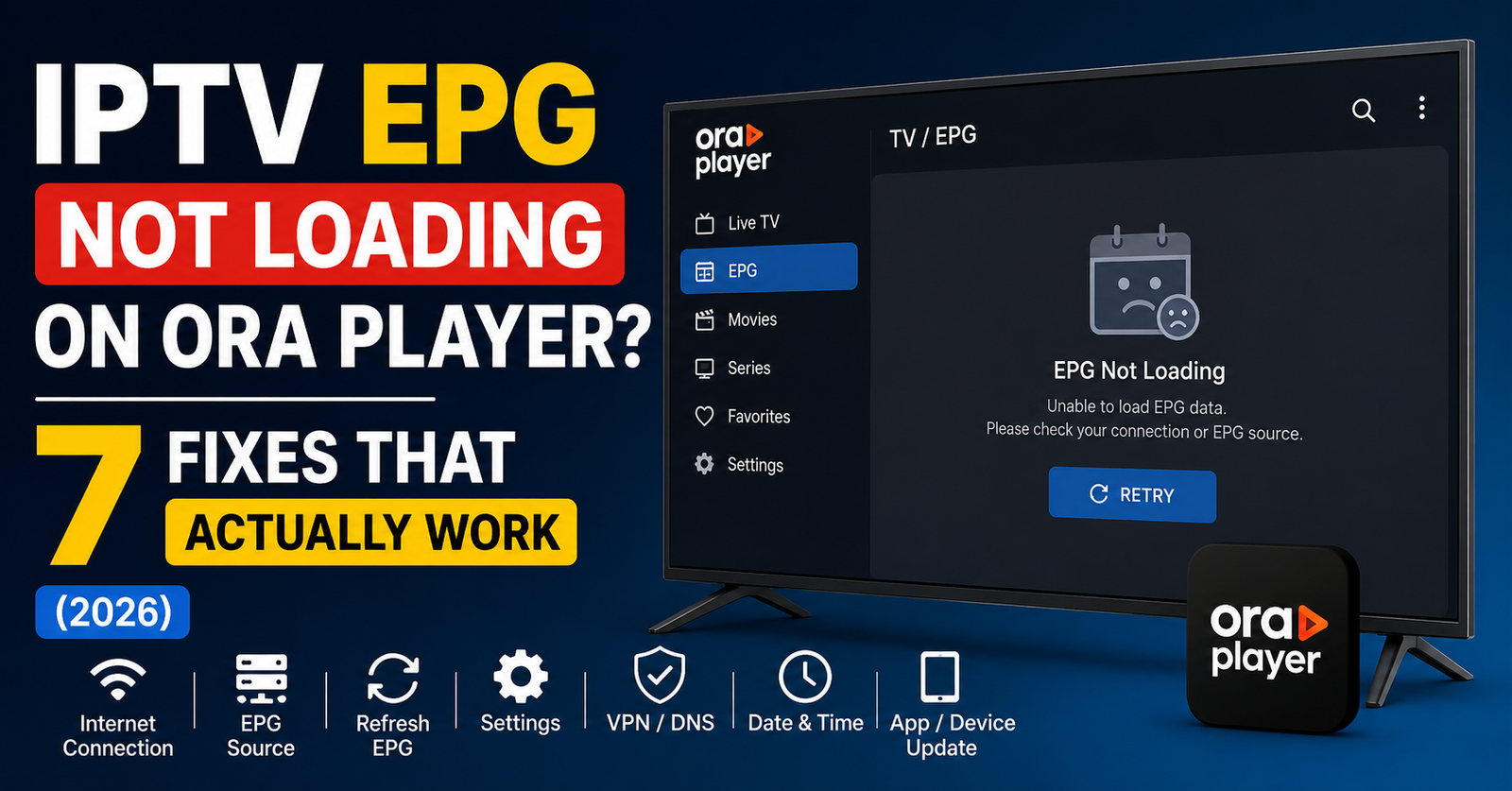
IPTV EPG Not Loading on Ora Player? 7 Fixes That Actually Work (2026)
- On
- InIPTV Streaming
The Empty Grid That Panics Every Subscriber
You tap open Ora Player, expecting to scroll through tonight’s schedule, and nothing. No programme names. No time slots. Just an empty grid staring back at you. Your IPTV EPG not loading, and suddenly you’re convinced your entire subscription is dead.
It’s not. Almost every time, a blank EPG on Ora Player has nothing to do with your IPTV service itself. The streams still work. The channels still play. But that electronic programme guide, the thing that tells you what’s on and when, has silently failed in the background. And because Ora Player handles EPG refresh intervals differently from most other IPTV apps, this problem hits Ora users harder and more often than you’d expect.
Table of Contents
ToggleWhether you’re a subscriber staring at an empty guide or a UK IPTV reseller fielding five identical complaints before breakfast, this is the only walkthrough you need. Every fix here comes from real-world troubleshooting, not recycled forum posts.
Pro Tip: Before you start changing settings, play any channel first. If the stream loads, your subscription is fine. The problem is isolated to EPG data, and that’s fixable in minutes.
Why This Happens More Often Than You Think
Ora Player has grown fast in 2026, especially across UK households running IPTV on Android-based set-top boxes. But with that growth came a pattern: EPG failures that other apps like TiviMate handle more gracefully. The root cause usually isn’t dramatic. It comes down to three things.
First, expired EPG sources. Your IPTV provider assigns an XMLTV URL that feeds guide data into the app. These URLs have a shelf life. When that source expires or the provider rotates servers without updating the endpoint, Ora Player simply stops displaying the guide. No error message. No warning. Just emptiness.
Second, Ora’s refresh interval is inconsistent. Unlike apps that let you force a strict EPG refresh cycle, Ora sometimes skips scheduled refreshes or delays them unpredictably. So even when your EPG source is healthy, the app might be serving stale or empty data because it hasn’t pulled a fresh copy.
Third, DNS and caching conflicts on the device itself. If your Android box is using a default ISP-provided DNS, that expired or rotated XMLTV URL might be resolving to a dead endpoint, even after your provider has already updated it on their side.
The Subscriber Panic Cycle (And How to Break It)
Here’s what actually happens in the real world when IPTV EPG not loading. A subscriber opens Ora Player, sees an empty guide, and immediately assumes their subscription expired or got banned. Within thirty seconds, they’ve messaged their IPTV UK reseller, or worse, left a negative review.
This panic cycle is avoidable. The problem is that most subscribers don’t understand the difference between stream delivery and guide data. Streams come from one pipeline. EPG data comes from another. One can fail while the other works perfectly.
If you’re a subscriber reading this, here’s your rapid triage. Play a channel manually first, if it works, your sub is active. Go to Ora Player’s EPG settings and look for the XMLTV source URL, if the field is empty, that’s your problem, you need your provider to send you the current URL. Force an EPG refresh from within the app settings, don’t just close and reopen, actually trigger the refresh. And switch your device DNS to a public resolver like Google (8.8.8.8) or Cloudflare (1.1.1.1), since DNS poisoning from ISPs can silently block EPG source domains.
If none of that works, the issue is almost certainly server-side, and that’s where your reseller steps in.
Ora Player’s Refresh Problem: What Nobody Talks About
Most troubleshooting guides for IPTV EPG not loading will tell you to “update your EPG.” Thanks. Groundbreaking. But with Ora Player specifically, the issue goes deeper.
Ora doesn’t handle EPG refresh intervals the way TiviMate or Smarters Pro does. In those apps, you set a refresh timer, say every 6 or 12 hours, and the app reliably pulls fresh XMLTV data on that schedule. Ora Player, on the other hand, has an inconsistent refresh mechanism that sometimes skips cycles entirely or delays them without any user-facing notification.
What does this mean practically? It means your EPG source could be perfectly healthy on the server side, but Ora is serving a cached version from two days ago, or no version at all because the last refresh silently failed.
Pro Tip: If you’re on Ora Player and your EPG keeps disappearing every few days, don’t just refresh manually each time. Export your playlist as an M3U with the EPG URL embedded directly in the file header. This forces Ora to re-read the source every time the playlist loads, bypassing its internal refresh logic.
Reseller-Side Diagnosis: What to Check Before You Blame the App
When a wave of “my guide is blank” tickets hits your inbox, your first instinct might be to blame Ora Player. Sometimes that’s fair. But most of the time, IPTV EPG not loading traces back to something on your panel or upstream infrastructure.
Here’s the reseller diagnostic sequence that actually works:
| Check | What you’re looking for | Fix |
|---|---|---|
| XMLTV source URL | Has it expired or rotated? | Replace with current backup URL |
| Panel EPG assignment | Is the EPG source mapped to the right bouquets? | Remap channels to active EPG ID |
| Upstream provider status | Has the EPG feed gone down silently? | Switch to backup XMLTV provider |
| DNS resolution on your server | Is the XMLTV domain resolving? | Test with dig or nslookup from server |
| HLS latency on EPG endpoint | Is the source responding slowly? | Timeout thresholds may be cutting off the download |
Most resellers keep one EPG source and call it a day. That’s how you end up scrambling at midnight when it expires. Running a backup XMLTV source, already configured and mapped but sitting dormant until needed, cuts your response time from hours to minutes.
DNS Poisoning and ISP-Level Blocks That Kill Your EPG Silently
In 2026, AI-driven ISP blocking has gotten significantly more aggressive. It’s not just streams being throttled anymore. ISPs are now identifying and blocking EPG source domains, especially XMLTV endpoints associated with known IPTV panel systems.
When this happens, IPTV EPG not loading, but only for subscribers on certain networks. A customer on one ISP sees a full guide. A customer on another sees nothing. Same subscription. Same Ora Player version. Same XMLTV URL.
The fix isn’t complicated, but most subscribers won’t know to do it unless you tell them. Use a VPN that routes DNS queries through its own resolvers. Manually set device DNS to a provider that doesn’t comply with ISP-level domain blocks. And if you’re a reseller, distribute EPG source URLs using domains that aren’t on known blocklists, rotate them quarterly.
Pro Tip: If you manage multiple reseller brands, don’t use the same XMLTV domain across all of them. One domain getting flagged shouldn’t take out every brand’s EPG simultaneously. Distribute your risk.
Load Balancing Your EPG Sources: The Reseller Edge
Here’s where amateurs get separated from operators. If you’re running an IPTV UK reseller business and you rely on a single EPG source, you’re one expired certificate or one DNS block away from hundreds of angry tickets.
IPTV EPG not loading becomes a business-level crisis when it affects every subscriber at once. Load balancing your EPG sources isn’t optional, it’s infrastructure.
The approach that works for most mid-scale reseller operations includes maintaining at least two independent XMLTV providers, configuring your primary source on your panel’s main EPG assignment, keeping the backup source pre-mapped but inactive and ready to swap in under five minutes, monitoring EPG health with a simple cron job that checks the XMLTV endpoint response code every hour, and rotating to backup when the primary fails, rotating back when it recovers, so no subscriber ever notices.
This is the same principle behind backup uplink servers for stream delivery, redundancy isn’t a luxury. It’s the difference between a business that survives disruptions and one that bleeds subscribers every time something breaks.
When Ora Player Itself Is the Problem
Let’s be honest. Sometimes you’ve checked everything, your XMLTV source is live, your panel mapping is correct, DNS is clean, and IPTV EPG not loading on Ora Player anyway. At that point, the app itself is the bottleneck.
Ora Player has known quirks with certain Android TV firmware versions. Some users report that EPG loads fine after a fresh install but starts failing after a few weeks of use, likely due to cache corruption.
Here’s the hard reset sequence that resolves it nine times out of ten. Clear Ora Player’s app cache first, not data. If that doesn’t work, clear data entirely and re-add your playlist. If running on an Android box, reboot the device after clearing cache, Ora sometimes holds EPG data in memory even after cache wipe. Reinstall Ora Player as a last resort, but only after confirming your XMLTV URL is current.
This isn’t elegant. But it works. And when a subscriber is panicking at 9pm on a Saturday because the programme guide vanished during a live match, “it works” is all that matters.
Panel Credits, EPG Mapping, and the Mistakes New Resellers Make
New resellers often set up their panel credits, assign channels to categories, and completely overlook EPG mapping. They assume the guide data just appears automatically. It doesn’t.
Every channel in your panel needs to be explicitly mapped to an EPG ID within your XMLTV source. If you’ve added new channels or your upstream provider has changed their channel list, your EPG mapping might be out of sync, and that’s another reason IPTV EPG not loading appears on the subscriber’s end.
The tricky part is that partial mapping failures look different from total EPG outages. A subscriber might see guide data for half their channels and nothing for the rest. They report it as “EPG broken,” but the real issue is that 40 channels in your bouquet don’t have matching EPG IDs.
Pro Tip: After every channel list update from your upstream provider, run a full EPG audit. Cross-reference your panel’s channel IDs with the XMLTV source’s programme IDs. Mismatches are the number one cause of partial EPG failures that are maddeningly hard to diagnose.
Customer Churn Is Real When the Guide Stays Blank
This is the part most resellers ignore. A subscriber whose IPTV EPG not loading doesn’t just get annoyed, they start shopping. The programme guide is how people navigate IPTV. Without it, the experience feels broken even when every stream works perfectly.
Customer churn from EPG failures is silent. Nobody sends a complaint. They just don’t renew. And if you’re running a credit-based reseller model, that’s revenue walking out the door because of a problem that takes five minutes to fix, if you catch it in time.
Monitor your EPG health the way you monitor uptime. Set alerts. Check endpoints. And when a subscriber reports a blank guide, treat it with the same urgency as a stream outage. Because in their mind, it is one.
Frequently Asked Questions
Why is my IPTV EPG not loading on Ora Player but streams work fine?
Streams and EPG data travel through separate pipelines. Your subscription delivers channels via one server, while guide data comes from an XMLTV source URL. When that URL expires, gets blocked by your ISP, or Ora Player skips a refresh cycle, the guide disappears independently. Your streams remain unaffected because they use a completely different delivery path.
How do I manually refresh the EPG in Ora Player?
Go into Ora Player’s settings, find the EPG or programme guide section, and trigger a manual refresh. Don’t rely on closing and reopening the app, Ora sometimes serves cached guide data even after a restart. A manual refresh forces the app to pull a fresh copy from the XMLTV source directly.
Can my ISP block EPG data specifically?
Yes. In 2026, AI-driven ISP blocking targets not just streams but also XMLTV source domains. If your EPG loads on mobile data but fails on home broadband, your ISP is likely blocking the EPG endpoint. Switching to a public DNS or using a VPN that handles its own DNS resolution typically resolves this.
What’s the difference between a full EPG failure and a partial one?
A full failure means no guide data for any channel, usually an expired or unreachable XMLTV source. A partial failure means some channels show guide data while others don’t, which typically indicates mismatched EPG IDs in your IPTV reseller panel. Partial failures require an EPG mapping audit rather than a source swap.
How often should I rotate my XMLTV source URL as a reseller?
Don’t rotate on a fixed schedule, monitor instead. Use a cron job or simple script that checks your XMLTV endpoint response code hourly. Rotate to your backup only when the primary fails or shows degraded response times. Proactive monitoring beats reactive scrambling every time.
Is Ora Player worse than TiviMate for EPG reliability?
Ora Player’s refresh interval behaviour is less consistent than TiviMate’s strict timer system. TiviMate lets you set exact refresh cycles and sticks to them. Ora sometimes skips or delays refreshes without notification. For subscribers who depend heavily on guide data, this inconsistency makes Ora more prone to showing stale or blank EPG.
Will clearing Ora Player cache delete my channel list?
Clearing cache alone won’t remove your playlist or channel setup, it only removes temporary data including stored EPG files. Clearing app data, however, will wipe everything and require you to re-add your playlist. Always try cache first before going to a full data clear.
Can a reseller push an EPG fix without the subscriber doing anything?
If the issue is server-side, an expired XMLTV source or broken panel mapping, yes, fixing it on the backend restores the guide automatically on the next successful refresh. But if the subscriber’s device has cached the old broken data, they may still need to manually refresh or clear cache on their end.
Your EPG Recovery Checklist: Execute This Today
This isn’t a summary. It’s your action list. Run through it now.
- Test your primary XMLTV source URL in a browser, does it return valid XML or an error?
- Confirm every channel in your panel is mapped to a valid EPG ID in your current XMLTV source
- Set up a backup XMLTV provider and pre-map it in your panel, dormant but ready
- Create a simple monitoring script that pings your EPG endpoint hourly and alerts you on failure
- Send a one-line message to subscribers explaining how to force-refresh EPG in Ora Player, reduce your ticket volume before the next outage
- Switch your recommended DNS to 1.1.1.1 or 8.8.8.8 in your subscriber setup guides
- Test Ora Player’s EPG on a clean install every month to catch cache-related failures early
For full setup walkthroughs, UK IPTV reseller tools, and infrastructure guides, visit British Seller, the resource hub built by operators, for operators.
Stop treating EPG as an afterthought. It’s the interface your subscribers actually use. Protect it like you protect your streams.