Book Appointment Now
IPTV Smarters Pro vs TiviMate: Which to Recommend 2026
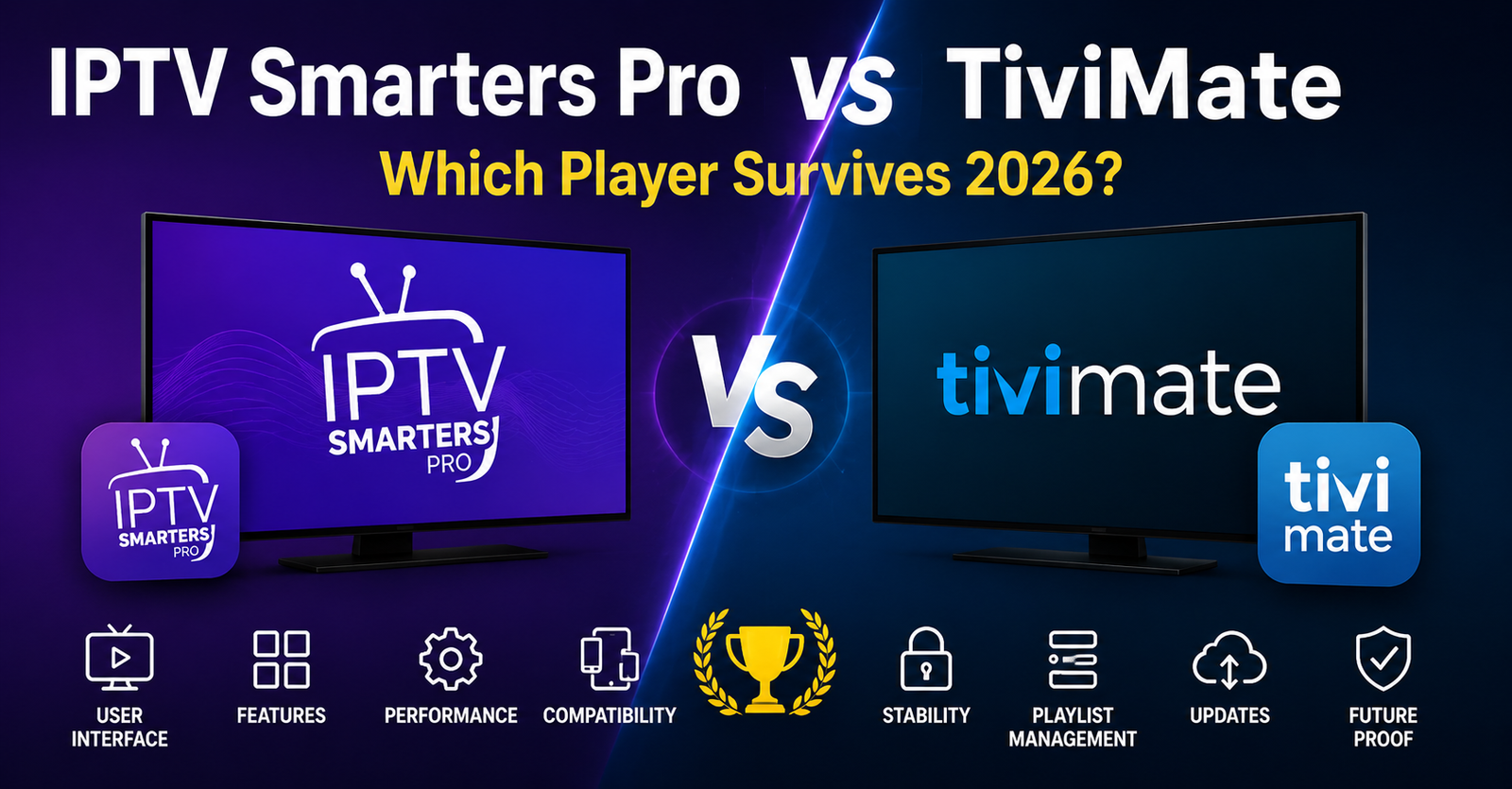
IPTV Smarters Pro vs TiviMate: What Actually Matters When Your Panel Is Under Load
Nobody talks about the part where your subscriber’s player crashes during a title fight and your inbox fills with sixty messages in four minutes. That’s where this comparison actually starts. Not with feature lists. Not with star ratings on some app store. With pressure.
The IPTV Smarters Pro vs TiviMate debate has been running since at least 2020, and somehow, in 2026, people are still getting it wrong. They pick a player based on screenshots and YouTube walkthroughs filmed on someone’s couch. Then the complaints roll in, buffering, EPG not loading, catchup broken, favourites disappeared after an update. The player was never the problem. The mismatch between the player and the operation behind it was.
This article isn’t a feature-by-feature spec sheet. It’s what happens when you’ve onboarded thousands of subscribers across both platforms, dealt with the fallout of bad recommendations, and learned which player actually holds up when your panel is under real load. IPTV Smarters Pro vs TiviMate is not a matter of which app looks prettier. It’s about which one doesn’t generate support tickets at 2 AM.
If you’re a reseller running a panel with more than a hundred active lines, you already know the player recommendation you give shapes your entire support burden. Get that wrong and no amount of server optimisation saves you.
What Resellers Actually Mean When They Say “Better Player”
Let’s kill the ambiguity first. When a UK IPTV reseller says one player is better, they almost never mean the interface. They mean fewer problems. Fewer DMs asking why channels froze. Fewer walkthroughs over WhatsApp trying to explain how to add a playlist.
IPTV Smarters Pro vs TiviMate breaks down into three operational categories that matter far more than aesthetics:
- Onboarding friction, how fast can a non-technical subscriber get live TV working?
- EPG reliability, does the guide populate consistently without manual refresh?
- Failure behaviour, when a stream drops, does the player recover or sit on a black screen until the user force-closes?
Smarters Pro historically won on onboarding. The Xtream Codes API login, server URL, username, password, is front and centre. Your subscriber doesn’t need to know what an M3U is. TiviMate, by contrast, initially appealed to the tinkerer. The user who wanted granular control over EPG sources, buffer sizes, and stream format preferences.
Pro Tip: If more than 40% of your subscriber base is non-technical (families, older users, first-time cord-cutters), your default recommendation shapes your support volume more than your server architecture does.
The EPG Problem Nobody Warns You About
Electronic Programme Guide handling is where the IPTV Smarters Pro vs TiviMate conversation gets genuinely technical, and where most comparison articles fall flat because the writer has never managed EPG delivery at scale.
Smarters Pro pulls EPG data directly through the Xtream Codes API. Simple. Automatic. But here’s the catch: if your panel’s EPG source is bloated or poorly maintained, Smarters doesn’t give the subscriber any way to fix it. They see missing logos, wrong times, or blank guide data, and they blame you. Not the EPG provider. You.
TiviMate lets users add external EPG URLs. That sounds like a feature. In practice, it means a subset of your subscribers will load third-party EPG sources that conflict with your channel mapping, then open a ticket saying “the channels are all wrong.” You now have a debugging nightmare where the problem exists only on their device because of a setting they changed.
- Smarters Pro: EPG is locked to your panel source, consistent but inflexible
- TiviMate: EPG is customisable, powerful but creates support divergence
- Neither handles EPG caching gracefully during server-side XMLTV regeneration windows
The real operator move? Maintain a clean, lightweight EPG feed on your panel side and document which player handles it without manual intervention. That answer, right now, leans toward Smarters for consistency, but only if your EPG source is actually maintained.
Buffering, Stream Recovery, and the HLS Latency Question
Here’s where IPTV Smarters Pro vs TiviMate stops being a preference debate and starts being an infrastructure conversation.
TiviMate offers built-in buffer size controls. Users can set buffer duration manually, which theoretically helps on congested networks. In reality, most subscribers set the buffer too high, which increases HLS latency and makes channel switching painfully slow. They then complain about “lag,” which isn’t server-side at all. It’s a client-side buffer they configured themselves.
Smarters Pro doesn’t expose buffer settings to the user. That’s a limitation, yes. But from a reseller’s perspective, it means the playback behaviour is predictable across your subscriber base. When someone reports buffering on Smarters, you know it’s either a server issue or their ISP, not a rogue buffer configuration.
Pro Tip: If you’re running HLS delivery and your subscribers are on TiviMate, create a one-page setup guide that locks buffer size to 2–3 seconds. It eliminates 30% of your “buffering” complaints overnight.
Stream recovery is another divergence point. When a stream drops, and streams drop, that’s not a maybe, TiviMate generally attempts reconnection more aggressively. Smarters Pro tends to sit on a loading spinner longer before retrying. For live sports events where every second matters, TiviMate’s reconnection behaviour edges ahead. For general viewing, the difference is negligible.
Panel Integration: Where Smarters Pro Still Dominates
If you manage a reseller panel built on the Xtream Codes API, and most of you do, then IPTV Smarters Pro vs TiviMate has a clear infrastructure winner in this category.
Smarters Pro was essentially built around Xtream Codes. The login flow mirrors the panel’s credential system directly. Every feature, live, VOD, series, catchup, maps one-to-one with the API output. There’s no translation layer. No guessing about category structures or VOD sorting.
TiviMate supports Xtream Codes login, but it also supports M3U playlists, which means its interface has to accommodate both paradigms. The result is occasional inconsistencies:
- VOD categories sometimes render differently than they appear on the panel
- Series episode ordering can misalign depending on the panel’s naming convention
- Catchup functionality is less predictable when the panel uses non-standard archive formats
For resellers, this matters because you cannot control what happens on the subscriber’s screen after they log in. If TiviMate renders your VOD library differently than you intended, the subscriber assumes your content is disorganised. Your panel is fine. The player is interpreting the data its own way.
Here’s how the two stack up feature by feature.
| Feature | IPTV Smarters Pro | TiviMate |
|---|---|---|
| Xtream Codes API native support | Full, native | Supported but hybrid |
| M3U playlist support | Limited | Full |
| VOD category rendering | Mirrors panel exactly | May reinterpret structure |
| Catchup reliability | Consistent with API | Variable by archive format |
| EPG source flexibility | Panel-locked | Multiple sources allowed |
| Buffer user control | None (locked) | Full manual control |
| Multi-playlist management | Single login | Multiple playlists simultaneously |
Pro Tip: If you’re white-labelling your service, Smarters Pro’s brandable APK option gives you a visual identity on the subscriber’s device. TiviMate doesn’t offer white-label builds, your brand is invisible once they open the app.
The Household Subscriber vs the Power User: Two Different Conversations
One mistake resellers keep making in the IPTV Smarters Pro vs TiviMate debate is treating all subscribers as one audience. They’re not. A household with three people who just want live TV in the evening has completely different needs from a technically confident user who manages multiple playlists and customises everything.
For the household subscriber, Smarters Pro is the safer recommendation. The interface is straightforward, the login is simple, and there are fewer settings to accidentally break. The parent who just wants to watch news after work doesn’t need buffer controls or external EPG sources. They need it to work when they press play.
For the power user, someone who might be running two or three IPTV subscriptions, comparing providers, or testing line quality, TiviMate is genuinely superior. Multi-playlist management, detailed playback logs, and the ability to switch between providers without logging out make it the obvious choice for anyone who treats IPTV as a hobby rather than a utility.
- Household subscribers: prioritise simplicity, minimise settings exposure
- Power users: prioritise flexibility, accept higher support complexity
- Resellers serving both: maintain setup guides for each player, recommend based on subscriber profile
The segment you serve should dictate your recommendation. Pushing TiviMate to a non-technical base creates support overhead. Pushing Smarters Pro to advanced users creates dissatisfaction. IPTV Smarters Pro vs TiviMate isn’t a universal answer, it’s a segmentation decision.
ISP Blocking in 2026 and What It Means for Player Choice
Here’s something the feature-comparison articles never touch: ISP-level blocking and how each player behaves when streams are being intercepted.
AI-driven ISP blocking has matured significantly through 2025 and into 2026. Major broadband providers now use deep packet inspection combined with machine learning models to identify streaming traffic patterns, not just DNS queries, but actual traffic signatures. DNS poisoning alone used to be the primary weapon. Now it’s layered with SNI filtering and behavioural analysis.
When a stream gets blocked mid-session, the player’s failure behaviour matters. TiviMate tends to display a clear error and allows the user to retry or switch channels quickly. Smarters Pro sometimes enters a loop where the loading animation persists indefinitely, which frustrates subscribers because they don’t know whether the issue is the server, their connection, or the player.
Neither player solves ISP blocking. That’s a network-layer problem, your subscribers need proper DNS configuration or a reliable tunnel. But the player’s response to a blocked stream affects the subscriber’s perception of your service. If the player communicates failure clearly, the subscriber contacts you with useful information. If the player just hangs, they say “it’s not working” and you’re guessing.
Pro Tip: Prepare a one-page ISP troubleshooting guide for each player. Include DNS settings, how to recognise a block versus a server issue, and the exact steps for each app. This single document cuts repeat support queries by a third.
The Update Cycle and Stability Risk
IPTV Smarters Pro vs TiviMate also diverges on update philosophy, and this has real consequences for resellers managing large subscriber bases.
Smarters Pro updates infrequently. That sounds like a negative, but for IPTV resellers it means stability. You’re not fielding messages every month about the app looking different or a feature moving. The interface your subscriber learned six months ago still looks the same today.
TiviMate updates more regularly, and the developer is responsive to community feedback. New features appear consistently. The downside is that updates occasionally introduce regressions, a catchup function that worked last week might behave differently after an update. If you have five hundred subscribers on TiviMate and an update breaks EPG loading, you’ve got five hundred potential support tickets before breakfast.
- Smarters Pro: slower updates, higher stability, fewer regressions
- TiviMate: faster updates, more features, occasional breakage risk
- Mitigation: advise subscribers to disable auto-update and only update when you’ve tested the new version yourself
This is something no comparison article mentions because it requires you to have actually managed a subscriber base through an update cycle. The theoretical feature set doesn’t matter if the app breaks after an update and your subscribers don’t know how to roll back.
Load Balancing, Backup Uplinks, and Why the Player Is Never the Whole Story
Resellers who obsess over IPTV Smarters Pro vs TiviMate sometimes miss the bigger picture: the player is the last link in a chain that starts with your server infrastructure. If your backend can’t handle load, no player saves you.
Your panel’s load balancing configuration determines whether five hundred concurrent viewers get a smooth stream or a buffering nightmare. If you’re running a single server with no failover, it doesn’t matter whether your subscribers use Smarters, TiviMate, or anything else. The experience degrades identically.
Backup uplink servers matter here. When your primary CDN node drops, and it will, eventually, a properly configured backup uplink catches the traffic within seconds. Subscribers on either player experience a momentary blip rather than a full outage. Without that failover, both Smarters Pro and TiviMate will display the same black screen.
Pro Tip: Test your failover by deliberately killing your primary node during off-peak hours. Watch how each player handles the switch. TiviMate’s aggressive reconnection sometimes catches the backup stream faster than Smarters Pro’s more passive retry logic. That two-second difference matters during premium sports streams.
The infrastructure underneath is what separates a reseller who survives from one who burns out answering complaints. IPTV Smarters Pro vs TiviMate is a valid operational question, but it’s downstream of server reliability, panel credit management, and uplink redundancy.
Pricing, Licensing, and the Hidden Cost Calculation
Smarters Pro is free on most platforms with ads, or available as a one-time purchase for the ad-free version. TiviMate operates on a subscription model, TiviMate Premium requires an annual payment.
For resellers, the subscriber’s cost isn’t your direct problem, but it influences perception. If you’re selling a budget IPTV subscription and your recommended player costs the subscriber an additional annual fee, some will push back. Others won’t care. But the ones who push back are the ones who generate support volume disproportionate to their value.
The hidden cost is operational. Smarters Pro’s white-label APK option means you can distribute a branded version to your subscribers. That’s marketing value you can’t replicate with TiviMate. Your app icon on their device. Your brand name when they open it. That visibility reinforces retention in ways that are hard to quantify but real.
- Smarters Pro: free or one-time cost, white-label option available
- TiviMate: annual subscription for premium features, no white-label
- Operational cost: factor in support volume generated by each player when calculating true per-subscriber cost
IPTV Smarters Pro vs TiviMate on pricing alone isn’t decisive. But when you layer in branding value, support cost, and subscriber perception, the economics tilt differently depending on your business model.
Churn Psychology: How Player Experience Affects Retention
Subscriber churn in IPTV is brutal. Most resellers lose 15–25% of their base every quarter. What they don’t track is how much of that churn originates from player experience rather than content or pricing.
A subscriber who can’t figure out how to find their favourite channel list doesn’t open a ticket. They just don’t renew. A subscriber whose EPG is blank for two days doesn’t complain, they try a competitor. The player is the interface between your service and the subscriber’s willingness to stay.
IPTV Smarters Pro vs TiviMate affects churn differently by segment. Non-technical subscribers churn faster on TiviMate because the settings overwhelm them. Technical subscribers churn faster on Smarters Pro because they feel restricted. Matching the player to the subscriber profile isn’t just a support strategy, it’s a retention strategy.
Pro Tip: Track your renewal rates segmented by recommended player. If you’ve been pushing one player universally, split-test by recommending the other to new sign-ups for one month and compare renewal rates at the 90-day mark. The data will tell you more than any comparison article.
Frequently Asked Questions
Is IPTV Smarters Pro vs TiviMate relevant for Firestick users specifically?
Both apps run on Firestick, but TiviMate tends to perform better on newer Firestick 4K models due to its hardware-accelerated decoding options. Smarters Pro works reliably across older Firestick models where memory is limited. Your choice should factor in which Firestick generation most of your subscribers use. For mixed hardware bases, having setup guides for both players on Firestick reduces onboarding friction significantly.
Can I use both IPTV Smarters Pro and TiviMate on the same device?
Yes, both can be installed simultaneously on any Android-based device. Some power users run both, Smarters for VOD browsing and TiviMate for live channels. For resellers, this creates a support complexity where the subscriber might confuse which app has which settings. If you support dual-player setups, document clearly which app handles what.
Does TiviMate work with Xtream Codes panels as smoothly as Smarters Pro?
TiviMate supports Xtream Codes API login, but because it was designed as a multi-source player, some panel features render differently. Catchup and series ordering are the most common friction points. Smarters Pro mirrors the panel’s native output more accurately, making it the better choice when panel-to-player consistency matters.
How does IPTV Smarters Pro vs TiviMate affect my bandwidth costs as a reseller?
TiviMate’s user-adjustable buffer can cause subscribers to pull more data than necessary, especially if set to high buffer values. Smarters Pro’s locked buffer keeps data consumption predictable. On a large subscriber base, the aggregate bandwidth difference is measurable, potentially 8–12% higher consumption on TiviMate depending on buffer configurations across your user base.
Which player handles VOD and series content better?
Smarters Pro organises VOD and series exactly as your panel structures them, which gives you full control over the browsing experience. TiviMate’s VOD handling is functional but secondary to its live TV focus. If your service heavily promotes movies and series as a selling point, Smarters Pro provides a more polished VOD browsing experience.
Is IPTV Smarters Pro vs TiviMate a factor in reducing subscriber support tickets?
Absolutely. Player choice is one of the top three drivers of support volume alongside server stability and payment issues. Recommending the right player based on subscriber technical ability can reduce incoming queries by 20–35%. The key is segmentation, profile your subscriber during onboarding and recommend accordingly rather than giving a blanket suggestion.
What happens to my subscribers if TiviMate or Smarters Pro gets removed from app stores?
Both apps have experienced temporary removals from the Google Play Store in the past. TiviMate is typically sideloaded anyway, so its users are less affected. Smarters Pro users on official store installs may lose access to updates. Resellers should maintain a direct download link for both APKs on their support portal and guide subscribers to sideload as the default installation method.
Can IPTV Smarters Pro vs TiviMate impact my panel credit usage?
Not directly, panel credits are consumed per active connection regardless of player. However, TiviMate’s multi-playlist feature means a subscriber might connect to your service and a competitor’s simultaneously, which doesn’t cost you extra credits but does split their attention and loyalty. Smarters Pro’s single-login design keeps the subscriber focused on your service.
The Reseller’s Execution Checklist: IPTV Smarters Pro vs TiviMate
- Audit your current subscriber base and segment by technical confidence level before recommending a default player.
- Build separate one-page setup guides for both IPTV Smarters Pro and TiviMate, including DNS settings and buffer recommendations.
- Clean and optimise your panel’s EPG source, test it renders correctly on both players before distributing.
- Disable auto-update advice for subscribers on both platforms, test each new version internally before rolling out.
- If running a white-label operation, deploy a branded Smarters Pro APK to household subscribers and reserve TiviMate as the recommendation for power users.
- Configure backup uplink servers and test failover behaviour on both players during off-peak hours.
- Track 90-day renewal rates segmented by player recommendation to identify which drives better retention for your specific audience.
- Prepare an ISP blocking troubleshooting document tailored to each player’s error behaviour.
- Review your load balancing setup, neither player compensates for inadequate server infrastructure.
- Visit britishreseller.com for UK IPTV reseller panel credits and infrastructure resources that support both player ecosystems at scale.