Book Appointment Now
IPTV Channel Organization Guide for Resellers 2026
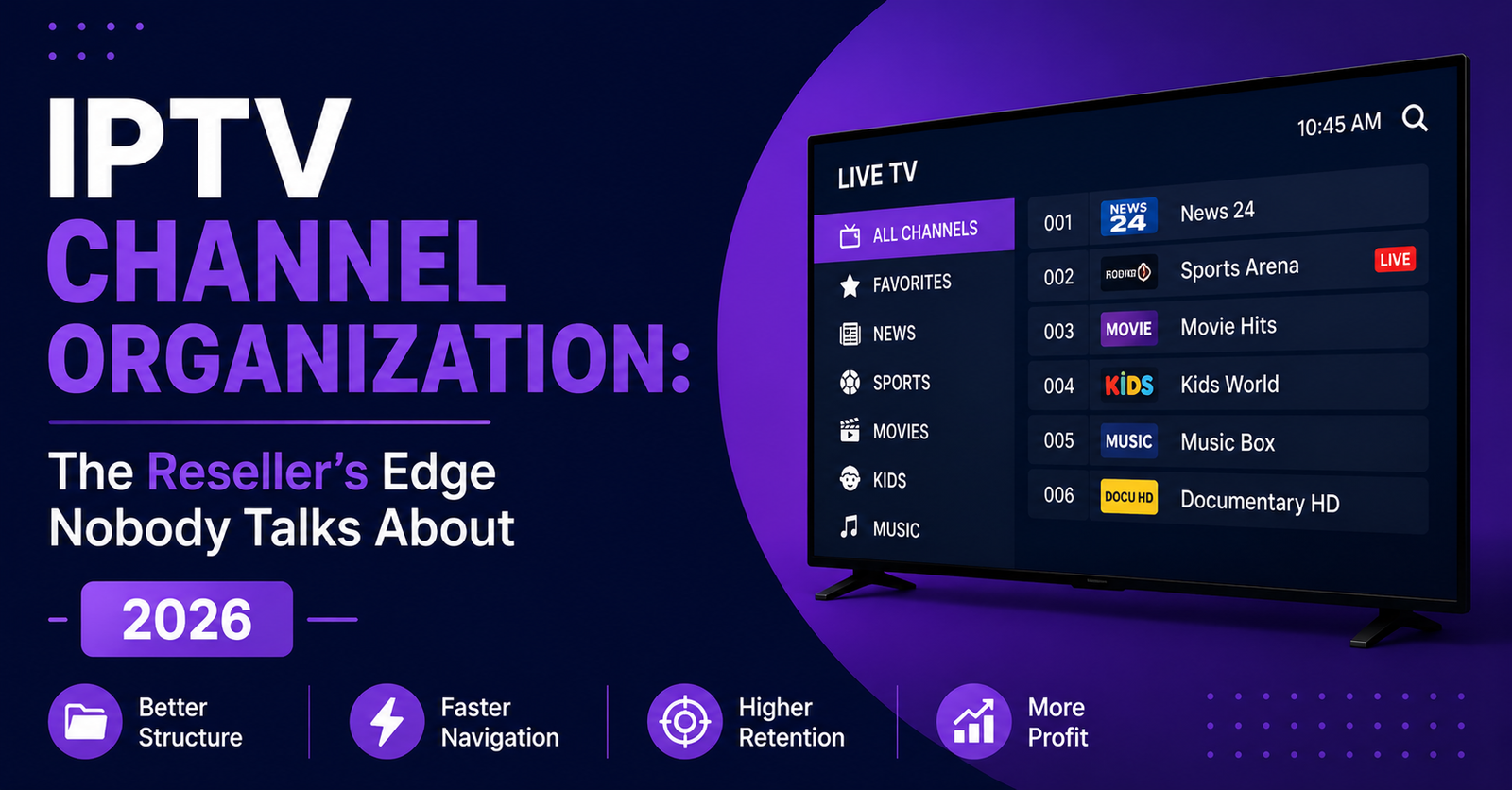
The Silent Retention Killer Sitting Inside Every Reseller Panel
Nobody quits an IPTV service because of one bad night of buffering. They quit because they spent four minutes scrolling through 18,000 channels trying to find one football match, got frustrated, and texted their mate who runs a “better” service. That is the reality most resellers refuse to confront. Your server uptime can be flawless. Your pricing can undercut everyone in the market. But if your channel list resembles a junk drawer, categories thrown together, dead channels cluttering the list, regional content buried under foreign-language stations nobody asked for, you are bleeding subscribers and blaming the wrong things.
Table of Contents
ToggleIPTV channel organization is not a cosmetic issue. It is infrastructure. It sits at the intersection of user experience, churn psychology, and operational efficiency. And in 2026, with panels growing more complex and subscriber expectations shaped by the slickness of mainstream streaming apps, getting this wrong costs real money.
This is the field manual for doing it right.
What Good Channel Organization Actually Means at Scale
Let’s kill a misconception early. IPTV channel organization is not just “sorting channels into folders.” At a UK IPTV reseller level, it means architecting a content navigation system that serves multiple audience types simultaneously, households wanting weekend sports, expat communities chasing homeland news, and binge-watchers hunting box sets, all from the same panel output.
When you manage 300 subscribers, sloppy grouping is annoying. When you manage 3,000, it becomes a support nightmare. Every mislabelled channel generates a ticket. Every dead stream sitting visible in a category erodes trust. Every regional bouquet buried under three layers of scrolling pushes a subscriber closer to asking for a refund.
The real skill is not adding channels. It is subtracting noise.
Pro Tip: Audit your channel list monthly. If more than 8% of visible channels are dead or redundant, your channel organization needs emergency attention, that is typically the threshold where support tickets spike noticeably.
Why Most Reseller Panels Ship With Broken Category Structures
Here is something your panel provider will never volunteer: their default channel organization is built for volume marketing, not for subscriber satisfaction. Providers want the total channel count to look massive on a sales page. “20,000+ channels” reads well in a promotional banner. But that number includes dead feeds, duplicate streams at different bitrates, test channels that were never removed, and regional stations no one in your target market will ever watch.
Most UK IPTV resellers accept the default structure, bolt on their branding, and start selling. Six months later, they cannot understand why their churn rate is sitting above 30%. The answer is almost always buried inside the channel list itself.
Your job as a reseller is to act as a curator, not a pass-through. Strip the default categories. Rebuild them around your specific audience. If you sell primarily to UK households, your top-level structure should reflect what those households actually watch, not what a provider in Eastern Europe thought made sense for a global template.
Here’s how a typical default structure compares to one built for your actual audience:
| Default panel structure | Optimised reseller structure |
|---|---|
| 18,000+ channels visible | 4,000–6,000 curated channels |
| Generic country-based folders | Audience-specific categories (Sports, Family, News, Box Sets) |
| Dead channels left visible | Weekly dead-stream sweeps |
| No favourites guidance | Pre-built favourite lists for onboarding |
| Duplicate bitrate streams shown | Single best-quality stream per channel |
Building a Category Architecture That Reduces Support Tickets
Effective channel organization follows a principle borrowed from information architecture: progressive disclosure. Give subscribers the broadest, most intuitive categories first, then let them drill into specifics. Three taps maximum to reach any channel. That is the rule.
Your top-level categories should never exceed 12 items. Cognitive overload begins around that threshold, and subscribers, especially older household users, disengage. Beneath each top-level category, sub-groups should hold no more than 80 to 100 channels. Beyond that, introduce a further subdivision.
Here is a practical framework that works across most UK and European audiences:
- Live Sports → Streams, Combat Sports, Motorsport, Cricket & Rugby
- Entertainment → General, Reality, Comedy, Drama
- Movies → New Releases, Classics, Family, International Cinema
- Kids → Cartoons, Educational, Teen
- News → UK News, World News, Business & Finance
- Music → Music Video Channels, Radio Simulcast
- International → grouped by language or region, not dumped into one mega-folder
Pro Tip: Create a “Quick Start” or “Popular” category at the very top containing your 30 highest-demand channels. New subscribers who find what they want within 10 seconds of opening the app almost never churn in the first month. That single decision can shift your 30-day retention by double digits.
The EPG Problem Nobody Wants to Fix
Electronic Programme Guide data is the invisible backbone of good channel organization, and it is broken across most reseller setups. Subscribers expect to press a button and see what is on now, what is on next, and a schedule grid that looks professional. When EPG data is missing, mismatched, or showing the wrong timezone, the entire illusion of a premium service collapses.
The root cause is almost always a mismatch between channel IDs in the playlist and the EPG source your panel pulls from. Providers swap streams constantly, upgrading sources, replacing downed feeds, rotating backup servers. Every swap risks breaking the EPG mapping. And most resellers never notice until a subscriber complains.
Fixing this requires a discipline most operators lack. You need a reconciliation process. Export your current M3U. Cross-reference every channel ID against your EPG source. Flag mismatches. Correct them in the panel editor or request corrections from your provider. Do this bi-weekly at minimum. Here’s what that reconciliation pass should cover:
- Map every channel to its correct EPG ID using XMLTV standards
- Verify timezone alignment, a UK subscriber seeing EST schedule times will assume the service is broken
- Remove EPG entries for channels you have hidden or deleted, ghost data clutters the guide
- Test EPG rendering on at least three different player apps, since each handles parsing slightly differently
How Channel Organization Affects ISP-Level Detection in 2026
This is where the conversation gets serious. Channel structure decisions now intersect with how ISPs detect and throttle traffic. In 2026, AI-driven deep packet inspection has moved beyond simple DNS poisoning. Major UK ISPs deploy behavioural pattern analysis, they look at session duration, channel-switching frequency, simultaneous stream counts, and even HLS segment request patterns.
Here is the connection most UK IPTV resellers miss: a poorly organised channel list causes subscribers to switch channels more rapidly as they hunt for content. That rapid switching behaviour generates a distinctive traffic pattern. High-frequency channel hopping across a wide IP range is one of the behavioural fingerprints ISP-level AI now flags for further inspection.
Clean channel organization reduces erratic switching. When subscribers find content quickly, their session behaviour mirrors legitimate streaming platforms, longer watch times on fewer channels. That pattern is far less likely to trigger automated throttling.
Pro Tip: Advise your subscribers to use the favourites feature aggressively. A curated favourites list of 20 to 40 channels produces viewing patterns almost indistinguishable from mainstream app usage. It is the cheapest anti-detection measure available, and it starts with how you structure your channel list.
Scaling Channel Lists Across Multi-Country Panels
Resellers serving mixed demographics, say, UK plus South Asian plus Arabic markets, face a unique organization challenge. A single flat list becomes unusable. But fragmenting into too many sub-panels creates management overhead that eats your margins.
The solution is a tiered bouquet system managed at the panel level. Rather than one massive list, create audience-specific bouquets that can be assigned per subscription. A UK Sports package. A South Asian Entertainment package. An Arabic News and Drama package. Subscribers get only what is relevant. Your total channel count stays high for marketing, but the individual user experience stays clean.
This approach also simplifies load balancing on the backend. When bouquets are segmented, you can route each segment through different uplink servers. If your South Asian streams run through a source that goes down, it does not affect your UK subscribers. That is good channel organization working as operational risk management.
Here’s how the two approaches compare across the metrics that actually matter:
| Challenge | Flat list approach | Bouquet-based approach |
|---|---|---|
| Subscriber navigation | Chaotic, high churn | Clean, audience-matched |
| Support ticket volume | High, “can’t find my channels” | Low, relevant content surfaces immediately |
| Server load distribution | All traffic through same uplinks | Segmented routing per bouquet |
| Marketing flexibility | One-size-fits-all pricing | Tiered pricing per audience |
| ISP detection risk | High switching across diverse content | Focused viewing patterns per user |
Dead Channel Management: The Chore That Pays for Itself
Nothing screams amateur operation louder than a subscriber clicking a channel and getting a black screen. Or worse, a frozen frame from three days ago. Dead channel management is the unglamorous core of professional channel organization, and it separates hobbyist resellers from operators who retain subscribers past the 90-day mark.
Automate what you can. Several panel systems now support heartbeat monitoring that flags channels with no active stream data. Use it. For everything else, schedule a manual sweep every Sunday night. Yes, every week. The IPTV supply chain is volatile, sources rotate, servers go offline, licensing arrangements shift overnight. A channel that worked on Friday might be dead by Monday.
Build a simple tracking sheet:
- Channel name and category
- Last verified active date
- Current status (live, intermittent, dead)
- Replacement source available (yes/no)
- Action taken (hidden, removed, replaced)
When you hide a dead channel rather than deleting it, you preserve the EPG mapping and panel configuration. If the source comes back, and they often do, you simply unhide it. Deleting forces you to rebuild from scratch, which is time most resellers do not have during peak hours.
Pro Tip: Do not just remove dead channels silently. If a popular channel goes down and you know a fix is incoming, pin a brief notice in your subscriber Telegram or WhatsApp group. That single act of transparency buys you more goodwill than a month of perfect uptime. Proactive communication is part of this discipline, it is managing the perception of your list, not just the list itself.
Naming Conventions That Actually Help Subscribers
Standardise your naming convention and enforce it ruthlessly across every category. A proven format:
[Region]: [Channel Name] [Quality Tag]
Example: UK: Sports FHD
Rules to follow without exception:
- Always lead with region code for multi-country panels
- Use the broadcaster’s commonly recognised name, not abbreviations your provider invented
- Quality tags should be consistent: SD, HD, FHD, 4K, pick one convention and stick to it
- Never include server identifiers, source codes, or internal reference numbers in subscriber-facing names
- Alphabetise within each category, it sounds obvious, but a disturbing number of panels do not bother
Clean naming is not about aesthetics. It is functional organization that directly reduces the cognitive load on subscribers, which directly reduces the time they spend searching, which directly reduces frustration-driven churn.
Leveraging VOD Libraries Without Drowning the Interface
On-demand content is where many resellers lose the plot entirely. They dump 40,000 VOD titles into a single section, maybe split loosely into “Movies” and “Series,” and call it done. The subscriber opens the VOD section, sees an ocean of poorly categorised thumbnails, half with broken artwork, and goes back to a mainstream streaming app.
The same organizing principles apply to VOD with equal force. Curate aggressively. Feature recent additions at the top. Create genre sub-categories that actually mean something. And for the love of retention, verify that your artwork and metadata are pulling correctly before you push a new batch live.
A smart VOD structure for reseller panels:
- New This Week, updated every Monday, maximum 50 titles
- Trending, based on what your actual subscribers watch, not a provider’s generic list
- Genre splits: Action, Comedy, Drama, Horror, Family, Documentary, International
- Box Sets / Series, organised alphabetically with season indicators
- Kids VOD, separated entirely, easy for parents to find and restrict to
Pro Tip: If your panel supports it, create a “Staff Picks” or “Recommended” VOD row. Curate it yourself with 10 to 15 genuinely good titles. It sounds small, but it mimics the editorial curation subscribers are accustomed to from major platforms. That familiarity reinforces the sense of a professional service, and professional-feeling services retain better.
How Channel Structure Shapes Your Reseller Pricing Strategy
This angle gets overlooked constantly. The way you organise and package your channel list directly enables, or limits, your pricing tiers. A flat, unstructured list forces you into a single-price model. You either give everyone everything, or you give everyone nothing. There is no middle ground.
Structured channel organization unlocks tiered monetisation. A Basic tier with entertainment and news. A Sports tier adding live streams. A Premium tier bundling everything plus 4K feeds and expanded VOD. Each tier is just a bouquet assignment in your panel, but the perceived value difference between them justifies real price separation.
Resellers running tiered models with clean channel organisation consistently report 15 to 25% higher average revenue per subscriber compared to flat-price operators. The operational cost of managing bouquets is minimal. The revenue uplift is not.
And here is the less obvious benefit: tiered subscribers self-select. Your Sports tier attracts higher-value users who are willing to pay more and tolerate less. Your Basic tier captures price-sensitive users who might otherwise pirate a free stream and never pay anyone. Both segments are profitable when served correctly, but only if your infrastructure supports the segmentation.
Backup Uplink Servers and Channel List Resilience
Your channel list is only as stable as the sources feeding it. And in 2026, source volatility is at an all-time high. Providers lose uplinks without warning. Geographic blocks shift overnight. A server that delivered flawless streams for six months gets taken offline on a Tuesday afternoon with no notice.
The resellers who survive this have backup uplink mapping built into their channel list architecture. For every critical channel, and “critical” means anything your subscribers would notice missing within an hour, you should have a secondary source identified and ready to swap.
This does not mean running two live feeds simultaneously. That doubles bandwidth costs for no reason. It means maintaining a tested backup source in your panel notes, with the EPG mapping already verified, so that switching takes minutes rather than hours when the primary goes down. Here’s the backup-mapping workflow worth building:
- Identify your top 50 most-watched channels from panel analytics
- Source a secondary provider or backup stream for each
- Pre-map EPG data for backup sources
- Test failover switching quarterly, do not wait for a crisis to discover your backup is also dead
- Document the switching process so any team member can execute it, not just you
FAQ
How often should I reorganise my IPTV channel list?
A full structural review should happen quarterly, but minor adjustments, hiding dead channels, correcting names, updating EPG mappings, need to happen weekly. The IPTV supply chain is too volatile for a set-and-forget approach. Resellers who treat channel organization as an ongoing discipline rather than a one-time setup consistently outperform those who do not.
Does IPTV channel organization really affect subscriber retention?
Absolutely. Subscribers rarely articulate it directly, but navigation frustration is one of the top three reasons people cancel within the first 60 days. When a user cannot find content quickly, they perceive the entire service as low quality, even if the streams themselves are technically excellent. Clean organisation directly reduces that friction.
Can I automate dead channel detection in my reseller panel?
Some panel systems offer built-in heartbeat monitoring that flags inactive streams automatically. If yours does not, third-party M3U monitoring tools can parse your playlist and report dead links on a schedule. Automation handles the detection, but the decision to hide, replace, or remove still requires human judgment based on your audience.
What is the ideal number of channels to show subscribers?
There is no universal number, but the sweet spot for UK-focused resellers typically falls between 4,000 and 6,000 curated channels. Beyond that, you are adding noise. The goal is relevance, not volume. A tightly curated list of 5,000 will always outperform a bloated dump of 18,000.
How does IPTV channel organization interact with ISP throttling?
Poorly organised lists cause rapid channel switching as subscribers hunt for content. That switching pattern generates distinctive traffic behaviour that AI-driven ISP systems in 2026 can flag. Clean organisation leads to longer, steadier viewing sessions that resemble mainstream streaming behaviour and attract less scrutiny.
Should I create separate channel lists for different subscriber tiers?
Yes. Bouquet-based segmentation lets you match content to pricing tiers, which unlocks higher average revenue per user and cleaner user experiences. It also allows server load distribution across different uplink sources, adding an operational resilience layer to your overall strategy.
Is EPG data really that important for small reseller operations?
Even at 100 subscribers, broken EPG data generates disproportionate support volume. Subscribers expect a working programme guide, it is table stakes in 2026. The effort to maintain accurate EPG mappings is small compared to the trust erosion and ticket load that mismatched or missing guide data creates.
What naming format works best for multi-country IPTV panels?
Lead with a region code, follow with the commonly recognised channel name, and end with a quality tag. Example: UK: Entertainment One FHD. Keep it consistent across every single entry. Inconsistent naming is the fastest way to make a 5,000-channel list feel chaotic and unprofessional, undermining every other organizational effort.
IPTV Reseller Success Checklist
- Export your current channel list and audit every category against your actual subscriber demographics, delete what does not serve them
- Establish a standardised naming convention (Region: Channel Name Quality) and apply it across your entire panel before the week ends
- Build audience-specific bouquets and assign them to tiered pricing, even two tiers is better than a flat dump
- Set a recurring weekly calendar reminder for dead channel sweeps, Sunday evening works well before Monday peak traffic
- Cross-reference every channel ID against your EPG source and fix mismatches, broken guide data is a silent churn accelerator
- Identify your 50 most-watched channels and source verified backup streams for each one
- Create a “Popular” or “Quick Start” category with your top 30 channels pinned at the top of the list
- Cap your visible channel count at 6,000 maximum for UK-focused panels, strip redundancy aggressively
- Structure your VOD library with weekly-updated “New This Week” and genre sub-categories that mirror mainstream platform layouts
- Review your full channel structure quarterly and rebuild sections that have drifted, treat it as infrastructure maintenance, not a cosmetic task
Start building your UK IPTV reseller infrastructure with the right foundation, explore panel options and setup guidance at britishreseller.com.