Book Appointment Now
GSE Smart IPTV Pro Setup Guide for UK Resellers 2026
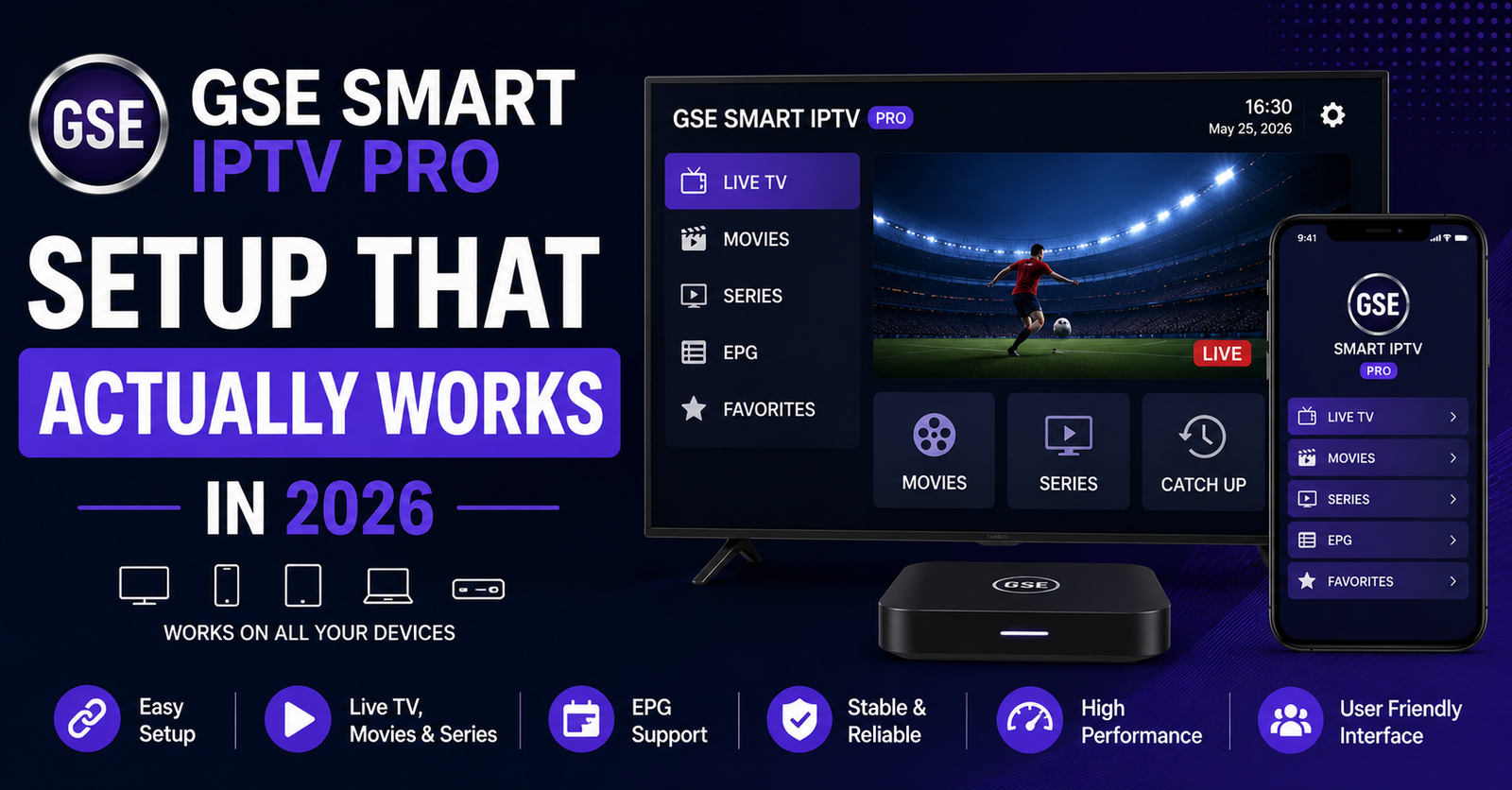
GSE Smart IPTV Pro: What Nobody Tells Resellers Before Their First 50 Complaints
Every reseller remembers the moment. The panel looks clean, credits are loaded, the playlist parses without errors, and then a subscriber rings at half ten on a Saturday evening screaming about a frozen screen during a premium sports final. Nine times out of ten, the problem isn’t the server. It’s the player. More specifically, it’s a misconfigured instance of GSE Smart IPTV Pro sitting on a device that hasn’t been set up properly since the day it was unboxed.
GSE Smart IPTV Pro occupies a peculiar spot in the UK IPTV reseller ecosystem. It’s neither the flashiest option nor the simplest. But among operators who’ve survived multiple enforcement waves and ISP crackdowns, it remains a quiet workhorse, particularly on iOS, where alternatives are thin on the ground. The problem is that most guides treating this player read like they were written by someone who installed it once and never opened a support ticket.
This isn’t that kind of guide. What follows is built from real panel logs, actual subscriber complaints, and the kind of operational knowledge you only accumulate after your third server migration in a single quarter.
Pro Tip: If you’re a reseller recommending GSE Smart IPTV Pro to subscribers, your support ticket volume will drop by roughly 40% if you send a preconfigured setup guide with every new subscription. Most issues stem from day-one configuration mistakes, not infrastructure failures.
Why GSE Smart IPTV Pro Still Matters in a TiviMate-Dominated Market
There’s a widespread assumption floating around UK IPTV reseller forums that TiviMate has rendered every other player obsolete. On Android, that argument holds weight. But GSE Smart IPTV Pro serves a demographic that TiviMate simply cannot reach, Apple device households.
For UK and EU resellers, a significant slice of the subscriber base runs iPhones, iPads, and Apple TVs. GSE Smart IPTV Pro remains one of very few players on the App Store that handles Xtream Codes API connections, M3U parsing, and EPG integration without requiring sideloading or TestFlight workarounds.
Resellers who ignore this reality lose customers to competitors who don’t. It’s that straightforward.
The app also supports multiple playlist profiles, which matters enormously for household subscriptions where one account might serve a living room Apple TV and a bedroom iPad simultaneously. That kind of multi-device flexibility inside a single app keeps your credit-per-subscriber ratio healthy.
First-Launch Configuration That Prevents 80% of Support Tickets
The default settings inside GSE Smart IPTV Pro are designed for casual users, not for high-bitrate IPTV streams running through a reseller panel. Leaving them untouched is the single biggest mistake new subscribers make, and the single biggest source of complaints resellers receive.
Here’s what needs changing immediately after installation:
- Buffer size: increase from the default to at least 5 seconds. For subscribers on congested Wi-Fi networks, push it to 8.
- User-Agent string: some panels require a specific user-agent to authenticate. GSE Smart IPTV Pro allows custom strings under advanced settings, use them.
- Stream format priority: set HLS as the primary format. RTMP fallback causes unnecessary reconnection loops on modern panels.
- EPG refresh interval: default is too aggressive. Set it to every 12 hours to reduce unnecessary API calls against your panel.
These four adjustments alone eliminate the vast majority of “it keeps buffering” and “channels won’t load” complaints. The subscriber doesn’t need to understand why. They just need a setup sheet that walks them through it in plain language.
Xtream Codes API vs M3U Playlist: Which Connection Method Resellers Should Push
GSE Smart IPTV Pro supports both connection methods, and this is where reseller strategy matters more than most operators realise.
The Xtream Codes API connection pulls channels, VOD, series, and EPG data directly from your panel’s API endpoint. It’s cleaner, faster to set up for the subscriber, and gives you granular control over what content categories appear. Panel-side changes, new channels, category reorganisation, VOD additions, reflect automatically without the subscriber lifting a finger.
M3U playlists, by contrast, are static snapshots. They work, but they require manual refresh whenever you update your lineup. For a subscriber who doesn’t know how to reload a playlist, this creates confusion and support tickets.
Pro Tip: Always distribute Xtream Codes API credentials to subscribers using GSE Smart IPTV Pro. Reserve M3U links only for edge cases where API authentication fails due to DNS-level interference from the subscriber’s ISP.
The operational advantage is measurable. Resellers who standardise on API connections report roughly 30% fewer “missing channel” complaints compared to those distributing M3U links as their default.
The DNS Poisoning Problem and How GSE Smart IPTV Pro Handles It
Since late 2024, ISP-level DNS poisoning has become the primary method major UK and EU internet providers use to disrupt IPTV streams. Rather than blocking IP addresses directly, which is expensive and easy to circumvent, providers now intercept DNS queries for known panel domains and return false responses.
GSE Smart IPTV Pro doesn’t have built-in DNS override functionality. This is a limitation resellers need to address at the subscriber education level, not at the app level.
The fix is straightforward but must be communicated clearly:
- Subscribers should configure their router or device to use third-party DNS providers (Cloudflare’s 1.1.1.1 or Google’s 8.8.8.8)
- On iOS specifically, a DNS profile can be installed that overrides system-level DNS without jailbreaking
- For Apple TV users running GSE Smart IPTV Pro, the DNS change must happen at router level, there’s no per-app override
Resellers who include a one-page DNS configuration guide with every new GSE Smart IPTV Pro setup see dramatically fewer “app stopped working overnight” tickets. The streams didn’t stop. The DNS path broke. There’s a critical difference, and your subscribers won’t understand it unless you explain it once, clearly, upfront.
Load Balancing and Why Your Subscribers’ GSE Smart IPTV Pro Keeps Freezing at Peak Hours
Here’s an uncomfortable truth most panel providers won’t volunteer: the buffering your subscribers experience between 7 PM and 11 PM isn’t always a server capacity problem. Often, it’s a load balancing failure at the uplink level.
When a single origin server handles thousands of concurrent HLS segment requests without intelligent distribution, the result is micro-buffering, those 2-to-3-second freezes that drive subscribers to your inbox.
GSE Smart IPTV Pro is particularly sensitive to this because of how it handles buffer underflow. When the buffer empties, the app doesn’t gracefully reconnect the way some Android players do. It stalls, displays a loading spinner, and sometimes requires the subscriber to manually restart the stream.
Here’s how budget and premium infrastructure actually compare on the factors that shape this experience.
| Factor | Budget infrastructure | Premium infrastructure |
|---|---|---|
| Uplink servers | Single origin | Multi-region with failover |
| HLS segment delivery | Direct, unbalanced | CDN-distributed, load-balanced |
| Peak-hour buffering | Frequent (7–11 PM) | Rare, sub-second recovery |
| DNS resilience | None | Anycast + backup DNS paths |
| GSE Smart IPTV Pro stability | Constant reconnections | Smooth playback, minimal stalls |
| Subscriber churn rate | High (30%+ monthly) | Low (under 10% monthly) |
If your panel provider can’t explain their load balancing architecture in one sentence, that’s your answer. Switch providers before your subscriber base does it for you.
EPG Integration Inside GSE Smart IPTV Pro: Getting It Right the First Time
A broken Electronic Programme Guide is the fastest way to make a professional IPTV service feel amateur. GSE Smart IPTV Pro handles EPG data reasonably well, but there are specific pitfalls that catch resellers off guard.
The most common failure: timezone mismatch. GSE Smart IPTV Pro pulls EPG data and displays it according to the device’s local timezone setting. If your panel serves EPG data in UTC and the subscriber’s device is set to GMT+1, every programme listing appears shifted by an hour. The subscriber doesn’t see a timezone error. They see wrong programme information, and they blame you.
- Ensure your panel outputs EPG data with correct timezone offsets
- Instruct subscribers to verify their device timezone matches their actual location
- Test EPG display on GSE Smart IPTV Pro from a device in the subscriber’s timezone before distributing credentials
Pro Tip: Run a weekly EPG spot-check using GSE Smart IPTV Pro on a test device. Open three popular channels, verify the current programme matches what’s actually airing, and check that tomorrow’s listings populate correctly. Five minutes of testing saves hours of support.
The second failure point is EPG source URL formatting. GSE Smart IPTV Pro expects a direct XML or XMLTV URL. If your panel delivers EPG through a redirect chain or requires authentication tokens in the URL, the app may silently fail to load guide data without surfacing an error message.
Multi-Device Household Management Through GSE Smart IPTV Pro
Household subscriptions represent the highest-value segment for most UK IPTV resellers. A single household might run GSE Smart IPTV Pro on an iPad in the kitchen, an Apple TV in the lounge, and an iPhone for catching up in bed. Managing this without connection conflicts is where operational discipline matters.
Most panels enforce a simultaneous connection limit, typically one or two streams per subscription. GSE Smart IPTV Pro doesn’t manage this limit internally. If a household exceeds their allocation, the panel drops the oldest connection without warning. The subscriber on the Apple TV sees a sudden black screen with no explanation.
Resellers handling household accounts need a clear policy communicated at point of sale:
- State the exact simultaneous stream limit
- Explain that closing the app on one device frees the connection for another
- Recommend force-closing GSE Smart IPTV Pro rather than just switching apps, as background playback can hold a connection slot open for several minutes
This is basic operational hygiene, but the number of resellers who skip it and then wonder why household subscribers churn at twice the rate of individual accounts is staggering.
Panel Credit Economics: Pricing GSE Smart IPTV Pro Subscriptions for Margin
Let’s talk numbers, because this is where small resellers haemorrhage profit without realising it.
Your panel provider sells credits at a wholesale rate. Each subscription you activate against GSE Smart IPTV Pro consumes credits based on duration, typically monthly, quarterly, or annual. The margin lives in the spread between your credit cost and the subscriber’s retail price.
The mistake most new resellers make is competing purely on price. They see a competitor offering twelve-month subscriptions for £35 and match it, not realising their credit cost per annual activation is £22. That leaves £13 gross margin per subscriber per year, before accounting for payment processing fees, support time, and the inevitable chargeback or refund.
- Calculate your true cost per credit, including panel fees and payment gateway charges
- Price monthly subscriptions at a minimum 60% markup over credit cost
- Use quarterly and annual pricing as retention tools, not discount mechanisms
- Factor in an estimated 2 hours of support time per subscriber per year when calculating margin
Pro Tip: The resellers who survive long-term aren’t the cheapest. They’re the ones whose GSE Smart IPTV Pro subscribers never need to contact support because everything was configured correctly from day one. Invest in onboarding, not discounting.
Backup Uplink Servers: The Insurance Policy Most Resellers Skip
When your primary panel server goes down, and it will, eventually, every subscriber running GSE Smart IPTV Pro stares at a loading screen. The difference between a minor inconvenience and a mass exodus depends entirely on whether you’ve arranged backup uplink access.
Premium panel providers maintain geographically distributed backup servers that activate automatically during primary server failure. Budget providers don’t. The subscriber experience diverges dramatically at the moment it matters most.
For resellers operating through GSE Smart IPTV Pro, the practical implication is straightforward. You need the ability to distribute a secondary server URL or API endpoint to subscribers quickly. GSE Smart IPTV Pro supports multiple playlist profiles, use this feature proactively.
- Configure a primary and backup server profile inside GSE Smart IPTV Pro during initial setup
- Label them clearly: “Main Server” and “Backup, Use If Main Is Down”
- Test the backup connection monthly to ensure credentials remain valid
This five-minute setup task is the difference between a subscriber who switches profiles and keeps watching, and a subscriber who opens a chargeback request.
ISP Blocking Trends in 2026 and What They Mean for GSE Smart IPTV Pro Users
The enforcement landscape has shifted materially since 2024. AI-driven traffic analysis now allows major ISPs to identify IPTV streaming patterns even when DNS-level blocks are circumvented. The signature isn’t the destination, it’s the traffic shape. Consistent HLS segment requests at predictable intervals from a single household IP create a recognisable fingerprint.
GSE Smart IPTV Pro traffic is particularly identifiable because the app’s buffer management creates a very regular request cadence. Every few seconds, a new HLS segment is fetched, creating a sawtooth pattern that machine learning models flag with high confidence.
Resellers need to advise subscribers on two fronts:
Using a reputable VPN that supports HLS passthrough without breaking stream continuity
Ensuring the VPN is configured at router level so GSE Smart IPTV Pro traffic is encrypted before it leaves the local network
The VPN recommendation is delicate. Not every VPN handles live streaming well. Cheap services introduce latency that makes GSE Smart IPTV Pro buffer worse than it would without the VPN. Subscribers need a provider with servers optimised for streaming, and resellers should test specific VPN providers with GSE Smart IPTV Pro before recommending them.
Scaling From 50 to 500 Subscribers Without Losing Control
The operational difference between managing 50 GSE Smart IPTV Pro subscribers and 500 isn’t linear. It’s exponential. At 50 subscribers, you can handle support through WhatsApp messages and remember individual setups. At 500, you need systems.
- Standardised onboarding documents for GSE Smart IPTV Pro configuration (PDF or video walkthrough)
- A ticketing system, even a simple shared inbox, to track and resolve subscriber issues
- Automated subscription renewal reminders sent 7 days before expiry
- A test device running GSE Smart IPTV Pro 24/7 to monitor stream health proactively
The resellers who scale successfully treat GSE Smart IPTV Pro as a supported product, not just a recommended app. They know its quirks, anticipate its failure modes, and build their support infrastructure around it.
Pro Tip: Create a private FAQ document specifically for GSE Smart IPTV Pro issues. Update it every time you resolve a new type of complaint. Within six months, that document answers 90% of inbound queries before they reach you.
Customer churn psychology plays a massive role at scale. Subscribers don’t leave because of one bad evening. They leave because of three bad evenings with no communication. A simple broadcast message, “We’re aware of intermittent buffering tonight and are working on it”, retains more subscribers than any discount code ever will.
Frequently Asked Questions
How do I add an Xtream Codes API connection in GSE Smart IPTV Pro?
Open the app, tap the remote playlist option, and select Xtream Codes API as the connection type. Enter your server URL, port, username, and password exactly as provided by your reseller. GSE Smart IPTV Pro will authenticate against the panel and pull channel categories, VOD, and EPG data automatically. Avoid adding http:// or trailing slashes unless your reseller specifies them explicitly.
Why does GSE Smart IPTV Pro buffer during evening hours but work fine during the day?
Evening buffering between 7 PM and 11 PM almost always indicates server-side congestion rather than an app issue. Your provider’s infrastructure is handling peak concurrent connections and the uplink cannot distribute HLS segments quickly enough. Increasing the buffer size within GSE Smart IPTV Pro settings helps marginally, but the real fix requires your provider to implement proper load balancing across multiple uplink servers.
Can I use GSE Smart IPTV Pro on Apple TV?
Yes. GSE Smart IPTV Pro is available on the Apple TV App Store and supports full Xtream Codes API and M3U playlist connections. The interface is adapted for remote-control navigation. Note that DNS configuration on Apple TV must be handled at router level since the device doesn’t allow per-app DNS overrides, an important step if your ISP interferes with IPTV DNS queries.
Is GSE Smart IPTV Pro better than IPTV Smarters Pro for iOS?
Both apps handle Xtream Codes API connections, but GSE Smart IPTV Pro offers more granular control over buffer settings, user-agent strings, and stream format priority on iOS. IPTV Smarters Pro has a simpler interface that some subscribers prefer. For resellers, GSE Smart IPTV Pro’s multi-profile support and advanced configuration options make it easier to troubleshoot remotely. The best choice depends on your subscriber base’s technical comfort level.
How many devices can run GSE Smart IPTV Pro on one subscription?
The device limit is controlled by your panel provider, not by GSE Smart IPTV Pro itself. Most panels enforce a simultaneous connection limit of one or two streams. You can install the app on unlimited devices, but only the permitted number can stream at the same time. Exceeding the limit causes the oldest active connection to drop without warning.
Does GSE Smart IPTV Pro work with a VPN?
GSE Smart IPTV Pro functions through most VPN connections, but performance varies significantly between providers. VPNs that handle HLS streaming efficiently maintain smooth playback, while budget services introduce latency that worsens buffering. Configure the VPN at device or router level before launching GSE Smart IPTV Pro. Test stream stability during peak hours with the VPN active before recommending a specific provider to subscribers.
Why is my EPG showing wrong programme times in GSE Smart IPTV Pro?
Timezone mismatch is the most common cause. GSE Smart IPTV Pro displays EPG data according to your device’s timezone setting. If your panel delivers guide data in UTC but your device is set to a different zone, every listing appears shifted. Verify your device timezone matches your actual location and confirm with your provider that EPG data includes correct timezone offset values.
How do resellers reduce support tickets from GSE Smart IPTV Pro users?
Create a standardised setup guide covering buffer size, DNS configuration, stream format priority, and EPG refresh settings. Distribute it with every new subscription activation. Preconfiguring these four settings eliminates roughly 80% of common complaints. Additionally, set up a backup server profile inside the app during initial configuration so subscribers can switch connections independently during outages.
GSE Smart IPTV Pro Reseller Success Checklist
- Configure a test device running GSE Smart IPTV Pro permanently, check stream health, EPG accuracy, and buffer performance daily before subscribers report issues.
- Build a branded PDF setup guide covering buffer size, DNS settings, HLS priority, and EPG refresh, distribute it automatically with every new activation.
- Set up dual server profiles (primary and backup) inside GSE Smart IPTV Pro on every subscriber device during onboarding.
- Calculate true per-subscriber margin including credit cost, payment fees, and estimated support hours, never price below 60% markup.
- Standardise on Xtream Codes API connections for all GSE Smart IPTV Pro subscribers, reserve M3U links only for DNS edge cases.
- Implement a weekly EPG spot-check routine across three popular channels using GSE Smart IPTV Pro on your test device.
- Create a running FAQ document updated with every new GSE Smart IPTV Pro issue you resolve, this becomes your frontline support tool.
- Audit your panel provider’s load balancing and backup uplink capabilities quarterly, if they can’t explain their failover architecture, start evaluating alternatives.
- Send proactive status updates during outages instead of waiting for complaints, retention beats discounting every time.
- Visit britishreseller.com to explore UK IPTV reseller panel options built around the operational standards covered in this guide.