
Book Appointment Now
IPTV Reseller Panel Backup Provider: 2026 UK Guide
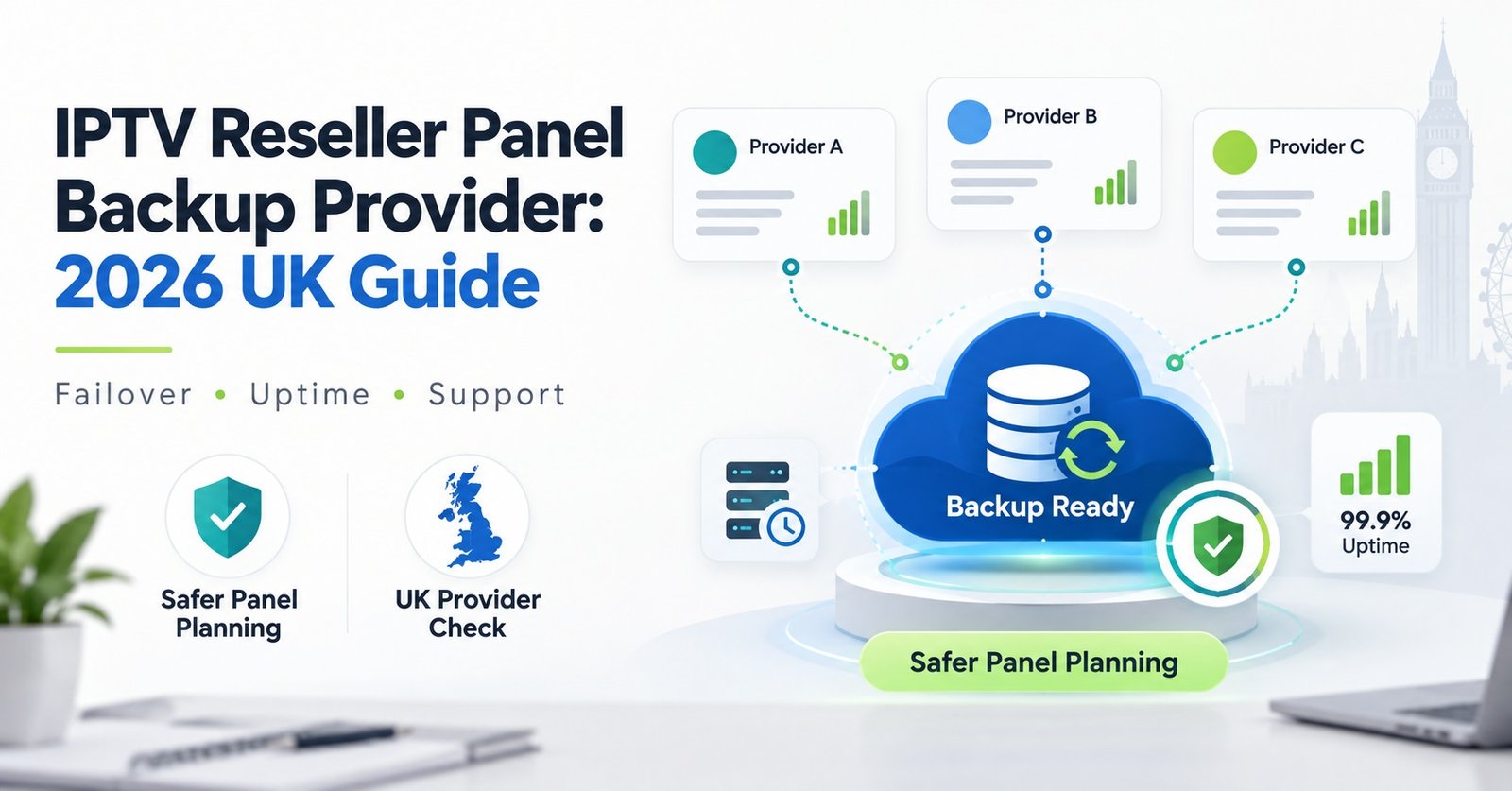
An IPTV reseller panel backup provider is a second, independent panel you can move customers onto the moment your main supplier goes offline, gets suspended, or simply stops replying to messages. It isn’t the same account with a different login, and it isn’t a promise from your existing supplier that “we have backups too.” It’s a genuinely separate business relationship, ideally with its own servers and its own support team, that you only lean on when something goes wrong with the panel you use day to day. Most resellers only start looking for one after a bad night, which is usually the wrong time to be shopping around.
Why Resellers Suddenly Need an IPTV Reseller Panel Backup Provider
The need for an IPTV reseller panel backup provider rarely shows up as a gradual realisation. It shows up as a Saturday evening where a big match is on, forty customers are messaging at once, and the panel you’ve built your business around simply won’t load. Maybe the supplier’s servers are overloaded. Maybe they’ve had a dispute with their own upstream provider and gone dark for a few hours. Either way, your customers don’t care whose fault it is. They only know their subscription stopped working during the one match they paid for.
A single supplier relationship works fine most of the time, which is exactly why the risk gets ignored. Resellers who’ve been running smoothly for a year assume smooth is the default. It isn’t. Panels get suspended over payment disagreements, servers get overloaded during major sporting weekends, and some suppliers disappear for days with no explanation at all. None of that is under your control when you only have one option.
Pro tip: Keep your backup provider’s login details somewhere you can access without your main panel or your main email account, since both can be affected by the same outage.
Signs Your Main Panel Is Becoming a Liability
Not every hiccup means you need to act immediately, but a pattern is different from a one-off. Watch for these:
- Buffering complaints clustering around the same few hours each week, particularly evenings and weekends
- Support replies from your supplier getting slower over a period of months, not days
- Repeated EPG errors that never get properly fixed, only patched
- Sudden changes to credit pricing or terms with little warning
- Your supplier going quiet about maintenance windows they used to communicate clearly
One of these on its own might be nothing. Three or four together, over a few months, is usually the panel telling you it’s heading toward a bad night. Reviewing your IPTV reseller requirements periodically helps you catch this drift before a customer does.
What to Check Before You Choose a Second Provider
A backup provider only earns its name if it can actually take over quickly. That rules out anything that needs a lengthy onboarding process before it’s usable in an emergency. Before signing up with a second supplier, run through these questions:
| Question | What to Check |
|---|---|
| How fast can a new customer line be created? | Test it yourself during setup, not just take their word for it |
| Do they use different infrastructure to your main supplier? | Ask directly; shared upstream servers defeat the purpose |
| Is there a minimum spend to keep the account active? | Small resellers don’t want a second panel draining money while idle |
| How responsive is support outside business hours? | Message them at an odd hour before you commit and time the reply |
| Can you migrate customer lines across without a long delay? | Confirm the process, don’t assume it’s automatic |
Price matters less here than reliability and independence. A backup that shares the same upstream infrastructure as your main panel isn’t really a backup at all, it’s the same single point of failure with a different login screen. Comparing entry costs and credit structures against your IPTV reseller panel plans gives you a sense of what a reasonable small backup pack should actually cost.
Running a Backup Panel Without Confusing Your Customers
Once you’ve got a second provider set up, the operational side needs a bit of thought. You don’t want customers ending up with two different sets of login details floating around, or a support conversation where you’re not sure which panel a given line actually lives on.
A simple approach that works for most small operations is to keep a private note, not shared with customers, recording which lines are active on which panel at any given time. Some resellers keep the backup panel entirely dormant until it’s needed, only creating trial or placeholder accounts to confirm it still works. Others keep a small number of low-priority lines running on the backup permanently, just to make sure the relationship stays active and the provider doesn’t quietly deprioritise a dormant account.
Pro tip: Test your backup panel’s app or player compatibility on the same devices your customers actually use. A backup that works perfectly on one app but not the Firestick app half your customers rely on isn’t much use in a genuine emergency.
Whichever method you choose, the customer experience should stay identical from their side. If white label branding matters to your business, check that your backup supplier can maintain the same app naming, because switching a customer to an unbranded app mid-crisis undoes a lot of the trust you’ve built.
Mistakes That Turn a Backup Plan Into a Second Point of Failure
Setting up a backup provider badly can be worse than not having one, because it creates a false sense of security. Common mistakes include:
Treating a backup as a one-time setup rather than a relationship that needs occasional checking. A provider you signed up with a year ago and never tested again might not still be reliable, or might not even still exist.
Choosing a backup purely on price, without checking whether their infrastructure genuinely differs from your main supplier’s. Two panels reselling the same underlying stream aren’t two panels for reliability purposes.
Waiting until an active outage to test the backup for the first time. That’s the worst possible moment to discover the login details have expired or the panel needs re-verification.
Overloading the backup with your entire customer base at once during a crisis, rather than triaging your highest-value or longest-standing customers first while you assess how long the main outage will last.
Pro tip: Run a short, planned test migration of a handful of lines to your backup panel every few months, purely to confirm the process still works and hasn’t quietly broken.
Sub-Reseller Considerations for a Backup Setup
If you supply credits to sub-resellers under your own account, a backup plan matters even more, because an outage doesn’t just cost you customers, it costs the resellers depending on your supply. Sub-resellers who lose access without warning are far more likely to look elsewhere permanently, since their own reputation is tied to your reliability. Being upfront with them about having a backup arrangement, without necessarily sharing the specific provider, tends to build confidence rather than raise doubts.
It signals that you’ve thought about continuity rather than assuming nothing will ever go wrong. Understanding how IPTV reseller profit margins hold up during a disruption also helps you judge how much backup capacity is worth paying for relative to what a bad outage would actually cost you in lost renewals.
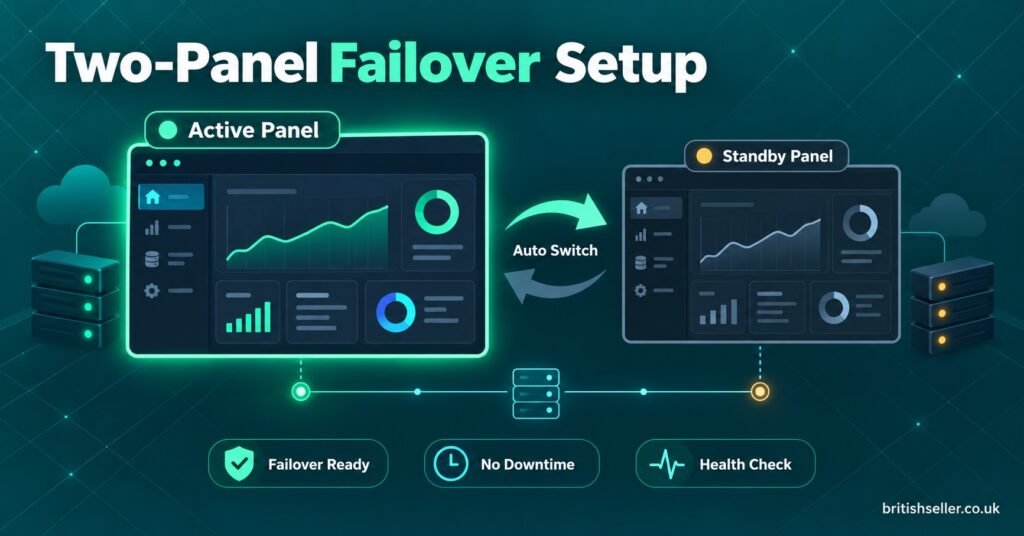
IPTV Reseller Panel Backup Provider Checklist
- Confirm the backup supplier uses genuinely separate infrastructure from your main panel
- Test account creation speed before you need it in an emergency
- Check app and device compatibility on the platforms your customers actually use
- Store backup login details somewhere unaffected by a main-panel or main-email outage
- Run a small test migration every few months, not just at setup
- Agree a rough process for deciding which customers move first during an outage
- Review pricing and terms at least once a year, since backup panels can quietly change
Common Questions About an IPTV Reseller Panel Backup Provider
Do I need a backup provider if my main panel promises multiple servers?
Multiple servers within one supplier’s infrastructure protects against a single server failing, but it doesn’t protect against that supplier’s whole account being suspended, their business closing, or a dispute with their own upstream source. A genuinely separate backup provider covers risks that internal redundancy can’t.
How much should a backup panel cost to maintain?
There’s no fixed figure, since pricing depends on the provider and credit structure. Many resellers start with a small entry pack, similar in size to a starter reseller plan, just enough to keep the relationship active and test it occasionally, rather than paying for full ongoing capacity they may never use.
Should my customers know I use a backup provider?
Most resellers don’t disclose the specific provider, but being honest that a contingency plan exists, especially with sub-resellers, tends to build trust rather than undermine it.
Can I use two full-time panels instead of one main and one backup?
Some larger resellers do split volume across two active suppliers permanently, which spreads risk further but adds ongoing management overhead. For smaller operations, one main provider with a tested backup is usually more practical.
What’s the fastest way to know if my backup provider still works?
A scheduled test migration of a small number of lines, done every few months regardless of whether anything has gone wrong, is the most reliable way to catch a backup that’s quietly stopped working.
An IPTV reseller panel backup provider is only worth having if it’s genuinely independent and actually tested before the night it’s needed. Treat it as a small, ongoing part of running the business rather than a box ticked once and forgotten, and check in on it the same way you’d check in on any supplier relationship you depend on. The resellers who avoid the worst nights aren’t the ones with the biggest single supplier, they’re the ones who never bet the whole business on having just one.
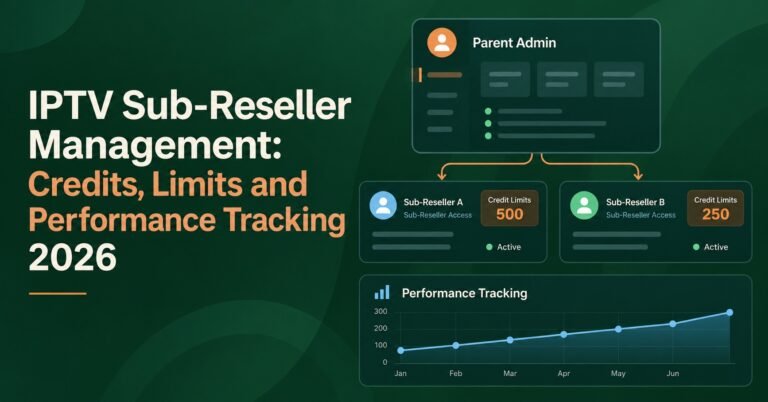
[…] that unlocks sub-reseller selling, your own tiers should sit comfortably inside whatever the IPTV reseller plan structure […]