Book Appointment Now
Multi-Channel HDMI Encoder Guide for IPTV Headends 2026
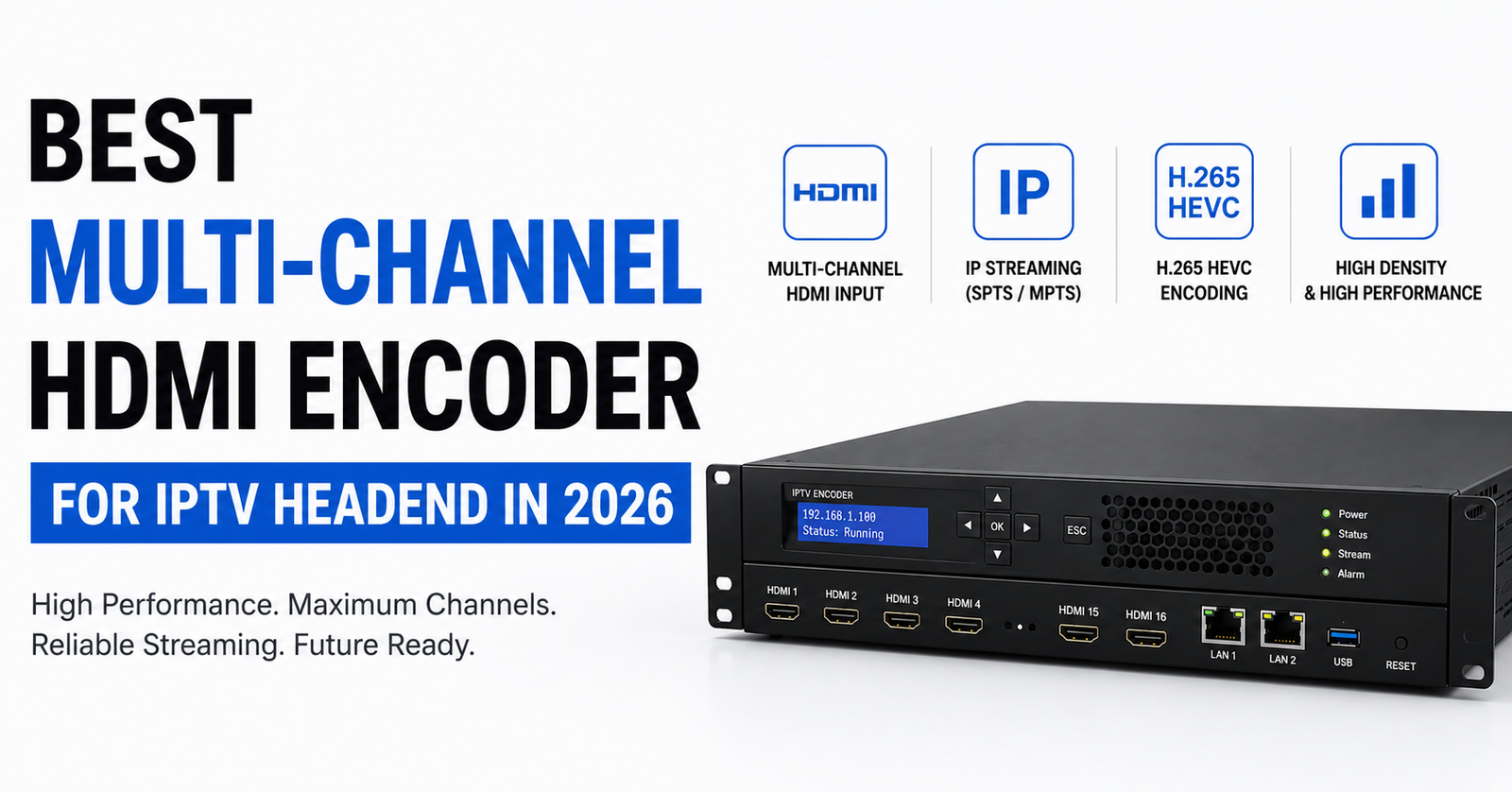
Best Multi-Channel HDMI Encoder for IPTV Headend: A Field Operator’s Breakdown
A multi-channel HDMI encoder is the first hardware layer your content passes through before it becomes an IP stream, so if it can’t sustain full channel load under real heat and real peak traffic, nothing downstream, middleware, CDN, or panel, can fix that. Here’s what that failure actually looks like when it happens.
Nobody warns you about the moment your entire headend collapses because a cheap encoder decided to thermal-throttle during a Saturday evening football rush. You’re watching your panel light up with complaints. Subscribers are jumping ship. And somewhere in a rack you assembled yourself, a multi-channel HDMI encoder you bought off a marketplace listing is blinking amber like it owes you an apology.
That’s the reality of running IPTV infrastructure without understanding what sits at the very start of your signal chain. The multi-channel HDMI encoder is the first piece of hardware your content touches before it becomes an IP stream. Get it wrong, and nothing downstream, not your middleware, not your CDN, not your panel, can compensate.
This article isn’t a product catalog. It’s built from years of encoding failures, firmware nightmares, and hard lessons about what actually holds up when your headend is under real subscriber load.
What a Multi-Channel HDMI Encoder Actually Does Inside a Headend
Before we talk specs, let’s kill a misconception. A multi-channel HDMI encoder is not just a “converter box.” It’s the bridge between your physical source feeds, satellite receivers, camera outputs, media players, and the IP transport layer that carries those streams to your IPTV middleware.
Each HDMI input gets encoded into H.264 or H.265, packetized into MPEG-TS over UDP or HLS, and pushed to your streaming server or directly into your multicast network. When you’re running 8, 16, or 24 channels through a single chassis, every millisecond of encoding latency, every frame dropped during peak bitrate spikes, ripples out to every single subscriber watching that channel.
Pro Tip: If your multi-channel HDMI encoder doesn’t let you configure per-channel bitrate individually, walk away. Locking all channels to a single bitrate profile is a guaranteed path to either wasted bandwidth or unwatchable quality on your lower-motion channels.
The distinction between a consumer-grade HDMI capture device and a proper multi-channel HDMI encoder built for IPTV headend deployment is night and day. Consumer devices lack SNMP monitoring, lack HTTP API control, and will crash silently without generating any alert your NOC can act on.
Why Most Operators Choose the Wrong Multi-Channel HDMI Encoder
Here’s where it gets uncomfortable. The majority of small-to-mid IPTV operators pick their multi-channel HDMI encoder based on two criteria: channel count and price. That’s it. No thermal analysis. No stress testing at full channel load. No verification of actual output bitrate stability under sustained use.
The failures don’t show up on day one. They surface three weeks in, during a high-demand window, when every channel is active and your rack temperature has crept past the encoder’s comfort zone.
Common selection mistakes include:
- Buying based on listed channel count without confirming simultaneous full-HD encoding capacity
- Ignoring fan noise and thermal design: rack-adjacent equipment suffers too
- Skipping protocol verification: assuming the encoder outputs multicast when it only supports unicast HLS
- Overlooking firmware update history: abandoned firmware means abandoned hardware
A multi-channel HDMI encoder is a long-term infrastructure investment. Treat the purchase decision like you’re hiring a permanent employee for your headend rack.
H.264 vs H.265: Which Codec Belongs in Your Multi-Channel HDMI Encoder
This debate never dies, and the answer in 2026 is more nuanced than the spec sheets suggest. H.265 (HEVC) delivers roughly 40% better compression at equivalent quality. On paper, that means your multi-channel HDMI encoder pushes the same visual fidelity at significantly lower bandwidth. That matters when you’re scaling past 50 channels and your uplink starts groaning.
But here’s the field reality. H.265 encoding demands substantially more processing power. Budget multi-channel HDMI encoder units that advertise H.265 support often can’t sustain it across all channels simultaneously at full 1080p. They’ll quietly drop to a lower profile or introduce encoding artifacts that your subscribers notice before you do. Here’s how the two codecs stack up in practice:
| Factor | H.264 encoding | H.265 encoding |
|---|---|---|
| Bandwidth per channel (1080p) | 6 to 10 Mbps | 3 to 6 Mbps |
| Processing load per channel | Moderate | Heavy |
| Client compatibility | Universal | Most modern players |
| Encoder hardware cost | Lower | 30 to 50% higher |
| Latency (typical) | 1 to 3 seconds | 2 to 5 seconds |
| Recommended for | Sub-100 channel headends | High-density deployments |
If your subscriber base primarily uses older set-top boxes or budget Android devices, H.264 from your multi-channel HDMI encoder remains the safer bet. Compatibility failures at the client end create support tickets that eat into your margins fast.
Pro Tip: Run a split test. Encode the same source feed in both H.264 and H.265 from your multi-channel HDMI encoder and monitor subscriber-reported buffering rates for each. Data beats spec sheets every single time.
Channel Density and the Thermal Trap Nobody Talks About
A 16-channel multi-channel HDMI encoder in a 1U chassis sounds fantastic until you realize the thermal envelope of that form factor wasn’t designed for sustained full-load encoding. Most operators discover this the hard way, intermittent frame drops, random reboots, or gradual quality degradation that’s nearly impossible to diagnose without thermal monitoring.
Your headend rack is already generating heat from switches, servers, and receivers. Adding a multi-channel HDMI encoder that dumps another 80 to 120 watts of sustained thermal load into a confined space changes the entire airflow equation.
What to check before racking any encoder:
- Published operating temperature range versus your actual rack ambient
- Fan configuration: front-to-back airflow alignment with your rack design
- Whether the unit throttles silently or generates SNMP traps when overheating
- Power draw under full channel load, not just idle specifications
Some operators solve this by running two 8-channel multi-channel HDMI encoder units instead of one 16-channel. The cost is marginally higher, but the thermal headroom and redundancy gains are substantial. If one unit fails, you lose half your channels, not all of them.
Latency Control: Where Cheap Multi-Channel HDMI Encoders Fall Apart
Your subscribers don’t know what HLS latency is. They just know the stream is “behind” when their neighbor on satellite sees the goal ten seconds earlier. That gap lives inside your multi-channel HDMI encoder and your transport chain.
A well-configured multi-channel HDMI encoder running UDP multicast can achieve glass-to-glass latency under two seconds. Switch to HLS output, and you’re looking at 6 to 15 seconds depending on segment duration and playlist depth. Some budget encoders don’t even let you adjust segment length, they hardcode it at 6 seconds, which stacks three segments minimum before playback begins.
For any IPTV headend serving live sports or event content, latency is a churn driver. Subscribers will leave over a consistent 10-second delay regardless of picture quality.
Pro Tip: If your multi-channel HDMI encoder supports both UDP/multicast and HLS output simultaneously, use UDP for your internal distribution network and HLS only for edge delivery to mobile clients. This hybrid approach keeps latency tight where it matters most while maintaining broad device compatibility.
Multicast vs Unicast: Why Your Encoder’s Output Protocol Dictates Your Architecture
This is where your multi-channel HDMI encoder stops being just hardware and starts defining your entire delivery architecture. The output protocol baked into your encoder determines whether you can build a scalable multicast IPTV network or whether you’re stuck with unicast streams that hammer your bandwidth with every additional viewer.
A multi-channel HDMI encoder with proper multicast (IGMP-capable) UDP output lets you serve 500 subscribers watching the same channel on the same bandwidth as one subscriber. That’s the entire economic model of linear IPTV. Without multicast capability from the encoder itself, you’re relying on downstream transcoding or remuxing, which adds latency, failure points, and cost.
Key network output specs to demand:
- Per-channel configurable multicast group addresses
- IGMP v2/v3 support at the encoder output
- SAP/SDP announcement for automatic channel discovery
- Configurable TTL values for multi-hop network designs
- Optional SRT output for contribution feeds over public internet
Budget encoders that only output HLS or RTMP force you into a server-centric architecture where every channel requires dedicated origin server resources. That model breaks economically past 30 to 40 concurrent channels unless you’re investing heavily in CDN infrastructure.
Firmware, Remote Management, and the Encoder You Can’t Reach at 3 AM
Your multi-channel HDMI encoder sits in a rack that might be in a different city. When something goes wrong at three in the morning, you need remote eyes and remote hands, digitally. Encoders without proper web-based management interfaces, SNMP support, or HTTP API access become physical-access-only devices during outages.
The firmware update cycle matters more than most operators realize. A multi-channel HDMI encoder with active firmware development means bug fixes, security patches, and occasional feature additions. An encoder whose last firmware update was eighteen months ago is running on borrowed time. Here’s the management gap between budget and professional units:
| Management feature | Budget encoder | Professional encoder |
|---|---|---|
| Web management UI | Basic, often broken on mobile | Responsive, real-time dashboards |
| SNMP monitoring | Absent | Full MIB with custom OIDs |
| HTTP/REST API | None | Complete channel control |
| Firmware updates | Rare, manual flash | OTA with rollback |
| Alert notifications | None | Email, webhook, SNMP trap |
| Multi-user access | Single admin account | Role-based access control |
Pro Tip: Before purchasing any multi-channel HDMI encoder, request a firmware changelog from the manufacturer. If they can’t produce one or the last entry is older than six months, you’re buying end-of-life hardware disguised as current inventory.
What Actually Happens When Your Encoder Dies Mid-Stream
No piece of hardware is immortal. Your multi-channel HDMI encoder will fail eventually. The question isn’t if, it’s whether your subscribers notice when it does. Professional headend operators run redundant encoding paths. This doesn’t necessarily mean doubling your hardware cost.
A practical redundancy setup for a multi-channel HDMI encoder involves HDMI distribution amplifiers splitting each source to a primary and backup encoder. Your middleware or streaming server monitors the primary output and automatically switches to the backup stream when it detects signal loss or quality degradation.
This setup requires that your multi-channel HDMI encoder units can be configured with identical output parameters, same bitrate profiles, same multicast group addresses on standby, same PID mappings. If your encoder doesn’t support precise parameter cloning, manual failover becomes the only option, and manual failover at three in the morning is a polite way of saying “extended outage.”
Minimum redundancy checklist:
- HDMI splitters feeding identical sources to primary and backup encoders
- Identical encoding parameters across both multi-channel HDMI encoder units
- Automated stream monitoring with failover triggers
- Separate power feeds for primary and backup units
- Regular failover testing, monthly, at minimum
What Changes Once Your Headend Crosses 32 Channels
The moment your channel lineup crosses 32, your headend architecture faces a completely different set of pressures. A single multi-channel HDMI encoder, even a high-density 24-channel unit, can’t carry the full load alone. You’re now managing multiple encoders, and coordination between them becomes its own operational challenge.
At this scale, your multi-channel HDMI encoder selection needs to account for centralized management. Can you control multiple IPTV units from a single interface? Can you push configuration changes across all encoders simultaneously? Can you monitor aggregate bitrate output and correlate it with network capacity in real time?
Most operators at this tier transition from standalone multi-channel HDMI encoder hardware to managed encoding platforms, chassis-based systems with hot-swappable encoding blades. The upfront cost is significantly higher, but the operational savings in management overhead and reduced downtime pay for themselves within the first year.
Pro Tip: When scaling beyond 32 channels, map your total encoding bitrate output against your uplink capacity and leave a 30% headroom buffer. ISP-level bandwidth contention during peak hours can turn a fully functional headend into a buffering disaster if you’re running at 90%+ uplink utilization.
ISP Blocking, DNS Poisoning, and How Your Encoder Config Can Help
This is the 2026 reality. AI-driven deep packet inspection at the ISP level has made fingerprinting IPTV streams easier than ever. While your multi-channel HDMI encoder itself doesn’t get “blocked,” the streams it produces carry signatures that DPI systems can flag, particularly if you’re outputting standard MPEG-TS with predictable PID structures and unencrypted transport.
A thoughtful multi-channel HDMI encoder configuration can reduce your exposure, starting with randomizing PIDs where your encoder permits it. Use SRT output with encryption for any streams traversing public internet segments. Ensure your encoder’s output isn’t broadcasting SAP announcements on networks where discovery should be restricted.
DNS poisoning affects your middleware and portal infrastructure more than your encoding chain directly, but an encoder that supports output to multiple destinations simultaneously lets you maintain backup distribution paths that bypass compromised DNS resolution chains.
Mitigation tactics at the encoder level:
- Enable SRT encryption for contribution feeds
- Randomize PID assignments per channel
- Disable SAP/SDP on public-facing network interfaces
- Use VLAN tagging at the encoder output where supported
- Route encoder output through VPN tunnels to backup uplink servers
Frequently Asked Questions
How many HDMI inputs should a multi-channel HDMI encoder have for a startup headend?
For a startup operation, an 8 to 16 input multi-channel HDMI encoder covers most initial channel lineups comfortably. Starting with 8 channels keeps costs manageable while leaving room to add a second unit as your channel list grows. Avoid buying a 24-channel unit if you only plan to use 6 inputs initially, unused encoding slots still draw power and generate heat.
Does a multi-channel HDMI encoder support 4K input sources?
Some higher-end models accept 4K HDMI inputs but most downscale to 1080p for encoding. True 4K HEVC encoding across multiple channels simultaneously demands significant processing power and bandwidth. For most IPTV headend operations in 2026, 1080p output from your multi-channel HDMI encoder remains the practical sweet spot given subscriber device capabilities and bandwidth economics.
Can I use a multi-channel HDMI encoder for both live and pre-recorded content?
Yes. Any HDMI source can feed into your encoder, whether it originates from a live satellite receiver or a media player looping pre-recorded files. The multi-channel HDMI encoder treats all inputs identically, it encodes whatever signal appears on the HDMI port regardless of the upstream source device.
What happens if one HDMI input fails on a multi-channel HDMI encoder?
Professional-grade encoders isolate each input channel independently. A failed or disconnected HDMI input on one port should not affect encoding on the remaining ports. Budget encoders occasionally exhibit cross-channel interference where a single bad input triggers instability across all channels. Always test fault isolation before committing to a production deployment.
Is SRT output better than UDP multicast from a multi-channel HDMI encoder?
They serve different purposes. UDP multicast is ideal for local network distribution within your headend and subscriber-facing infrastructure. SRT adds encryption and error correction, making it suitable for contribution feeds over unreliable or public internet links. The best multi-channel HDMI encoder units offer both output options simultaneously so you can serve local and remote distribution from one device.
How often should I update firmware on my multi-channel HDMI encoder?
Check for firmware updates monthly but apply them during maintenance windows, never during peak viewing hours. Test updates on a non-production unit first if possible. Critical security patches should be applied within a week of release. An encoder manufacturer that provides no updates for six months or longer is a red flag for hardware longevity.
What is the ideal bitrate setting per channel on a multi-channel HDMI encoder?
For 1080p H.264 content, 6 to 8 Mbps per channel delivers good quality for most content types. Sports and high-motion content benefits from 8 to 10 Mbps. H.265 encoding achieves comparable quality at roughly 40% lower bitrate. Always set per-channel bitrate individually based on content type rather than applying a flat rate across all channels.
Can a multi-channel HDMI encoder replace a dedicated transcoder in my headend?
An encoder converts raw HDMI signals into IP streams, that is its primary function. A transcoder takes an already-encoded stream and re-encodes it into a different format, resolution, or bitrate. They serve different roles. However, some advanced multi-channel HDMI encoder models include basic transcoding features like adaptive bitrate ladder output, which can reduce the need for a separate transcoder in smaller deployments.
IPTV Headend Encoder Success Checklist
- Audit your current HDMI source count and projected growth, size your multi-channel HDMI encoder purchase for 18 months ahead, not just today’s needs.
- Measure your rack ambient temperature under full operational load before adding any new encoding hardware.
- Verify per-channel bitrate control, multicast output support, and SRT encryption capability before purchasing.
- Request a firmware changelog from the manufacturer, reject any unit with no updates in the past six months.
- Set up HDMI splitters feeding identical sources to primary and backup encoders from day one.
- Configure SNMP monitoring and webhook alerts for every encoder in your rack so failures trigger instant notifications.
- Test failover monthly, simulate a primary encoder failure and verify your backup path activates without subscriber-visible disruption.
- Randomize PID assignments and disable SAP announcements on public-facing network segments to reduce DPI exposure.
- Map total encoder bitrate output against uplink capacity and maintain a minimum 30% bandwidth headroom buffer.
- Build your complete IPTV reseller panel and subscriber infrastructure on proven platforms, explore BritishReseller.com for reliable UK IPTV reseller panel solutions that complement a professionally engineered headend.