Book Appointment Now
IPTV HEVC Setup Guide : The Operator’s Playbook for 2026
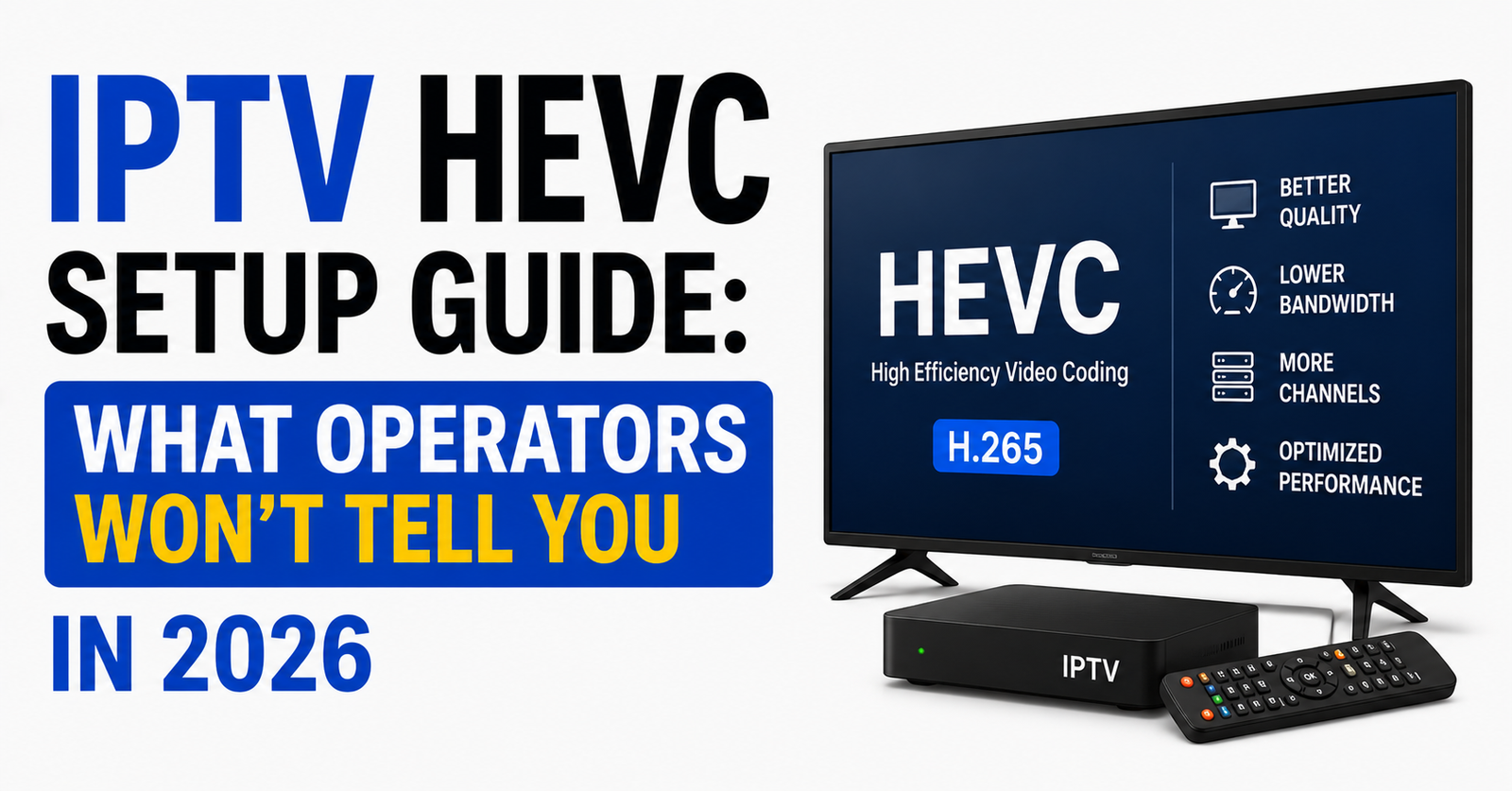
Most resellers hear “HEVC” and think it’s a magic switch. Flip it on, bandwidth drops, picture quality jumps, everyone’s happy. That’s the sales pitch. The reality? A poorly executed IPTV HEVC setup is the fastest way to drown your support inbox in buffering tickets and lose subscribers you spent months acquiring.
This isn’t theory. We started pushing HEVC lines across our reseller panels after a brutal stretch where buffering complaints were climbing week over week despite healthy server loads. The codec switch solved the bandwidth problem, but it opened a completely different set of fires. Ones nobody warned us about. Every section below comes from that experience. If you’re a reseller planning your first IPTV HEVC setup, or a household buyer wondering why your streams stutter, this is the piece you need before touching a single setting.
The Buffering Crisis That Forces the HEVC Conversation
Nobody switches codecs for fun. You switch because something broke. For most UK IPTV reseller operations, the trigger is identical: H.264 streams eating too much bandwidth per subscriber, servers straining under peak-hour loads, and customers threatening to leave because their evening football stream freezes every six minutes.
H.265 (HEVC) compresses video roughly 40-50% more efficiently than H.264 at equivalent quality. That means your server pushes the same 1080p or 4K stream using significantly less data. On paper, your IPTV HEVC setup instantly relieves infrastructure pressure.
Pro Tip: Don’t let the compression numbers seduce you. HEVC demands more processing power on the decode side, the subscriber’s device. If their hardware can’t handle it, you’ve traded server-side relief for client-side chaos.
The real calculation isn’t “does HEVC save bandwidth?”, it obviously does. The real calculation is whether your subscriber base owns devices capable of hardware-decoding H.265 without melting. That single question determines whether your IPTV HEVC setup succeeds or generates more problems than it solves.
Why Old Firesticks Are the Silent Killer of HEVC Rollouts
Here’s a scenario we’ve lived through multiple times. A reseller activates HEVC across all lines. Within 48 hours, a wave of tickets lands: buffering, freezing, app crashes. The reseller panics, assumes the server is dying, starts blaming the panel provider.
The actual problem? Half their subscribers are running first-generation or second-generation Amazon Firestick devices. These units lack dedicated HEVC hardware decoding. They attempt software decoding instead, which overwhelms the processor almost immediately on any stream above 720p.
Devices that commonly fail IPTV HEVC setup:
- First-gen and second-gen Amazon Firestick (pre-2020 models)
- Budget Android boxes with Amlogic S905 (non-X) chipsets
- Older MAG 254/256 units without H.265 support
- Smart TVs running outdated firmware with limited codec libraries
Devices that handle HEVC reliably:
- Amazon Firestick 4K and 4K Max
- Android boxes with Amlogic S905X3 or S905X4 chipsets
- Formuler Z-series with hardware HEVC support
- Apple TV 4K (all generations)
If you’re operating a reseller panel and you haven’t audited your subscriber device spread, you’re flying blind. Every IPTV HEVC setup should begin with a device capability check, not a server toggle.
The One Rule We Wish Someone Had Told Us Early
Test the device before activating the line.
That’s it. Five years of panel operations condensed into seven words. Before you assign an HEVC-encoded line to any subscriber, confirm their device can hardware-decode H.265. Not “probably can.” Not “the listing on Amazon said 4K.” Actually confirm it.
Pro Tip: Build a simple onboarding step into your reseller workflow. Before activation, ask the subscriber for their device model. Cross-reference it against a known-compatible list. If it doesn’t match, assign them an H.264 line instead. This single step eliminates roughly 60% of post-activation support tickets.
This is where most resellers fumble their IPTV HEVC setup. They treat codec selection as a one-size-fits-all infrastructure decision when it’s actually a per-subscriber decision. Your panel should support both H.264 and HEVC streams simultaneously. Subscribers get routed to the correct codec based on what their hardware supports.
Server Transcoding: Where IPTV HEVC Setup Actually Lives or Dies
Geography gets too much credit. We’ve watched resellers obsess over server locations, UK nodes for UK subscribers, EU nodes for EU subscribers, while ignoring the transcoding engine sitting behind those nodes. The truth is that IPTV HEVC setup performance depends far more on your server’s transcoding capacity than on how many milliseconds of latency sit between the server and the subscriber.
HEVC encoding is computationally expensive. When your panel’s backend transcodes a live stream from H.264 source to HEVC output in real time, it demands serious CPU or GPU resources. Cheap shared hosting arrangements that work fine for H.264 pass-through will choke under HEVC transcoding loads during peak hours.
| Factor | Budget setup | Premium setup |
|---|---|---|
| Transcoding method | CPU-only, shared cores | Dedicated GPU (NVENC) |
| Peak-hour HEVC capacity | 50-80 concurrent streams | 500+ concurrent streams |
| Failover on transcode overload | None, streams freeze | Auto-fallback to H.264 |
| HLS latency under load | 8-15 seconds | 2-4 seconds |
| Cost per month | $40-$80 | $200-$500 |
That auto-fallback row matters enormously. A well-architected IPTV HEVC setup doesn’t just serve HEVC, it gracefully degrades to H.264 when transcoding resources max out, rather than letting every stream buffer simultaneously.
Load Balancing and Backup Uplinks: The Hidden Layer
Your IPTV HEVC setup doesn’t exist in isolation. It sits on top of infrastructure that either supports it or undermines it. Two components get neglected more than anything else: load balancing and backup uplink servers.
Load balancing distributes subscriber connections across multiple transcoding nodes. Without it, a single server handles all HEVC processing, and the moment subscriber count exceeds its capacity, everyone buffers. With proper load balancing, new connections route to the least-loaded node automatically.
Backup uplink servers are your insurance policy. If your primary feed source goes down, and it will, eventually, a backup uplink catches the stream and keeps your HEVC output alive. Resellers who skip this step in their IPTV HEVC setup learn the hard way during major live events when a primary source drops and thousands of subscribers lose picture simultaneously.
Pro Tip: Configure your backup uplinks to pull from a geographically separate source. If your primary uplink runs through a single data centre and that facility has a network incident, a backup in the same location is useless. Geographic redundancy is non-negotiable for serious IPTV HEVC setup reliability.
Test failover monthly, don’t wait for a live event to discover your backup doesn’t switch
Monitor uplink health with automated alerts (latency spikes above 200ms = investigate immediately)
Keep at least two backup sources configured per channel category
ISP Blocking in 2026: How It Targets HEVC Streams Differently
ISP enforcement has evolved. In earlier years, blocking focused on DNS poisoning and IP blacklisting, blunt tools that affected all IPTV traffic equally regardless of codec. The 2026 landscape is different. AI-driven deep packet inspection (DPI) systems now analyse traffic patterns, and HEVC streams carry a distinct signature.
Because HEVC streams consume less bandwidth per stream but maintain consistent bitrate patterns, DPI systems can flag them more precisely than variable-bitrate H.264 traffic. Your IPTV HEVC setup needs to account for this.
Countermeasures that actually work in 2026:
- DNS-over-HTTPS (DoH) to bypass DNS poisoning at the resolver level
- SNI encryption via Encrypted Client Hello (ECH) to mask destination hostnames
- VPN integration at the app level for subscribers in high-enforcement regions
- Rotating CDN endpoints to prevent static IP blacklisting
What doesn’t work anymore: basic DNS changes alone. ISPs running AI-driven DPI don’t rely on DNS interception as their primary method. They analyse packet flow, timing intervals, and connection persistence. Your IPTV HEVC setup documentation for subscribers should include VPN guidance as a standard step, not an afterthought.
Pro Tip: If you notice subscriber complaints clustering in a specific ISP’s coverage area, it’s almost certainly DPI enforcement, not a server problem. Don’t waste time troubleshooting your transcoding. Instead, advise affected subscribers to enable a VPN and re-test.
Panel Credit Allocation: Pricing HEVC Lines Without Killing Margins
Here’s a dimension most IPTV HEVC setup guides completely ignore: the business model. HEVC lines cost you more on the backend, higher server specs, GPU-accelerated transcoding, more complex failover architecture. That cost needs to land somewhere.
The credit-based panel model gives you flexibility. You can price HEVC lines at a premium credit rate compared to standard H.264 lines, reflecting the infrastructure cost difference. Subscribers who want HEVC quality pay the appropriate rate. Subscribers on budget devices stick with H.264 at the standard rate.
Pricing structure that works:
- H.264 1080p line: 1 credit
- HEVC 1080p line: 1.3 credits
- HEVC 4K line: 1.8 credits
- Multi-device HEVC bundle: 2.5 credits
This tiered approach does two things simultaneously. It protects your margins on the expensive HEVC infrastructure, and it naturally segments your subscriber base by willingness to pay, which correlates closely with device quality. Subscribers willing to pay the HEVC premium almost always own devices capable of decoding it properly.
Don’t make the mistake of offering IPTV HEVC setup at the same price as H.264. You’ll attract subscribers who want “the best quality” but run it on hardware that can’t deliver, generating support load with zero margin benefit.
Reducing Subscriber Churn With Smart HEVC Deployment
Churn in IPTV reselling isn’t random. It follows patterns. The biggest churn spike we’ve ever observed came directly after a poorly managed HEVC migration, subscribers who experienced buffering after a codec switch assumed the “service got worse” and left within 30 days.
Smart IPTV HEVC setup means phased deployment, not a mass switch.
Phase 1: Identify subscribers with confirmed HEVC-capable devices. Migrate them first. Monitor for 14 days.
Phase 2: Offer HEVC as an optional upgrade to remaining subscribers. Include a clear device compatibility note. Let them self-select.
Phase 3: For subscribers on incompatible devices, maintain H.264 lines indefinitely. Never force-migrate hardware that can’t handle the codec.
This phased approach protects your churn rate while still capturing the infrastructure benefits of HEVC. You reduce total bandwidth consumption across your panel without alienating the segment of subscribers running older hardware.
Pro Tip: Track churn by codec type in your panel analytics. If HEVC subscribers churn at a higher rate than H.264 subscribers, your device qualification process has gaps. Fix the intake, not the stream.
HLS Latency and HEVC: The Tradeoff Nobody Mentions
HEVC’s compression efficiency comes with a processing cost that manifests as latency, specifically in HLS (HTTP Live Streaming) delivery. Each HEVC segment takes longer to encode than its H.264 equivalent. Across a live stream, this adds 1-4 seconds of additional delay depending on your transcoding hardware.
For most content, movies, series, general entertainment, this latency is invisible. For live sports, it’s a problem. Subscribers watching premium sports streams through an IPTV HEVC setup will hear their neighbour’s cheer seconds before seeing the goal. That perception gap drives complaints.
Mitigation strategies:
- Use lower GOP (Group of Pictures) settings for live sport channels, shorter segments reduce cumulative delay
- Dedicate GPU-accelerated nodes specifically to live sport transcoding
- Offer a “low-latency” H.264 option for live event channels alongside HEVC for on-demand and general content
- Pre-communicate the latency tradeoff to subscribers who watch live sport heavily
The ideal IPTV HEVC setup isn’t uniform across all channel categories. Sports channels may perform better on optimised H.264 with minimal latency, while entertainment and movie categories benefit fully from HEVC’s compression without latency sensitivity.
Frequently Asked Questions
Does IPTV HEVC setup work on every streaming device?
No. HEVC requires hardware decoding support. Devices manufactured before 2018, including early Firestick models and base-model MAG boxes, typically lack H.265 decoding chips. Always verify your device’s chipset specifications before activating an HEVC line. Software decoding is technically possible but causes overheating, frame drops, and crashes on underpowered hardware, making it impractical for daily use.
How much bandwidth does IPTV HEVC setup save compared to H.264?
HEVC reduces bandwidth consumption by approximately 40-50% at equivalent video quality. A 1080p H.264 stream requiring 8-10 Mbps can deliver identical quality at 4-6 Mbps through HEVC encoding. For UK IPTV resellers managing hundreds of concurrent connections, this reduction translates directly into lower server bandwidth costs and improved peak-hour stability across the panel.
Can I run both HEVC and H.264 streams on the same reseller panel?
Yes, and you should. A dual-codec panel setup lets you assign HEVC lines to subscribers with compatible devices and H.264 lines to everyone else. Most modern panel platforms support codec-specific line allocation. This hybrid approach maximises infrastructure efficiency without forcing incompatible devices onto a codec they cannot decode properly.
Why does my IPTV HEVC setup buffer during live sports but not movies?
Live sports require real-time transcoding with minimal delay, which places heavier demand on your server’s encoding pipeline. HEVC’s computational overhead adds 1-4 seconds of HLS latency per segment compared to H.264. During high-action sequences with rapid scene changes, the encoder works harder, and any transcoding bottleneck manifests as buffering or frame drops on the subscriber’s screen.
Is a VPN necessary for IPTV HEVC setup in 2026?
In regions with aggressive ISP enforcement, yes. AI-driven deep packet inspection systems in 2026 can identify HEVC stream patterns based on bitrate consistency and connection behaviour. A VPN encrypts all traffic, preventing DPI systems from analysing stream signatures. Recommend VPN usage to subscribers in high-enforcement areas as a standard part of your IPTV HEVC setup onboarding documentation.
How should resellers price HEVC lines differently from H.264?
HEVC lines consume more server resources due to GPU-accelerated transcoding requirements. A credit-based pricing model works well, charge 1.3x credits for HEVC 1080p lines and 1.8x for 4K HEVC compared to standard H.264 rates. This margin buffer covers your infrastructure costs while naturally filtering subscribers toward the codec their hardware actually supports.
What happens if my transcoding server overloads during peak hours?
Without failover architecture, every active HEVC stream buffers simultaneously. A properly configured IPTV HEVC setup includes auto-fallback logic that degrades streams to H.264 when GPU transcoding capacity maxes out. This ensures subscribers experience a quality reduction rather than a complete service interruption, a critical distinction for retention during high-demand periods.
How do I test whether a subscriber’s device supports HEVC before activation?
Request the device model and chipset information during onboarding. Cross-reference against a maintained compatibility list. For Android-based devices, apps like CPU-Z reveal the exact SoC and codec support. For Firestick users, any model labelled “4K” or “4K Max” supports HEVC hardware decoding. Anything older should remain on H.264 lines permanently.
Your IPTV HEVC Setup Success Checklist
- Audit your current subscriber device base before enabling any HEVC lines, know exactly what hardware is out there
- Configure your panel to support dual-codec allocation (HEVC and H.264 simultaneously)
- Build a device compatibility check into your onboarding workflow, test before activating, every single time
- Invest in GPU-accelerated transcoding nodes (NVENC minimum), CPU-only setups will fail under HEVC load
- Set up auto-fallback from HEVC to H.264 for peak-hour overload scenarios
- Configure at least two geographically separate backup uplink servers per channel category
- Price HEVC lines at a premium credit rate to protect margins and self-filter your subscriber base
- Deploy HEVC in phases, compatible devices first, optional upgrade second, never force-migrate
- Monitor churn rates by codec type monthly and fix intake gaps immediately
- Include VPN setup guidance in your standard subscriber onboarding documentation
- Test failover and backup uplink switching monthly, not during a live event crisis
- Explore a trusted IPTV reseller panel provider that supports dual-codec infrastructure and credit-based scaling out of the box