Book Appointment Now
IPTV EPG Accuracy Check: Test the TV Guide Yourself 2026
A Ten Minute IPTV EPG Accuracy Check Anyone Can Run
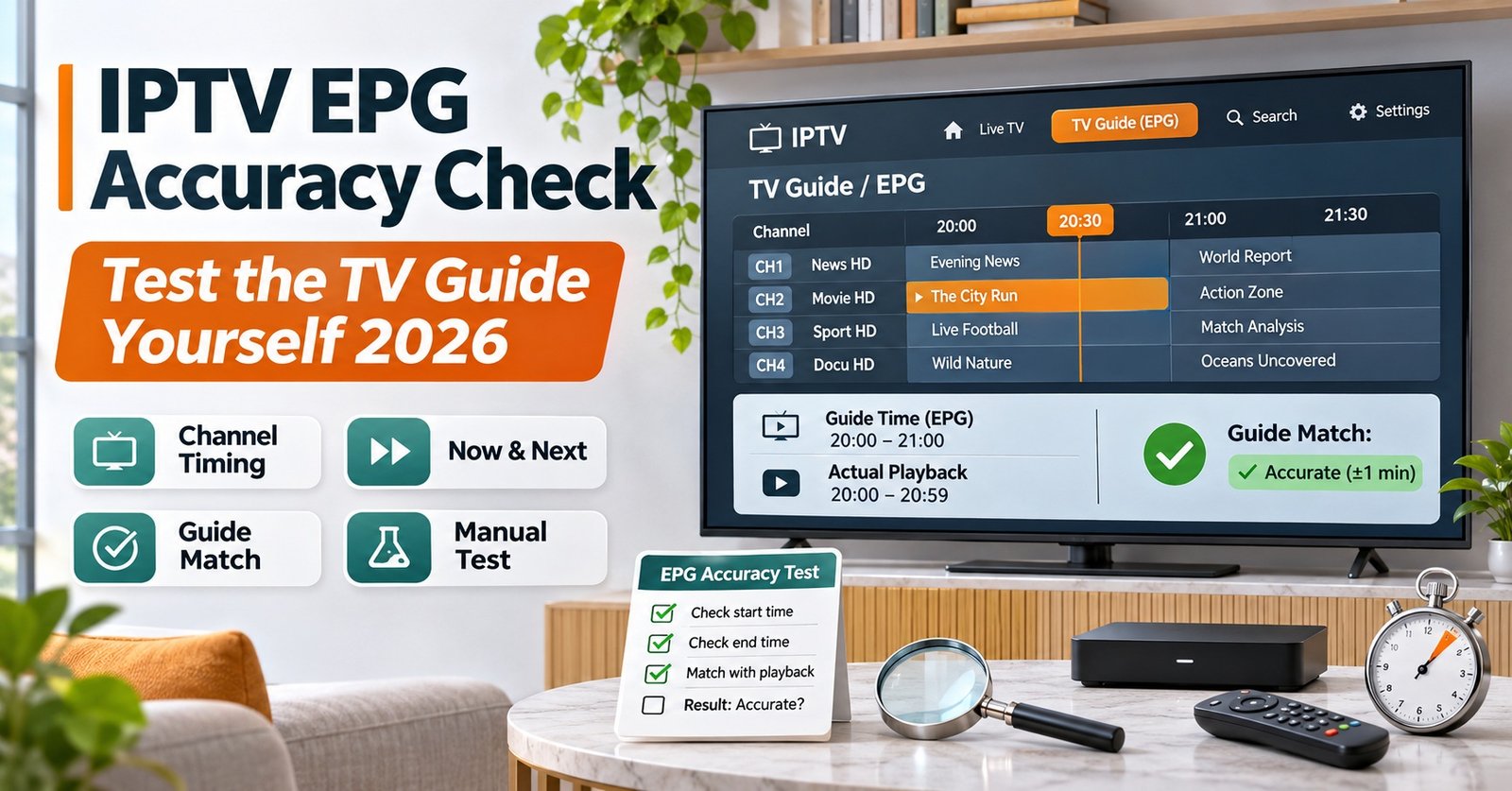
An IPTV EPG Accuracy Check takes about ten minutes. Pick ten channels, play each one, and compare what the guide says is on now with what’s actually on screen. Write down whether the programme matches, whether the start time looks right, and whether the listing is blank. Score each channel out of two. Ten channels give you a mark out of twenty, and that number tells you far more than a supplier’s promise of a “full EPG”.
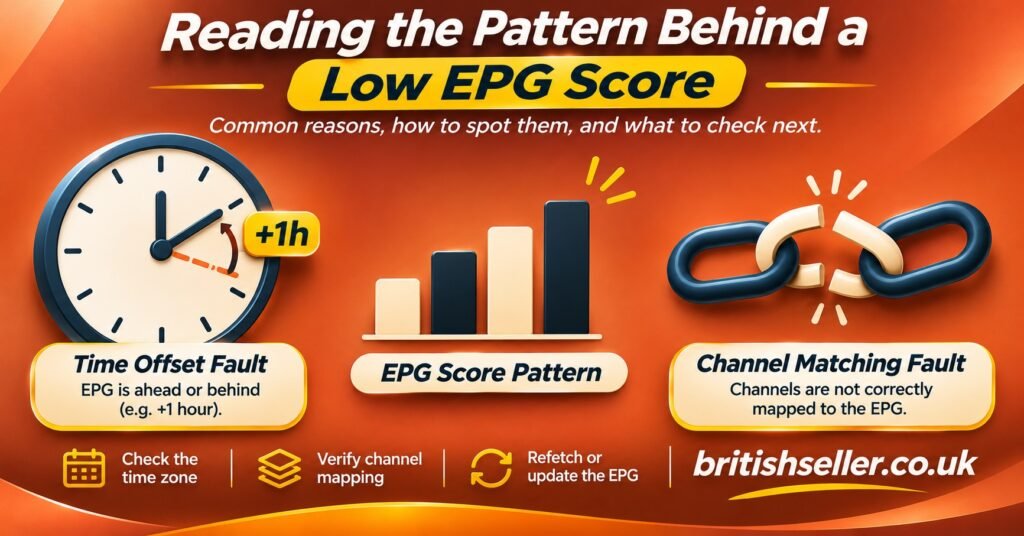
Pay attention to how the guide is wrong, as well as how often. A guide that’s exactly one hour out on every channel usually has a time offset problem, and one setting on the device or the panel fixes it. A guide that’s right on some channels, blank on others and drifting on a few has a data problem, and only the supplier can fix that. Two guides can get the same low score for completely different reasons, so keep notes as you go and don’t just tick boxes.
The Ten Minute Spot Check, Step by Step
Do the check on the device and app your customers (or you) will actually use. If the guide loads in a desktop player, that doesn’t prove it will load the same way on a television app, because each player handles the guide data and time zones differently.
- Confirm the device clock first. Make sure the date, time and time zone are correct on the device. A wrong system clock makes a perfectly good guide look broken, and it’s the most common reason for a false failure.
- Write down the exact start time. You’ll compare every “now” listing against this, and you’ll come back to a few channels later.
- Open the guide and choose your ten channels. The next section explains how to choose them so the sample means something.
- Play each channel and compare. Does the programme on screen match the guide’s current entry? On-screen idents, presenters and programme graphics usually make this obvious within seconds.
- Record blanks separately. “No information” isn’t the same fault as a wrong listing, so give it its own note.
- Return to three channels at the next programme change. If the new programme starts when the guide says it should, the timing is sound. If it starts ten or twenty minutes off, the data is drifting.
- Add up the score. The scoring section below shows you how.
Most of the ten minutes goes on step four. Rushing it is the main way people end up misjudging a guide.
Choosing the Ten Channels Worth Checking
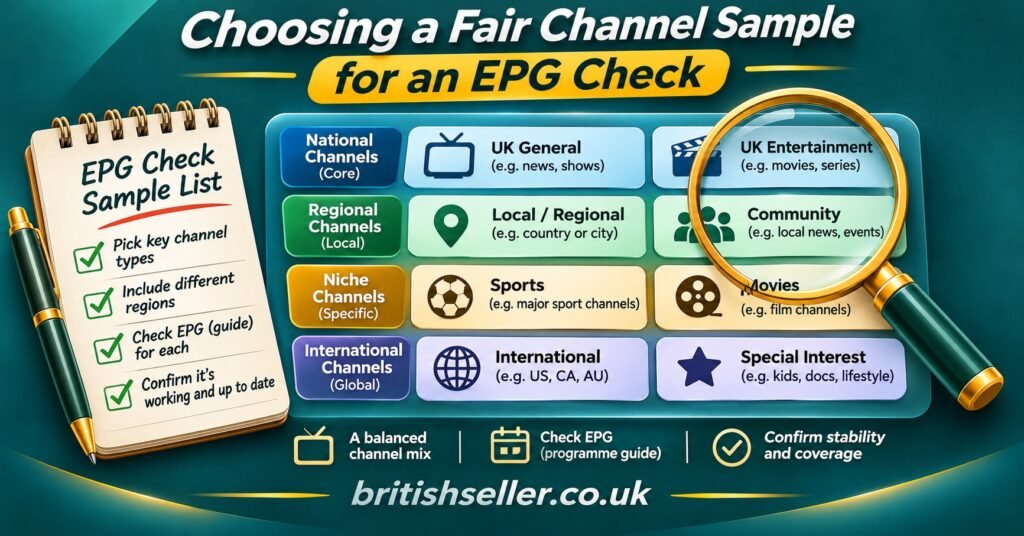
A spot check is only as good as its sample. Ten of the most popular channels will nearly always look fine, because suppliers fix those first. A fair check takes a mix.
Spread the sample across channel types
Aim for roughly this balance:
- Three or four major national channels, as a baseline
- Two regional or local variants, since these often share an ID with the national feed and pick up the wrong schedule
- Two niche or specialist channels, which is where gaps tend to appear
- One or two international channels from a different time zone, which show quickly whether time offsets are handled properly
Pick a sensible time of day
Early evening on a weekday works well because schedules are full and programmes change on predictable boundaries. Overnight checks can mislead you. Many channels loop content or run filler then, which makes a wrong listing hard to spot.
Leave out what can’t be judged
Leave out channels that show the same content around the clock, event channels that only go live occasionally, and anything you can’t positively identify on screen. If you can’t tell whether the guide is right, the channel doesn’t belong in the sample.
Pro tip: Write your ten channel names down before you open the guide. If you choose while scrolling, you’ll lean towards channels that already have listings showing, and that inflates the score.
Scoring Your IPTV EPG Accuracy Check
Give each channel a score from zero to two. The point is consistency. If you use the same rules every time, you can compare suppliers, devices or the same service week to week.
| Result on the channel | Points |
|---|---|
| Correct programme, start time within a few minutes | 2 |
| Correct programme but noticeably wrong times, or “now” right and “next” missing | 1 |
| Wrong programme, blank listing, or guide for a different channel | 0 |
Ten channels gives a maximum of twenty. These bands are a practical working benchmark rather than an industry standard:
- 18 to 20: The guide is dependable for everyday use. Note any single failure in case it’s a known gap.
- 14 to 17: Usable, but there’s a pattern. Look at which channel types lost points.
- Below 14: Customers will notice and complain. Find out whether it’s a timing fault or a data fault before you decide anything.
A score on its own hides the cause. Next to each zero or one, write a short reason, such as “one hour ahead”, “blank”, “shows national schedule on regional feed” or “started 15 minutes late”. Those notes are what make the next section useful.
Test Our Guide During Your Demo
The fairest way to judge any guide is to run this exact check yourself before you commit. If you’re weighing up a IPTV reseller panel, ask for a demo and run the full ten channel test on the devices your customers use, at a normal viewing time. You can request a demo through our contact page and score the guide against the same table above. Bring your notes back with you, and any weak spots can be discussed with the specific channels in front of you rather than in general terms.
What a Low Score Is Telling You
Low results usually fall into a handful of recognisable patterns, and each points to a different fix.
Every listing is out by the same amount
If every failed channel is ahead or behind by the same hour, the guide data is probably fine and the offset is wrong. Guide data in the common XMLTV format carries a time zone offset with each programme, and players apply their own adjustment on top. Check the device time zone, then look for an EPG time shift or offset setting in the player. The UK moves between GMT and BST in late March and late October, so a guide that was accurate in summer and is exactly an hour out in November has almost certainly been caught by the clock change.
Some channels are blank while others are perfect
This normally means a matching problem. A playlist links each channel to the guide through an identifier (often the tvg-id field in an M3U list). If that identifier is missing or doesn’t match the guide source, the channel gets no listings. A user can’t fix that from their device. The supplier has to correct the mapping.
Regional channels show the national schedule
Regional variants sometimes share an identifier with their parent channel, so they inherit the wrong programme list. It’s a mapping fault and needs the same kind of supplier fix.
Listings start right but drift during the evening
When programmes begin on time early on and slip later, the source schedule isn’t being updated when broadcasters make late changes. Some drift happens with any guide. Persistent drift across several channels points to a slow or infrequent update cycle on the supplier’s side.
The guide shows yesterday or stops after a day
Guide data covers a set window ahead, and it has to be refreshed. If listings run out or look stale, first force a refresh in the app or reload the playlist. If fresh data still doesn’t arrive, the problem is upstream.
For resellers, the useful question to ask a supplier is which of these patterns they can fix and how quickly. A clear, specific answer is a good sign. “Our EPG is 100% accurate” isn’t one. The guide is one item in a wider set of checks worth running on any supplier, which our guide to verifying an IPTV reseller supplier sets out in full.
Pro tip: Run the same check again three or four days later at the same time. A guide that scores well on day one and badly on day four usually has a refresh problem, and a single test won’t catch it.
EPG Spot Check Questions Readers Ask
Is ten channels really enough to judge a guide?
It’s enough to spot patterns, which is the point of a spot check. If the result is borderline, add another ten channels of a different mix rather than retesting the same ones.
Should I test on more than one app?
Yes, if your customers use more than one. Players differ in how they apply time offsets and how often they refresh guide data, so the same source can score differently. Our overview of IPTV apps worth considering can help you decide which ones to include.
Does a perfect score mean the guide will stay accurate?
No. It means the guide was accurate at the time of testing. Late schedule changes, clock changes and refresh failures can all affect it later, so repeat the check from time to time.
Is EPG accuracy related to whether a service is legitimate?
Not directly. A guide can be well maintained on any IPTV service, so a good score doesn’t tell you whether the provider holds proper distribution rights for its content. Check licensing separately.
Before You Start the Timer
- Device date, time and time zone confirmed as correct
- Ten channels written down in advance, across national, regional, niche and international types
- A weekday early evening slot chosen for the test
- The same app and device your customers actually use
- A notes column ready for the reason behind every lost point
- A reminder set to repeat the test in a few days
Timing Faults and Data Faults Are Different Problems
An IPTV EPG Accuracy Check gives you two things: a number and a diagnosis. The number shows whether the guide is good enough. The diagnosis tells you who can fix it. Offsets and stale data can often be sorted on the device in a minute, while blank, misassigned or drifting listings sit with the supplier however many settings you change. Keep the two apart and you’ll judge a guide fairly. If your check turns up a guide that won’t load at all, work through our step by step guide to fixing an IPTV EPG that’s not loading before you retest.