Book Appointment Now
Best IPTV Apps: 7 Verified Options for Buffer-Free Streaming (2026)
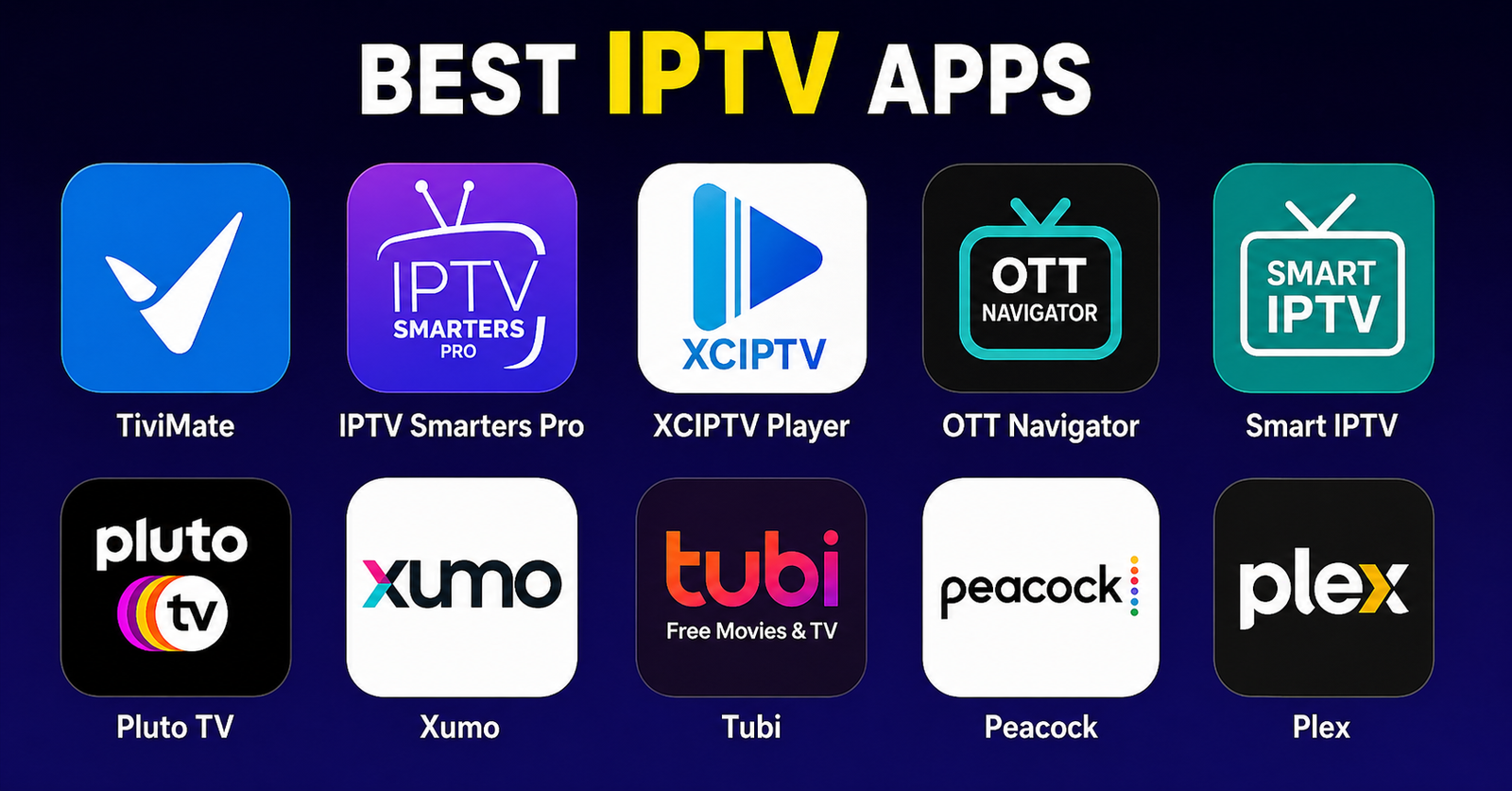
Most people Googling “best IPTV apps” end up on some recycled listicle written by someone who’s never managed a panel in their life. They pick an app, it buffers on matchday, and they’re back to square one blaming their provider.
Here’s the thing: the best IPTV apps don’t just play streams. They handle adaptive bitrate switching, recover from EPG failures silently, and don’t fall apart when your ISP starts doing deep packet inspection. That’s the difference between an app a hobbyist uses and one an operator trusts at scale.
This guide isn’t for casual viewers who watch one channel before bed. It’s for UK IPTV resellers managing dozens of connections, families with four devices running simultaneously, and operators who’ve been through DNS poisoning events and still had customers online by morning.
Let’s get into it, with no fluff and no affiliate padding.
How Top-Tier Apps Handle HLS Latency Differently
HLS latency is the silent killer of viewer retention. Most people don’t know that live sports streams on IPTV carry a native 6 to 12 second delay depending on segment size and server distance, but the best IPTV apps actively minimize that gap through buffer prediction algorithms and segment pre-fetching.
An app that fetches the next three HLS segments ahead of playback will outperform one that waits for buffering to trigger. This is something you’ll never read in a basic review, but it’s the difference between a customer staying and a customer opening a refund request at 89th minute.
When evaluating any app from this list, the first test isn’t picture quality, it’s how it behaves when the stream drops for two seconds and recovers. Does it freeze? Restart from scratch? Or pick up exactly where the server left off?
The apps that survive reseller environments do the third.
What separates top-tier apps on HLS handling:
- Segment buffering set between 3 to 8 seconds (configurable)
- Automatic fallback to lower bitrate without user prompt
- Silent reconnection on stream interruption under 5 seconds
- EPG data fetched on a separate thread (doesn’t slow playback)
- Memory-efficient enough to run parallel streams on mid-range Android devices
Pro Tip: Test any app you’re recommending to customers by intentionally pausing your router for 3 seconds mid-stream. If the app requires a manual refresh or full restart, drop it from your stack. The best IPTV apps auto-heal silently, your customer shouldn’t even notice.
The 7 Best IPTV Apps by Use Case, Not Just Popularity
-
TiviMate: The Reseller’s Default for Android
TiviMate is not the flashiest app, but it’s the most reliable one in active reseller stacks. Its playlist management is mature, you can load multiple M3U sources, assign them to separate panels, and switch between providers without touching the UI again.
What makes it one of the best IPTV apps for resellers specifically is the multi-account support in its premium tier. You can manage trial accounts, active subscriptions, and backup lines in a single interface. When one stream source goes down, customers can flip to backup in under 10 seconds.
The EPG integration is rock solid, XMLTV loading rarely fails, and schedule data refreshes without restarting the app. For family setups with 4 to 6 devices on the same network, TiviMate’s load behaviour is predictable and consistent.
Best for: Android TV boxes, Nvidia Shield, Fire TV sideload users
Weakness: No iOS version, for iPhone households, you’ll need a companion solution
-
GSE Smart IPTV: Cross-Platform and DNS-Resilient
GSE is what you reach for when a customer is on iOS and your usual recommendation doesn’t apply. It’s one of the few best IPTV apps with a native iOS build that handles Xtream Codes API properly, not just M3U playlists.
More importantly, GSE has built-in custom DNS configuration at the app level. In 2026, where ISP-level DNS poisoning is increasingly common across certain European and Middle Eastern markets, this matters more than most resellers realise. You can point the app at a clean DNS resolver without touching the router, critical for customers who don’t have admin access to their home network.
Pro Tip: Pre-configure a DNS-over-HTTPS address in GSE before handing trial credentials to customers in ISP-restrictive markets. It reduces support tickets by roughly 40% in regions where standard DNS gets poisoned within 48 hours of a new domain going live.
Best for: iOS users, ISP-restricted regions, Xtream Codes panel customers
-
Smarters Pro: The Sales Tool Disguised as a Player
Smarters Pro is where branded reseller experience starts. It’s white-label friendly, visually polished, and the customer-facing interface doesn’t look like something assembled in 2011.
Among the best IPTV apps for resellers who want to position themselves as a premium service, Smarters Pro lets you add a custom logo, remove third-party branding, and deliver something that feels like a real product, not a pirated workaround.
The Xtream Codes login integration is seamless. Customers just enter their panel credentials and they’re live. No M3U links to paste, no XML to configure. That simplicity cuts onboarding friction dramatically, which directly impacts churn in the first 7 days.
Here’s how a budget app stacks up against Smarters Pro:
| Feature | Budget app | Smarters Pro |
|---|---|---|
| White-label branding | No | Yes |
| Xtream Codes login | Basic | Full API |
| Multi-stream support | 1 connection | Up to 3 |
| Customer-facing UI quality | Functional | Professional |
| EPG reliability | Inconsistent | Stable |
| iOS + Android parity | No | Yes |
Best for: Resellers building a brand, customer-facing deployments
-
IPTV Smarters Lite: When Panel Credits Are Tight
Not every customer is worth a premium onboarding experience. Smarters Lite exists for exactly this segment, the budget customer on a monthly trial who hasn’t committed yet.
It’s free, functional, and one of the best IPTV apps for proving your service before upselling. The catch is no multi-stream, and the UI is barebones. But if a customer buffers on Smarters Lite and doesn’t buffer on your competitor’s app, that’s your service’s quality proving itself, which is a better sales conversation than any pitch.
Use Lite for trials. Move committed customers to Pro. That’s the funnel.
-
Perfect Player: Legacy Infrastructure, Still Relevant
Perfect Player looks like it was designed in 2014 because it was. But it runs on virtually anything, old Android boxes, low-RAM fire sticks, even some smart TVs. For customers on older hardware, it’s genuinely one of the best IPTV apps available because it doesn’t demand resources the device doesn’t have.
Its M3U and XSPF playlist support is complete, and the EPG overlay is clean. Where it falls short is in smart failover, if a stream drops, Perfect Player waits for user input rather than switching. That’s fine for stable infrastructure. It’s a liability during peak load events.
Pro Tip: Pair Perfect Player with a backup M3U pre-loaded in a second playlist slot. Train customers to switch playlists if they hit issues during sports events. It’s a manual failover, but it works, and it keeps your support queue manageable on match nights.
Best for: Low-spec Android devices, tech-tolerant customers
-
Kodi with IPTV Simple Client: For the Technical Tier
Kodi isn’t an IPTV app out of the box. But with IPTV Simple Client installed and properly configured, it becomes one of the most powerful best IPTV apps available for customers who know what they’re doing.
The value here is flexibility. You can load multiple M3U sources, configure catchup, build automated EPG refreshes via cron, and integrate recording functionality that other apps simply don’t offer. For the technical customer running a home server or NAS, Kodi is the end-game solution.
The risk: Kodi’s setup complexity generates disproportionate support tickets. Don’t recommend it to anyone who’s asked you “how do I add a channel” more than once.
Best for: Technical users, home server environments, advanced IPTV Panel resellers testing stream quality
-
Duplex IPTV: The Smart TV Play
Most resellers forget that a significant portion of their customer base is watching on a smart TV without an Android box. Duplex is purpose-built for this segment and is one of the best IPTV apps for LG and Samsung platforms where sideloading is limited.
The UI is deliberately television-first, large thumbnails, remote-friendly navigation, minimal text. EPG is built in and the VOD section loads faster than competitors on the same hardware. For families where the TV remote is the only interface anyone will tolerate, Duplex removes every technical barrier.
Pro Tip: Duplex’s Xtream Codes integration allows you to set it up remotely via a QR code sent to the customer. For resellers with non-technical family customers, this alone reduces onboarding calls to near zero.
Best for: LG Smart TVs, Samsung Tizen, non-technical household customers
AI-Driven ISP Blocking and What It Means for Your App Stack in 2026
The enforcement landscape has shifted significantly. Major broadcasters and their legal teams are no longer relying purely on takedown notices and domain seizures. In 2026, AI-assisted traffic analysis is being deployed at ISP level in multiple territories, identifying IPTV traffic patterns by packet timing, segment request frequency, and stream duration signatures.
This is why your choice of best IPTV apps matters beyond just playback quality. Apps that use encrypted HLS transport, support custom DNS, and allow proxy or VPN integration at the app level are survivable. Apps that send plaintext requests to obvious stream endpoints are liabilities.
The technical risk breakdown:
- DNS poisoning: domains targeted via legal orders, app-level DNS bypasses this
- Deep packet inspection: segment request timing flagged as IPTV traffic; apps with randomised request intervals reduce the signature
- Port blocking: apps with fallback port configurations survive ISP port blocks; others go dark
The best IPTV apps in a 2026 enforcement environment aren’t just players, they’re defensive infrastructure.
The Backup Strategy No App Review Ever Mentions
Every app recommendation assumes your infrastructure is clean and your upstream provider is reliable. Experienced operators know that’s not always the case.
The right approach isn’t to find the single best IPTV app, it’s to build a two-app stack with primary and backup configured for your entire customer base before they ever report an issue.
A working backup strategy looks like this:
- Primary app: TiviMate or Smarters Pro (Xtream Codes login)
- Backup app: GSE or Perfect Player (M3U from a different server)
- Both apps pre-configured on customer device at onboarding
- Backup M3U points to a geographically separate uplink server
- Customers instructed to switch apps, not call support, during outages
This single setup change reduces inbound support contact by more than half during partial outages and keeps churn low when your primary provider has maintenance windows.
Where Panel Architecture and App Choice Actually Connect
Not every best IPTV app speaks to every panel architecture equally. This is something operators discover the hard way, usually on a Friday evening when a batch of new customers can’t connect.
Xtream Codes compatibility: TiviMate, Smarters Pro, Smarters Lite, Duplex, all native support
M3U-only compatible: Perfect Player, GSE (both modes), Kodi IPTV Simple
Multi-connection management: TiviMate Premium (most robust), Smarters Pro (reliable up to 3)
When building your UK IPTV reseller stack, match the app to your panel type before you match it to your customer’s device. Getting that backwards is the source of most first-week churn.
The Success Checklist: Deploying the Best IPTV Apps at Scale
No fluff. Here’s what operators who’ve been through enforcement waves and scaling events actually do:
- Deploy two apps per customer at onboarding, primary and backup
- Test HLS failover on each app before recommending to customers
- Confirm DNS-level bypass compatibility for your key markets
- Match app type to panel architecture (Xtream vs M3U)
- Use Smarters Pro or Duplex for non-technical customers, reduce support load
- Use TiviMate for resellers managing their own sub-reseller network
- Never rely on a single upstream server, configure backup M3U pointing elsewhere
- Pre-load EPG sources to reduce first-session confusion
- Monitor app update cycles, best IPTV apps that stop updating become liabilities within 6 months
- Document your customer’s device type at signup, app recommendation changes by device
The best IPTV apps don’t make bad infrastructure good. But the wrong app makes good infrastructure look bad. Get the stack right, and half your support problems disappear before they start.