Book Appointment Now
IPTV Admin Panel: 7 Pro Strategies to Scale Fast (2026)
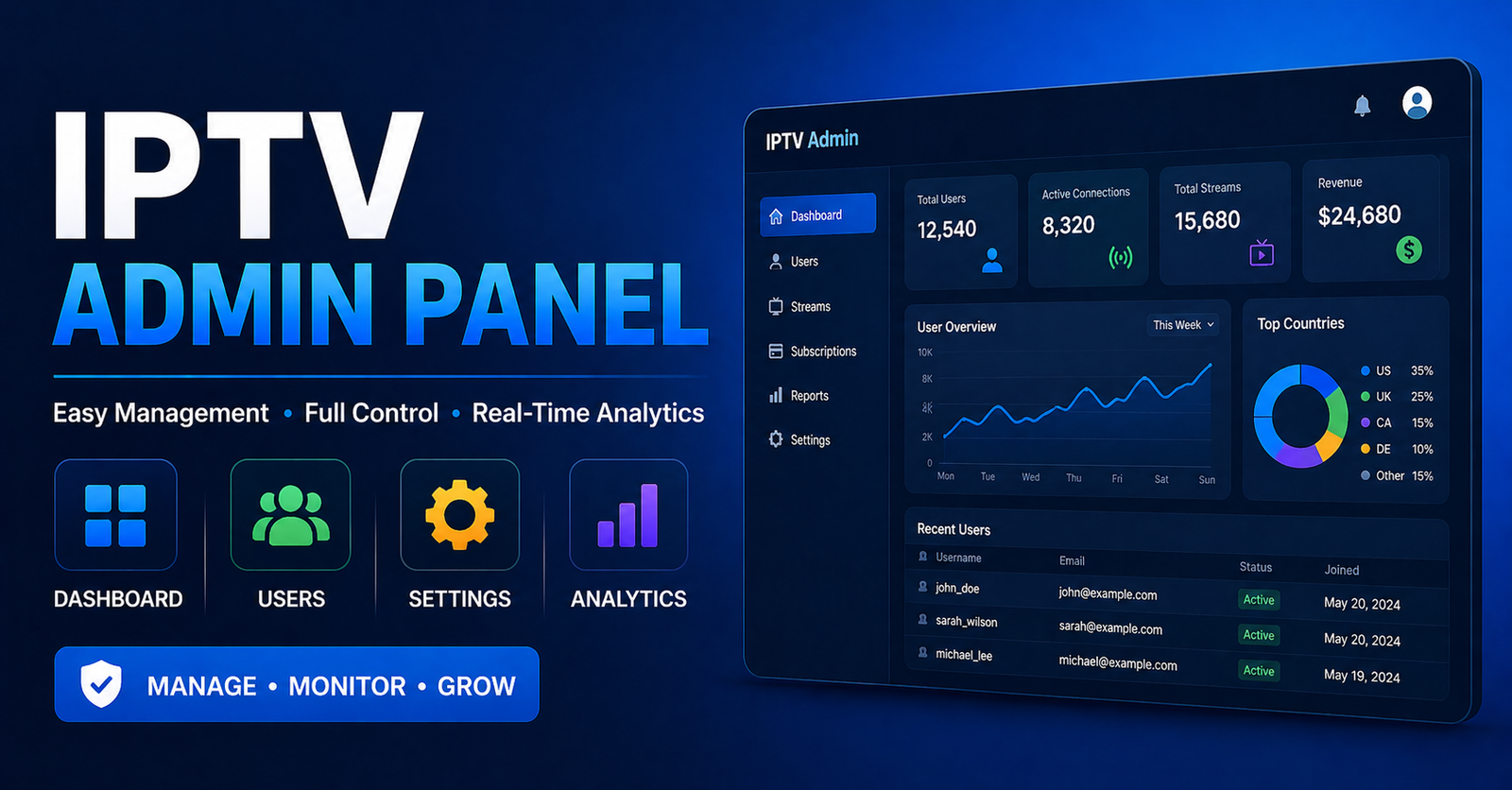
Most resellers treat their IPTV admin panel like a billing screen. Log in, add credits, send login details, log out. That’s how you stay small, and fragile.
The operators who scale past 500 active connections without collapsing treat the IPTV admin panel as infrastructure. Every toggle, every user permission level, every stream route decision runs through it. Get comfortable here, and you stop reacting to problems. You start preventing them.
This guide isn’t an introduction. It’s a pressure-tested breakdown of what actually matters inside the panel, the decisions that separate a reseller who runs 80 connections semi-reliably from one managing 800 with a structured system behind it.
If you’re buying credits from a parent reseller IPTV UK and flipping them to end users, your IPTV admin panel is your entire business. Lose control of it, and you lose everything downstream.
What Your IPTV Admin Panel Is Actually Managing
Before tactics, understand the scope. An IPTV admin panel built on Xtream Codes architecture (or its successors) is simultaneously managing:
- Active stream sessions: how many connections are live, on which lines, pulling from which server clusters
- Credit allocation: the lifeblood of the reseller model, tracked per sub-account
- User expiry schedules: auto-deactivations if not managed will silently kill renewals
- Bouquet and package assignments: what each user tier can actually see
- Output format routing: M3U, MAG, Xtream API endpoints, all handled from the same interface
Most resellers know two or three of these. Advanced operators have eyes on all of them simultaneously, and they’ve configured alerts or manual checks around each one.
Pro Tip: Set a weekly audit reminder to check expiry dates 7 days out. Silent expirations are the number one cause of avoidable churn. The IPTV admin panel shows you this data, most people just never look.
The Connection Limit Setting Most Beginners Get Wrong
There’s a setting inside every IPTV admin panel that beginners almost always misconfigure: the simultaneous connection limit per line.
Set it too high, and one customer shares their login with six people. You’re eating bandwidth, the stream quality degrades for everyone on that server cluster, and you have no idea it’s happening. Set it too low, and a family trying to watch on two TVs logs a complaint every week.
The right configuration depends on what you’ve sold. If you’re running family packages, two simultaneous connections per line is the floor. For individual subscriptions, one is defensible. For resellers under you, the limit depends on their downstream count, not a flat number.
Here’s what most guides won’t tell you: connection abuse is often internal. A sub-reseller you trust will occasionally oversell, push shared credentials to cut costs, and your server load increases without your active user count moving. The IPTV admin panel logs will show connection spikes that don’t correlate with registered lines. That’s your signal.
Tactical Response Checklist:
- Pull connection logs weekly from the IPTV admin panel
- Compare active simultaneous connections vs. registered line count
- Any ratio above 1.4x signals credential sharing
- Temporarily force a password reset on suspect accounts
- Document the spike, if it repeats, terminate that sub-reseller’s credit access
Load Distribution and Why the Panel Alone Can’t Save You
Your IPTV admin panel can route users, but it cannot manufacture bandwidth. This is the architectural ceiling that most resellers hit around 200 to 300 connections and misdiagnose as “panel problems.”
The panel is the control layer. The server infrastructure beneath it is the load layer. Confusing the two is expensive.
What a well-configured IPTV admin panel can do is distribute users across multiple server endpoints, if your parent provider has built that into their infrastructure. Before you scale, ask directly:
Does the backend use load balancing across multiple uplink nodes?
Are there geographic edge servers, or is everything routed through one origin?
What happens to active sessions during an uplink failover?
If your provider can’t answer these clearly, you’re operating on single-point-of-failure infrastructure. The IPTV admin panel will look fine right up until the moment it doesn’t.
Here’s how budget and premium providers actually compare:
| Infrastructure factor | Budget provider | Premium provider |
|---|---|---|
| Uplink nodes | 1 to 2 shared | 5+ dedicated |
| Failover speed | Manual / slow | Automated sub-60s |
| Load balancing | None or basic | Active per-session |
| Panel access during outage | Intermittent | Separate control plane |
| Backup stream URLs | Rarely | Standard |
| HLS latency (avg.) | 8 to 14s | 2 to 6s |
The IPTV admin panel is only as powerful as the infrastructure beneath it. A well-designed panel on weak infrastructure is a polished steering wheel on a car with no engine.
ISP Blocking in 2026: What the Panel Shows You, and What It Hides
The enforcement landscape has changed. In 2025 and into 2026, major ISPs in the UK and across Europe have moved beyond simple domain blocking into active traffic analysis. Deep packet inspection tools now flag HLS stream patterns even when the source IP rotates. DNS poisoning at the ISP level has become standard enforcement practice in several European jurisdictions.
What does this mean for your IPTV admin panel?
You’ll see it in the data before your customers tell you. Watch for:
Sudden drop in UK or EU active sessions while other regions hold steady
High connection attempts with zero successful stream initiations: this is a blocked IP trying to handshake
Increased M3U refresh failures logged per user account
None of these appear as explicit “ISP block” notifications in the IPTV admin panel. You have to read the patterns. An experienced operator recognises these signatures immediately. A beginner raises a ticket with their supplier and waits three days.
Pro Tip: Ask your upstream provider whether their infrastructure uses SNI masking or domain-front routing for stream delivery. If they look confused by the question, find a new provider. In 2026, providers without active anti-detection infrastructure are a liability.
Managing Credits Like a CFO, Not a Hobbyist
Credits are currency. Every action inside the IPTV admin panel either spends them, allocates them, or holds them in reserve. Resellers who treat credits casually burn through margin without realising it.
The Three Credit Mistakes That Kill Margin:
- Pre-activating before payment is confirmed. The moment you activate a line in the IPTV admin panel, the clock starts. If a customer ghosts after activation, you’ve lost that subscription period. Collect payment first, activate after. No exceptions.
- Not tracking sub-reseller credit float. If you have sub-resellers under you, their credit balance in the IPTV admin panel is a live liability. They can activate lines you can’t recall. Set credit thresholds and require top-up before they hit zero, don’t let them run on overdraft trust.
- Missing renewal windows. A line that expires silently in the IPTV admin panel is a customer who’s now available to your competitors. Export your expiry list monthly. Build a 5-day and 2-day reminder system. The panel has this data, use it aggressively.
Building Sub-Reseller Tiers Without Losing Oversight
Scaling through sub-resellers is how most IPTV operators grow beyond what they can personally manage. But the IPTV admin panel’s permission architecture needs to be configured before you bring anyone in, not after a problem forces your hand.
Structural rules for healthy sub-reseller management:
- Never give a sub-reseller admin-level panel access. They get IPTV Panel reseller credentials, not root control.
- Assign credit limits, not open accounts. The IPTV admin panel allows credit caps per reseller account, use them.
- Audit their active line count weekly. If a sub-reseller’s active connections exceed what you’ve sold them, the discrepancy is a red flag.
- Keep master account credentials fully separate. Two-factor if available, unique credentials, never shared.
Pro Tip: Create a test line in the IPTV admin panel and periodically check stream quality from a separate device. If a sub-reseller’s infrastructure is degrading, you’ll catch it before their customers escalate to you.
The sub-reseller model works, but only if the IPTV admin panel is treated as a structured access control system, not an open room where everyone has a key.
How to Diagnose Buffering Before You Blame the Stream
Buffering complaints are the most common reseller headache. They’re also the most misdiagnosed. Nine times out of ten, operators immediately escalate to their supplier, when the answer was visible in the IPTV admin panel the whole time.
Panel-Based Buffering Diagnosis Flow:
- Check active connections on the affected user’s line. If it shows 2 active on a 1-connection limit, someone else is using the account. The buffer isn’t a stream problem, it’s a credential problem.
- Check which server cluster that line is assigned to. If the cluster is showing near-capacity load, the buffer is infrastructure. Reassign the line if your panel allows it.
- Check the output format the user is running. M3U on a weak home router behaves differently than a direct Xtream API connection. The IPTV admin panel can tell you what they’re using, the
- fix might be a format switch, not a stream fix.
- Review connection history timestamps. Intermittent buffering at consistent times (sports event starts, primetime hours) is load-related. Random mid-session drops suggest ISP-level interference.
Most buffering conversations with customers can be shortened from 20 minutes to 3 minutes by doing this panel check first.
The IPTV Admin Panel Success Checklist (Execution Only)
No theory. Run this against your current setup.
Panel Access Security
Master credentials stored in a password manager, not a chat thread
Sub-resellers have reseller-tier access only
Login activity reviewed monthly for unrecognised sessions
Credit & Billing Control
Credit threshold alerts enabled or manually checked weekly
Sub-reseller credit caps set and enforced
No lines activated before payment is confirmed
Stream Health Monitoring
Weekly review of simultaneous connection logs in the IPTV admin panel
Buffering complaints resolved using panel diagnostics first
Server cluster load reviewed before adding new bulk activations
Churn Prevention
Expiry list exported and actioned at 5-day and 2-day intervals
Inactive lines reviewed monthly, not renewed silently
Output format confirmed per customer (M3U, MAG, Xtream)
Infrastructure Awareness
Backup uplink URLs documented outside the panel
Provider confirmed to have multi-node failover
ISP blocking patterns tracked by region in session logs
Scaling Discipline
No new sub-resellers onboarded without panel permission structure in place
Growth reviewed against server capacity, not just credit availability
Test line maintained for independent quality checks
The IPTV admin panel is not a convenience feature. It’s the operational core of your entire IPTV UK reseller business. Every active subscriber, every credit, every connection decision flows through it. The operators who scale sustainably are the ones who learn its architecture before they need it under pressure, not during an outage at 11pm on a Saturday when three sub-resellers are calling at once.
Get inside the IPTV admin panel. Learn what it’s actually showing you. Then build your operation around the intelligence it gives you every single day.