
Book Appointment Now
Why Does IPTV Keep Jumping Back? Full Fix Guide 2026
If your stream keeps skipping backward mid playback, IPTV Keep Jumping Back usually happens because of a buffer resync error, where your player’s cache and the live stream timestamp fall out of sync and the app automatically rewinds a few seconds to catch up. It looks like a glitch, but it is actually your device trying to protect you from a worse problem, a total freeze.
What Actually Causes IPTV Jumping Back
Most people assume IPTV jumping back is purely an internet speed issue. Sometimes it is, but more often the real cause sits somewhere between your device, your app, and the server delivering the stream. When a stream’s timestamp data gets corrupted or delayed, the player has two choices, freeze completely or jump back to the last stable frame it has. Most apps choose the second option because it feels less jarring to the viewer, even though it is confusing the first few times it happens.
Buffer mismanagement is the single biggest driver. Your device downloads small chunks of video ahead of what you are watching, storing them temporarily so playback stays smooth even if your connection dips for a second. If those chunks arrive out of order, or if one chunk gets corrupted during transfer, the player has to discard it and reload from an earlier point. That reload is what you experience as the stream jumping backward.
Common Reasons Behind IPTV Jumping Back Issues
There are a handful of repeat offenders behind this problem, and knowing which one applies to you saves a lot of guesswork.
Weak or unstable Wi-Fi signal strength causes constant micro drops that force the player to keep resyncing. Outdated app versions sometimes mishandle timestamp data that newer server infrastructure sends differently than older builds expect. Overloaded streaming servers during peak hours, especially evenings and weekends, struggle to deliver consistent chunk timing to every connected user at once. Old or underpowered devices, particularly budget Android boxes and older Firestick models, simply cannot process video decoding fast enough to keep up with live delivery. DNS routing problems, where your device is being routed through a slower or congested path to the server, add delay that triggers the same rewind behaviour.
Pro Tip: Before assuming it is your internet, restart your streaming app completely rather than just your device. Many apps cache old timestamp data that a simple device restart does not clear.
How Your Device Affects IPTV Jumping Back
Not every device handles live streaming the same way, and this matters more than most people realise. A Smart TV app, a Firestick, an Android box, and a mobile phone all process incoming video data through different hardware and software layers, which means the same stream can behave completely differently depending on where you are watching it.
Older Firestick models, particularly the base generation without much onboard memory, tend to show IPTV jumping back far more often because they run out of buffer space quickly during high bitrate 4K streams. Android boxes with outdated firmware sometimes mishandle the handshake between the app and the server, causing repeated resyncs. Smart TVs with built in apps usually perform best because manufacturers optimise the hardware decoder specifically for streaming, but even these can struggle if the TV itself is several years old.
If you are choosing a device specifically to avoid this issue, prioritise anything with at least 2GB of RAM and a recent processor. Cheaper streaming sticks under £30 are the most common source of complaints about playback jumping backward, simply because they cut corners on buffer memory.
Comparison: Device Performance for Stable IPTV Playback
| Device Type | Buffer Handling | Jump Back Frequency |
|---|---|---|
| Modern Smart TV app | Strong, hardware optimised | Rare |
| Firestick 4K Max | Good, ample memory | Occasional |
| Budget Android box | Weak, limited RAM | Frequent |
Network Factors That Trigger IPTV Jumping Back
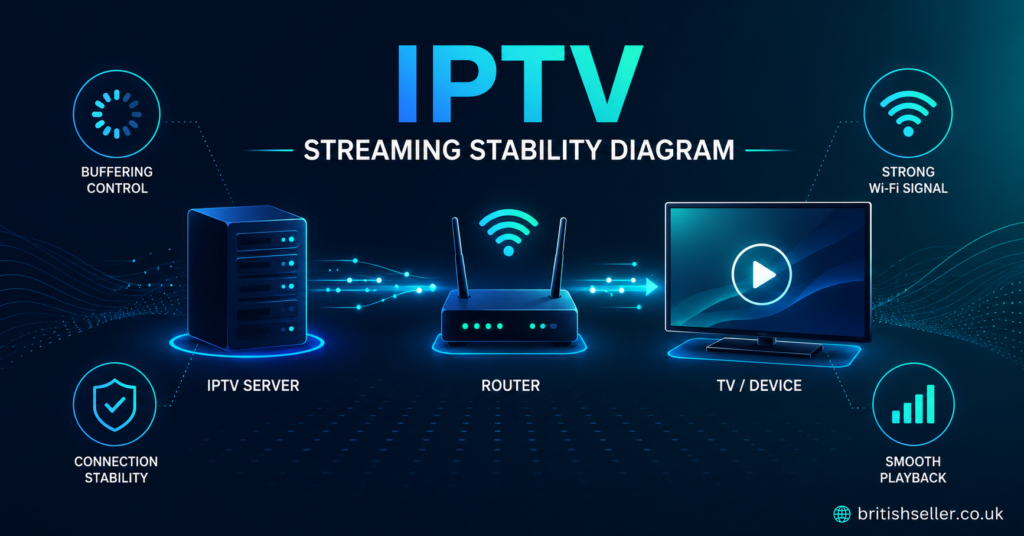
Your home network plays a bigger role in this than most viewers expect. Even a fast internet plan can produce inconsistent streaming if the routing between your router and the streaming server is unstable. This is different from raw speed, it is about consistency.
Wi-Fi congestion from multiple connected devices, especially smart home gadgets constantly pinging the network, can create tiny interruptions that are enough to trigger a resync. Using a wired ethernet connection instead of Wi-Fi removes this variable almost entirely, since wired connections do not suffer from signal interference or distance dropoff the way wireless does.
ISP level deep packet inspection, where your internet provider inspects streaming traffic and sometimes throttles it during busy hours, is another factor many people never consider. This is not something you can fully control, but choosing a service backed by solid multi server failover infrastructure reduces how much this affects your viewing, because the system automatically shifts your connection to a healthier server route before you notice a problem.
Router quality matters too. Older routers, especially those provided free by ISPs several years ago, often cannot handle the sustained data throughput that 4K streaming requires alongside other household internet use.
Pro Tip: Run a wired connection to your streaming device if it is anywhere near your router. This single change resolves a surprising number of jumping back complaints.
Server Side Reasons Your IPTV Keeps Jumping Back
Sometimes the problem has nothing to do with your home setup at all. Server side congestion during peak viewing hours, particularly around major sporting weekends or holiday evenings, means thousands of viewers are pulling from the same infrastructure simultaneously. Even well built systems can show strain under that kind of load.
This is exactly why infrastructure quality separates a reliable IPTV panel provider from an unreliable one. Providers that invest in strong reseller panel infrastructure typically spread load across multiple backup servers, so if one server becomes congested, viewers are shifted automatically rather than left buffering and rewinding. Providers running on a single overloaded server cannot do this, and their customers experience IPTV jumping back constantly during busy hours.
EPG timing errors on the server side, where the electronic program guide data does not perfectly match the actual live stream timestamp, can also cause this. It is a smaller issue than server congestion but worth knowing about if everything else checks out fine on your end.
How Resellers Can Prevent Customer Complaints About Jumping Back
If you run an IPTV reseller business, IPTV jumping back complaints are one of the most common support tickets you will receive, and how you handle them affects customer retention directly. The first step is always ruling out the customer’s own setup before assuming it is a server issue, since most complaints trace back to weak Wi-Fi or an old device rather than your panel itself.
Building a simple troubleshooting checklist for your customers saves enormous support time. Ask them to restart the app first, check whether they are on Wi-Fi or ethernet, and confirm which device they are using. This alone resolves the majority of tickets without needing to escalate anything.
For sub-resellers managing their own customer base, having clear documentation from your IPTV reseller panel provider about expected uptime and failover behaviour helps you answer customer questions confidently instead of guessing. Transparency here builds trust, and trust is what keeps subscribers renewing month after month instead of churning to a competitor after one bad night of streaming.
Quick Fixes You Can Try Right Now
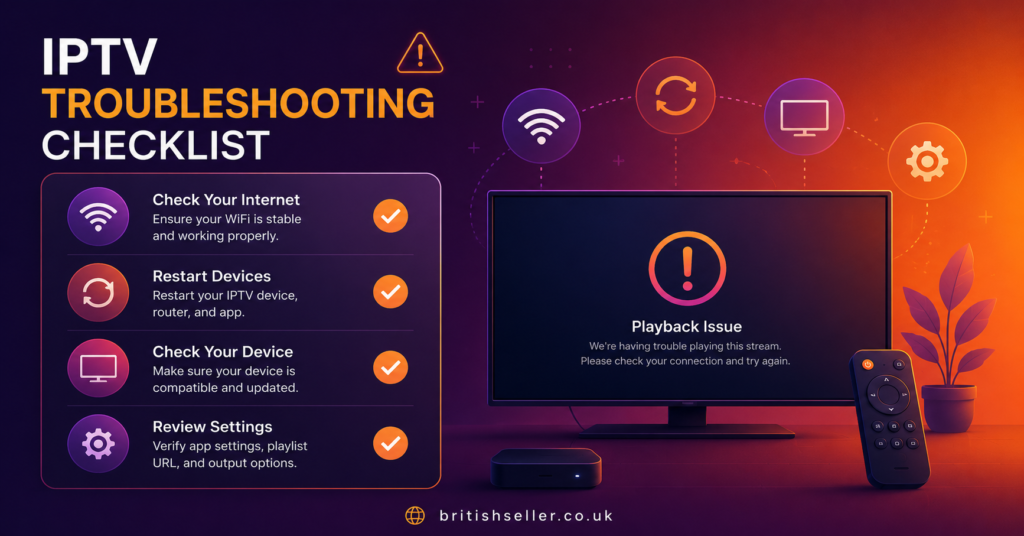
Before contacting support, there are a few things worth trying yourself. Restarting the app fully, not just the device, clears cached timestamp data that often causes the jump. Switching from Wi-Fi to a wired ethernet connection removes signal interference as a variable entirely. Checking for app updates ensures you are running the latest version built to handle current server timing protocols. Lowering stream quality temporarily, from 4K down to HD, reduces the buffer load your device needs to manage, which can stop the resync behaviour immediately.
If none of these help and the issue is constant rather than occasional, the problem is likely on the server side, and reaching out to your provider’s support team is the right next step.
Frequently Asked Questions
Is IPTV jumping back a sign of a bad provider?
Not necessarily. It can happen with any provider during peak hours or on older devices. Occasional jumping is normal, but if it happens constantly across multiple devices and networks, it is worth reviewing your provider’s server infrastructure.
Does a faster internet plan fix IPTV Keep Jumping Back?
Sometimes, but not always. Speed helps with initial load times, but jumping back is more often about connection consistency and buffer handling than raw download speed.
Can changing devices completely solve this?
In many cases, yes. Moving from an older budget streaming box to a modern Smart TV app or a newer Firestick model resolves the issue for a large number of viewers.
Should I contact my provider immediately when this happens?
Try the quick fixes first, restart the app, check your connection type, and confirm you are on the latest app version. If the problem continues after that, contacting support is reasonable.
Bringing It All Together
IPTV jumping back is rarely one single problem, it is usually a combination of buffer handling, device capability, network stability, and server side load working against each other at the same moment. Understanding which of these applies to your situation turns a frustrating mystery into a solvable issue. Whether you are a subscriber trying to enjoy a smooth evening of viewing, a reseller fielding support tickets, or a sub-reseller building trust with your own customer base, the fixes above cover the vast majority of cases. The goal is always the same, a stream that plays forward without constantly dragging you back to where you already were.
Subscriber Checklist
- Restart your app fully before restarting your device
- Switch to a wired ethernet connection if possible
- Confirm your app is on the latest available version
- Lower stream quality temporarily if the issue persists
- Note the time of day the issue occurs, peak hours matter
Reseller Checklist
- Build a simple troubleshooting script for common tickets
- Rule out customer side issues before escalating to your provider
- Track how often jumping back tickets come in during peak hours
- Confirm your provider’s failover and backup server setup
- Communicate expected uptime clearly to your customer base
Sub-Reseller Checklist
- Get clear documentation from your upstream reseller on server reliability
- Keep your own customers informed with simple, honest explanations
- Escalate recurring issues promptly rather than guessing at causes
- Maintain a log of device types your customers use most
- Build trust through transparency rather than overpromising smooth streaming