Book Appointment Now
Global IPTV Receiver Box: A Reseller’s 2026 Guide
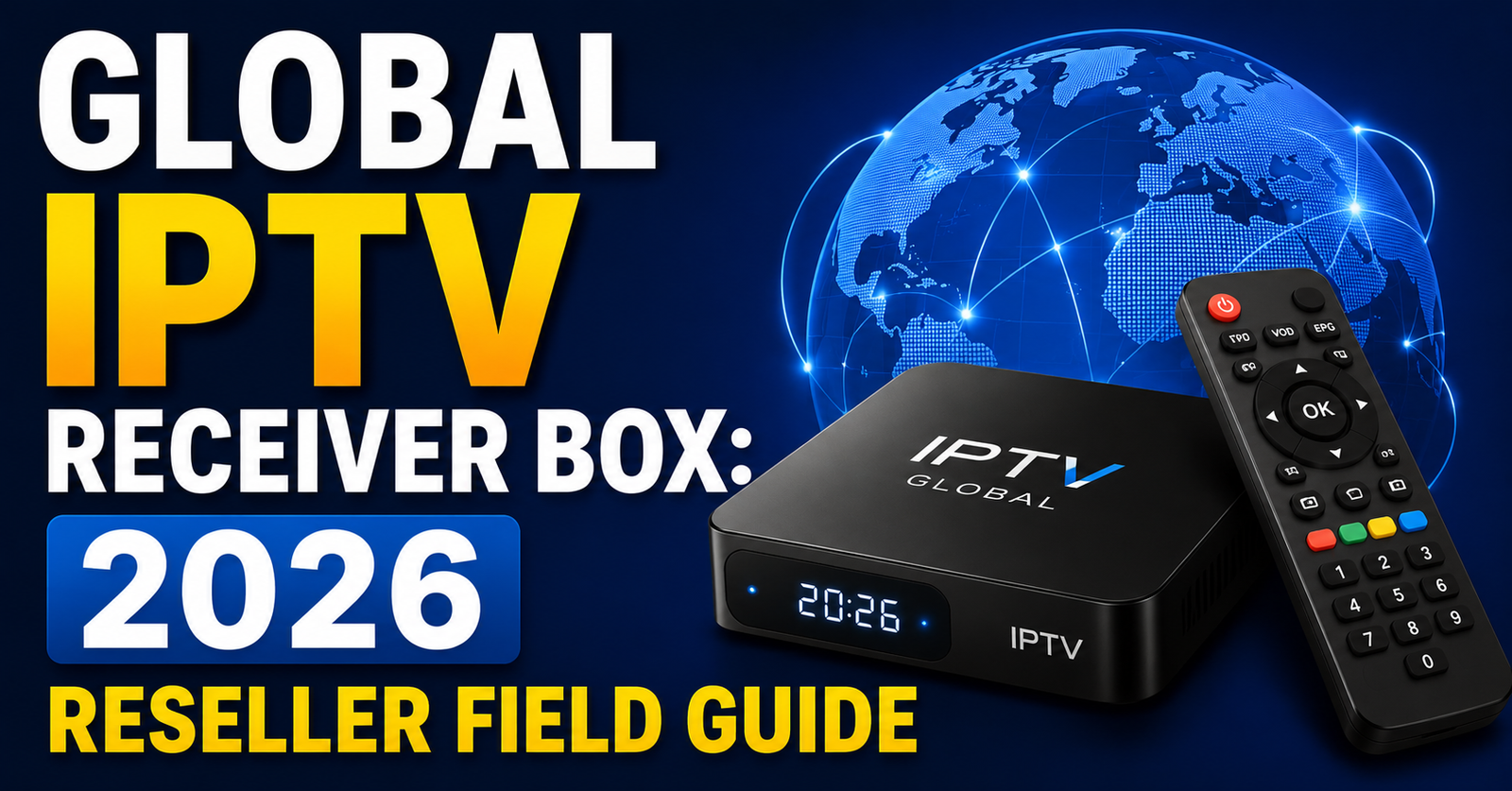
Global IPTV Receiver Box: The Operator’s Playbook for 2026
Most people shopping for a Global IPTV Receiver Box treat it like buying a toaster. Pick the cheapest one, plug it in, hope for the best. Then they’re back on forums three weeks later wondering why half their channels freeze during peak hours and the EPG looks like it was built in 2009.
That approach might have worked in 2019. It doesn’t work now.
The Global IPTV Receiver Box landscape in 2026 is a completely different animal. ISP-level deep packet inspection has gotten aggressive. DNS poisoning is routine. And the hardware sitting in your customer’s living room is either your greatest asset or the single point of failure that tanks your reseller business overnight.
This isn’t a product review roundup. This is what actually matters when you’re deploying receiver boxes across dozens or hundreds of subscribers, and what households need to know before they commit.
What Separates a Functional Global IPTV Receiver Box From a Liability
Here’s the uncomfortable truth: about 60% of the buffering complaints UK IPTV Reseller deal with have nothing to do with the server. They originate at the receiver end. A weak Global IPTV Receiver Box with insufficient RAM, outdated chipsets, or poor thermal management will choke on HLS streams the moment bitrate peaks above 12 Mbps.
The specs that actually matter in 2026:
- Processor: Quad-core Amlogic S905X4 or equivalent, anything below this tier struggles with 4K HEVC decoding under sustained load
- RAM: 4 GB minimum for stable multi-stream households; 2 GB units will stutter during EPG refresh cycles
- Ethernet port: Gigabit, non-negotiable, Wi-Fi-only boxes are a support nightmare
- Storage: 32 GB+ if your panel pushes local catch-up TV caching
- Android version: Android 11 or higher for consistent app compatibility and security patching
A Global IPTV Receiver Box that ticks these boxes won’t solve a bad server, but it eliminates the hardware as a variable when troubleshooting. That distinction matters enormously once you’re managing more than fifty active subscribers.
The Panel Integration Problem Nobody Talks About
You’ve got a solid Global IPTV Receiver Box. Good hardware. Decent network. Yet your customer still calls complaining about missing channels, broken VOD categories, or an EPG that’s twelve hours behind reality.
Nine times out of ten, the issue sits between the receiver and the panel, specifically, how the box handles Xtream Codes API authentication and playlist parsing.
Pro Tip: Before deploying any receiver box at scale, test it against your specific panel’s API response format. Some boxes silently truncate playlist responses above 8,000 lines, which means your premium channel categories vanish without a single error log.
Cheaper hardware often ships with a stripped-down IPTV player that handles M3U playlists but mangles Xtream Codes API calls. The box connects, pulls a partial channel list, and your customer assumes you sold them a gutted subscription, even though the same credentials work perfectly on a different device.
This is why standardising your recommended Global IPTV Receiver Box matters. When every subscriber runs the same hardware and player combination, your support burden drops dramatically. You stop guessing whether the problem is the box, the app, the network, or the server. You know the hardware layer is clean, and you troubleshoot from there.
ISP Blocking in 2026 and How Your Receiver Box Plays a Role
ISP interference isn’t new. But in 2026, it’s shifted from clumsy domain-level blocking to something more surgical. Major broadband providers across Europe and parts of Asia now deploy AI-driven traffic classification that can flag IPTV streaming patterns even when the content is encrypted.
What does this mean for your Global IPTV Receiver Box deployment?
The box itself needs to support VPN passthrough at the system level, not just within individual apps. If your receiver forces all traffic through a VPN tunnel at the OS layer, ISP classifiers see generic encrypted traffic instead of identifiable streaming signatures. Boxes that only support per-app VPN leave DNS queries exposed, which is exactly how ISPs fingerprint IPTV usage through DNS poisoning techniques. Here’s how budget and premium hardware actually differ:
[TABLE 1 HERE]
That table isn’t theoretical. It’s the difference between a subscriber who stays for eighteen months and one who churns after three weeks blaming “your service” for problems the box created.
Household Deployment: What Families Actually Need From a Global IPTV Receiver Box
Resellers tend to think in technical terms. Families think in rooms.
A household with three televisions doesn’t care about HLS latency. They care that the kids can watch cartoons in the bedroom while the parents stream live sport in the lounge, without either screen buffering. That’s the real-world benchmark for a Global IPTV Receiver Box in a domestic setting.
For multi-room households, the critical factors shift:
- Simultaneous connection handling: does the box support a single subscription across multiple devices, or does each TV need its own credential set?
- Remote control simplicity: if the interface requires a keyboard or mouse, you’ve lost the non-technical user immediately
- Boot time: families won’t wait 90 seconds for a box to load; anything above 20 seconds feels broken to a casual user
- Parental controls: increasingly requested, rarely available on generic Android boxes
Pro Tip: Package your Global IPTV Receiver Box with a pre-configured launcher that hides the Android home screen entirely. Families don’t want to see Google Play Store or settings menus. They want a channel grid. The fewer taps to live TV, the fewer support calls you’ll field.
Why Firmware Neglect Quietly Kills Reseller Reputations
There’s a pattern that repeats across the IPTV UK reseller space every single year. A reseller finds a cheap Global IPTV Receiver Box supplier, buys in bulk at low unit cost, deploys them across their subscriber base, and everything works fine, for about four months.
Then the firmware stagnates. Android security patches stop. The IPTV player app updates, but the OS underneath can’t support the new version. Streams start failing. The EPG breaks. Customers leave.
This isn’t a hypothetical. It’s the most common hardware failure mode in the reseller ecosystem. And it’s entirely preventable.
When sourcing a Global IPTV Receiver Box for resale, verify three things before placing a bulk order:
- Has the manufacturer released at least two firmware updates in the past twelve months?
- Is there a documented OTA update mechanism, or does updating require USB flashing?
- Does the manufacturer maintain a support channel that actually responds?
If the answer to any of those is no, the unit cost savings will be obliterated by churn and support overhead within six months. Load balancing on the server side means nothing if the endpoint hardware is running deprecated software that can’t maintain a stable connection.
Scaling From 50 to 500 Subscribers: Where Box Strategy Gets Serious
At small scale, you can get away with recommending whatever Global IPTV Receiver Box happens to be popular on Amazon. At 500+ subscribers, that approach collapses.
Here’s why: variability. When your subscriber base uses fifteen different receiver models, every support ticket becomes a diagnostic puzzle. Buffering on a specific box model might trace to a known firmware bug. A VOD failure might be unique to how one manufacturer handles HTTPS certificate pinning. You end up building tribal knowledge about dozens of hardware quirks instead of running a streamlined operation.
The resellers who scale successfully do something counterintuitive, they narrow their hardware recommendation to two or three vetted Global IPTV Receiver Box models and actively discourage subscribers from using anything else.
Tier 1 (Premium): high-spec box with active cooling, gigabit Ethernet, Android 12+, full Xtream Codes API support. This is your flagship recommendation.
Tier 2 (Standard): mid-range unit that handles 1080p reliably, has Ethernet, and receives regular firmware updates. Budget-conscious subscribers go here.
Tier 3 (Deprecated): older models you no longer recommend but still support with caveats. Subscribers on these units get migrated over time.
Pro Tip: Create a simple hardware compatibility page on your reseller site listing your approved Global IPTV Receiver Box models with purchase links. This cuts pre-sale questions by roughly 40% and positions you as a provider who actually understands the full delivery chain, not just someone reselling panel credits.
Why Backup Uplink Servers Depend on Receiver Box Configuration
Your panel provider runs redundant servers. Great. But does the Global IPTV Receiver Box in your customer’s living room know how to fail over to a backup uplink when the primary goes down?
Most don’t, at least not automatically.
The default behaviour on a standard Android-based IPTV box is to connect to whichever server URL was entered during setup. If that server drops, the box shows a black screen until the user manually intervenes or the server comes back. There’s no automatic DNS-based failover. No health-check mechanism. Just dead air.
Resellers who take uptime seriously configure their Global IPTV Receiver Box deployments with failover-aware DNS. Instead of pointing the box at a single server IP, you point it at a DNS record that you control. When the primary uplink fails, you update the DNS record to point to the backup server. The box resolves the new IP on its next connection attempt, usually within minutes.
This isn’t complex. It’s basic infrastructure hygiene. But it requires a Global IPTV Receiver Box that respects DNS TTL values instead of caching resolved IPs indefinitely, which cheaper hardware often does.
Pricing Your Global IPTV Receiver Box Bundles Without Cannibalising Margins
Some resellers give away the box and make money on subscriptions. Others sell the box at a markup and offer discounted plans. Both models work. Both models also fail, depending on your churn rate.
If your average subscriber stays for six months, a free box strategy bleeds cash. You’ve absorbed the hardware cost upfront, and the subscriber hasn’t stayed long enough for subscription revenue to cover it. On the other hand, charging full retail for the box creates a higher barrier to entry and slows acquisition.
The sweet spot most successful resellers land on: subsidised hardware with a commitment.
- Subscriber pays 40 to 60% of the Global IPTV Receiver Box retail price upfront
- Remaining cost is absorbed across a 6-month or 12-month subscription commitment
- If the subscriber cancels early, the subsidy isn’t recovered, but your margin on active months covers the gap
This mirrors exactly how mobile carriers have sold handsets for decades. It works because it lowers the entry barrier while ensuring the subscribers who do commit are more likely to stay.
The Churn Connection Most Resellers Never Trace Back to the Box
Churn in IPTV reselling gets blamed on content, pricing, or server quality. Rarely does anyone look at the hardware.
But consider this: a subscriber whose Global IPTV Receiver Box boots slowly, freezes once a week, and has an unintuitive remote control doesn’t think “my box is bad.” They think “this IPTV service is bad.” The hardware and the service are inseparable in the subscriber’s mind.
That perception gap is where resellers haemorrhage customers without understanding why. Your server logs show zero downtime. Your panel credits are loaded. Your channel list is current. But the subscriber’s experience, filtered through a substandard Global IPTV Receiver Box, tells a completely different story.
Investing in better receiver hardware isn’t a cost centre. It’s churn prevention. Every pound spent on a better box saves multiples in lost subscription revenue and support hours.
Frequently Asked Questions
What specs should I prioritise in a Global IPTV Receiver Box for 4K streaming?
Focus on the processor and RAM first. An Amlogic S905X4 or better with 4 GB RAM handles 4K HEVC without stuttering. Gigabit Ethernet is equally critical, Wi-Fi introduces variable latency that undermines 4K stability. Storage matters less unless your panel supports local catch-up caching, in which case aim for 32 GB minimum.
Can I use one Global IPTV Receiver Box for multiple TVs in my home?
A single box connects to one TV. For multi-room setups, you’ll need a separate Global IPTV Receiver Box per television. Some panels allow multi-connection subscriptions, but each screen still requires its own physical device. Check with your reseller whether your plan supports simultaneous streams before purchasing additional boxes.
How does a Global IPTV Receiver Box handle ISP blocking?
The box itself doesn’t bypass ISP restrictions, but it facilitates bypass through system-level VPN support and custom DNS settings. Boxes running Android 11+ with DoH (DNS over HTTPS) capability prevent DNS poisoning. System-wide VPN configuration masks streaming traffic patterns that ISPs use for detection.
Why does my Global IPTV Receiver Box buffer even though my internet speed is fast?
Speed and stability are different things. A 100 Mbps connection with packet loss or jitter will buffer more than a stable 30 Mbps line. Also check whether your box is connected via Ethernet or Wi-Fi, wireless connections introduce latency spikes during peak household usage that Ethernet eliminates entirely.
Is it worth buying a pre-configured Global IPTV Receiver Box from a reseller?
Generally yes, if the reseller has tested the hardware against their specific panel. Pre-configured boxes arrive with the correct player app, server URLs, and DNS settings already loaded. This eliminates setup errors that cause most first-week support tickets. Just verify the box model isn’t a discontinued unit running stale firmware.How often should firmware be updated on a
Global IPTV Receiver Box?
Check for updates quarterly at minimum. Firmware patches fix security vulnerabilities, improve streaming protocol compatibility, and resolve known bugs with IPTV player apps. If your box manufacturer hasn’t released an update in over six months, consider migrating to a supported model before stability degrades.
What’s the difference between M3U and Xtream Codes API on a receiver box?
M3U loads a static playlist file that must be refreshed manually when channels change. Xtream Codes API connects dynamically to your panel, pulling live channel lists, VOD catalogues, and EPG data in real time. For reseller deployments, API connectivity is far superior, it reduces subscriber-facing issues when you update your channel lineup.
Can a cheap Global IPTV Receiver Box damage my reseller business reputation?
Absolutely. Subscribers don’t distinguish between hardware problems and service problems. A box that freezes, overheats, or boots slowly makes your entire service look unreliable, even if your server uptime is flawless. Standardising on quality hardware is one of the most effective reputation protection strategies available.
Your Global IPTV Receiver Box Deployment Checklist
- Audit your current recommended hardware, confirm processor, RAM, Ethernet, and Android version meet 2026 minimums
- Test every box model against your panel’s Xtream Codes API response before recommending it to subscribers
- Configure system-level VPN and custom DNS on every unit before deployment
- Set up failover-aware DNS so receiver boxes automatically redirect to backup uplink servers during outages
- Establish a firmware update schedule, quarterly checks, immediate patches for critical security fixes
- Create a hardware compatibility page on your reseller storefront listing approved models with purchase links
- Narrow your recommended box list to two or three tested models, reduce support variability
- Structure box pricing as a subsidised bundle tied to subscription commitment periods
- Pre-configure a simplified launcher that hides Android system UI for household deployments
- Track churn data against hardware models to identify which boxes correlate with early cancellations
- Visit britishreseller.com for vetted reseller infrastructure and UK IPTV Reseller panel solutions that integrate cleanly with standardised receiver box deployments