Book Appointment Now
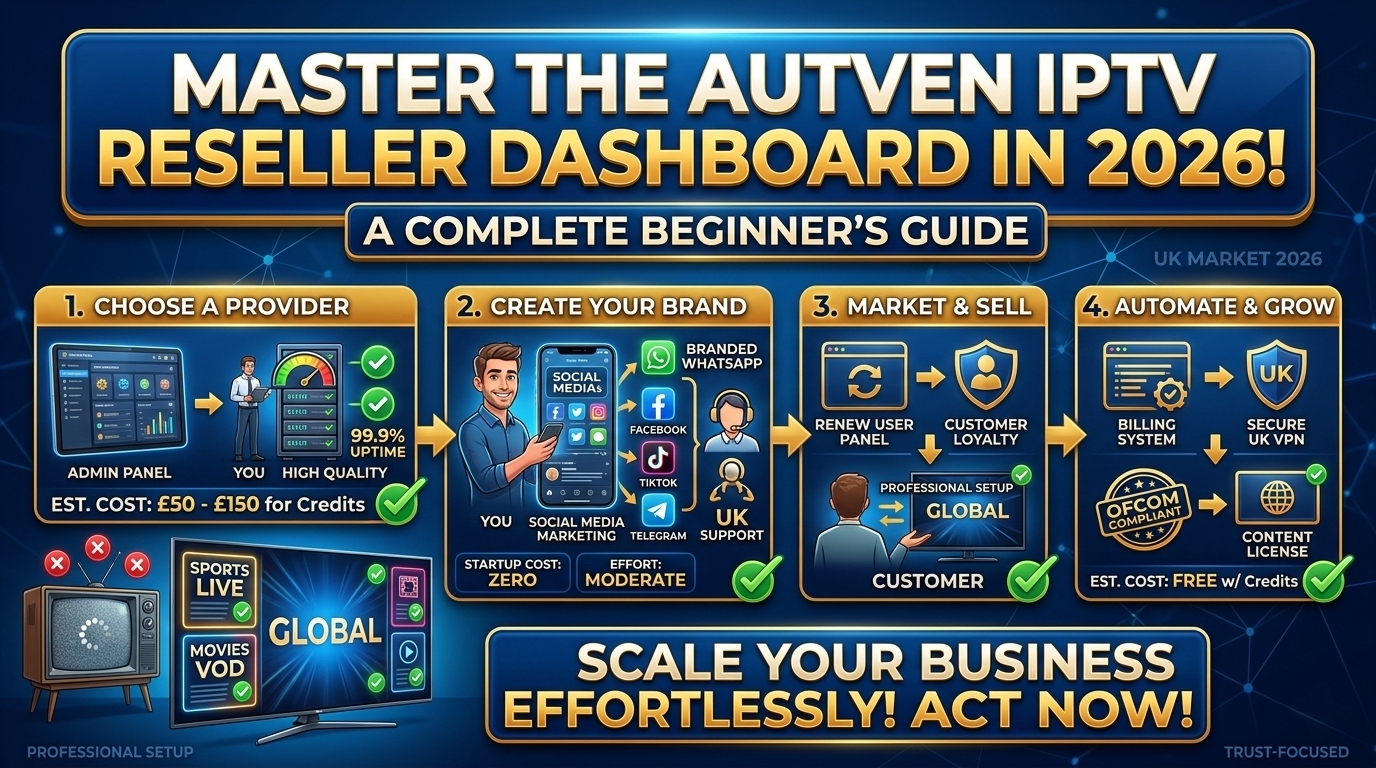
Autven IPTV Reseller Dashboard: A Beginner’s Guide to Mastering Your Panel in 2026
The Autven IPTV Reseller Dashboard is the only tool you need to manage a full subscriber operation. Not one of several tools. The only one. Everything from account creation to credit tracking to stream monitoring lives inside a single browser-based interface — and once you actually know where things are, it runs faster than most operators expect.
I spent several weeks clicking through every section of this panel before I felt like I genuinely understood what I was doing rather than just guessing. This is the walkthrough I didn’t have when I started. If you just got your reseller credentials, or you’ve been using the panel for a month and still feel like something isn’t clicking — this covers all of it.
What the Autven IPTV Reseller Dashboard Actually Is
The panel is browser-based. No software to install, no app to download. You log in with your reseller credentials and the full interface loads — Overview, Add User, User Management, Credit Management, Plans, Stream Monitoring. All of it accessible from the navigation menu on the left side.
What it is not: a server management tool. You never touch infrastructure. CDN configuration, stream encoding, server routing — none of that is your job. The provider handles the technical layer. Your entire operation lives at the subscriber layer, and the Autven dashboard is built entirely around that.
The UI feels slightly dated compared to modern SaaS platforms. Functional, but not polished. First load after login can lag for 3 to 5 seconds before the Overview section fully populates. Don’t refresh — it catches up on its own. After that initial pause, navigation between sections is responsive.
Full Section Map of the Autven IPTV Reseller Dashboard
Before getting into how each section works, here’s a reference overview of every area in the panel and what it actually handles.
| Dashboard Section | What It Does | How Often You’ll Use It |
|---|---|---|
| Overview / Home | Credit balance, active subscriber count, recent activity snapshot | Every login |
| Add User | Create new subscriber accounts, assign plans, generate credentials | Every new signup |
| User Management | View, edit, renew, suspend, and delete subscriber accounts | Every 2–3 days |
| Plans / Packages | Configure plan tiers, durations, connection counts, credit costs | At setup and when repricing |
| Credit Management | Check balance, review usage history, top up credits | Weekly minimum |
| Trial Accounts | Issue short-duration test accounts to prospects | As needed |
| Stream Monitoring | View active sessions, connection counts, device data | As needed |
| Support / Help | Documentation, ticket submission, device setup guides | When issues arise |
The three sections you’ll use every single day as a new operator: Add User, User Management, and Credit Management. Get those three right first. The rest fills in naturally as your subscriber base grows.
How to Create a New Subscriber Account in the Autven Reseller Panel
Adding a subscriber account is the core action in the entire panel. Once you’ve done it a few times, it takes under two minutes. The first time, expect closer to five — not because it’s complicated, but because a couple of the fields aren’t immediately obvious.
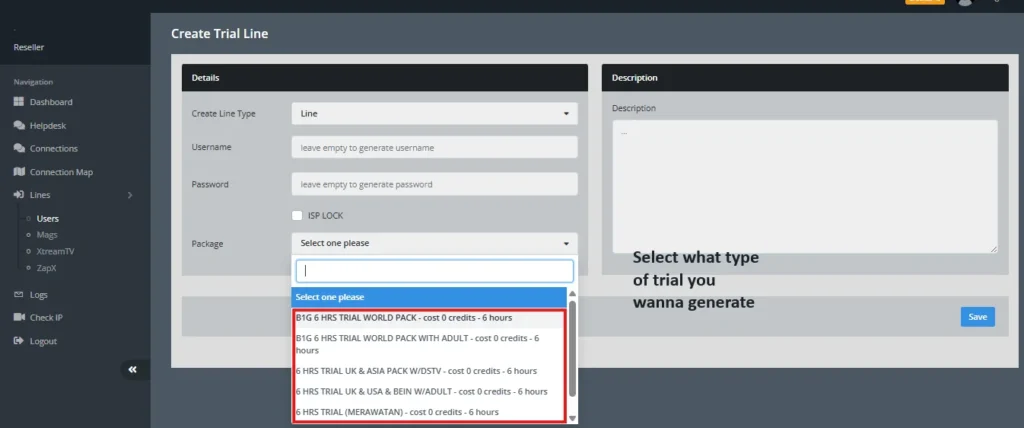
Here’s the full sequence:
Step 1 — Open Add User. Click Add User in the main navigation. The account creation form opens without any delay.
Step 2 — Set a username. Doesn’t need to match the subscriber’s real name. Most operators use a short reference code or abbreviated name. Whatever system you use for tracking payments, keep the username format consistent with it.
Step 3 — Create a password. You can type one manually or use auto-generate if your panel configuration includes it. Either works fine. Store the password before saving — retrieving it after the fact adds an unnecessary step.
Step 4 — Select the plan. The most important field in the form. The plan determines what credits get deducted and what the subscriber receives. Get this wrong and you’ve either overprovided or underdelivered. Double-check it before saving.
Step 5 — Confirm the expiry date. The system calculates this automatically from today’s date based on the plan duration. Verify it looks correct before moving on.
Step 6 — Set the connection limit. Should match the plan tier. Confirm it’s applied correctly — this controls how many simultaneous streams the account allows.
Step 7 — Save the account. Credits are deducted at this point and the account goes live immediately.
Step 8 — Send credentials to the subscriber. Username, password, and server URL. Do this within a few minutes of creation. Subscribers who wait more than an hour after paying before receiving credentials are more likely to open a support ticket before they’ve even tried the service.
Step 9 — Follow up within 48 hours. More on why this matters in the mistakes section below.
Managing Subscribers Inside the Autven IPTV Reseller Panel
Once accounts are live, User Management becomes your primary day-to-day view. Every active subscriber appears in one list, with the data that actually matters visible without clicking into individual accounts.
Renewal Tracking in the Autven Reseller Dashboard
The expiry date column is the most operationally important piece of information in User Management. Sort by it. Make it the first thing you check every two to three days.
The seven-day window before expiry is where your renewal revenue either gets captured or lost. Subscribers who receive a reminder three to four days before their service cuts off renew at a noticeably higher rate than those who only hear from you after they’ve already lost access. One habit. Significant revenue difference.
The Autven IPTV Reseller Dashboard does not send automated renewal reminders. That’s a real limitation, and it’s worth knowing about before you assume notifications are going out automatically. Building a manual reminder routine around the expiry filter is non-negotiable.
How to Renew an Account in the Autven Panel
Select the account in User Management, choose the renewal action, confirm the plan duration, and save. Credits are deducted and the expiry date extends from the current end date — not from today. That distinction matters. Renewing a week early doesn’t shorten the subscriber’s remaining access period. The extension stacks onto the existing end date.
The whole process takes about 90 seconds per account once you’re familiar with it.
Using the Suspend Function Without Losing Subscribers
The suspend function is underused by most new operators, and that’s a retention mistake.
If a subscriber is going away for a few weeks and doesn’t want to pay for access they won’t use, you can suspend the account. Suspended accounts don’t consume credits during the suspension period. When they’re ready to return, you unsuspend and they pick up where they left off.
A subscriber who can pause instead of cancel almost always comes back. One who feels forced to choose between paying for unused service and cancelling permanently often just cancels. The suspend option costs you nothing and saves subscriber relationships that would otherwise quietly disappear.
Keeping the Autven Dashboard Subscriber List Clean
Delete or archive cancelled and lapsed accounts regularly. A User Management view cluttered with expired, inactive, and cancelled accounts makes renewal tracking noticeably harder over time. It sounds minor. After three months of accumulation, it creates real friction in the daily workflow.
Credit Management in the Autven IPTV Reseller Dashboard
Your credit balance is the resource everything runs on. No credits means no new accounts, no renewals, and eventually subscribers losing access while you scramble to top up. Managing this section consistently is one of the highest-leverage habits in the entire operation.
Checking Balance and Usage History in the Autven Reseller Panel
The Credit Management section shows your current balance and a full usage history of recent credit spend. Review the history weekly. Over four to six weeks, a clear pattern of average monthly consumption emerges — which makes forecasting your replenishment timing straightforward rather than reactive.
Setting a Credit Threshold That Actually Protects the Business
Decide on a minimum balance below which you always replenish before doing anything else. For most operators in the early stage, four to six weeks of projected consumption is the right buffer.
If your subscriber base burns roughly 50 credits per month, a replenishment threshold of around 200 credits gives you a comfortable runway without tying up unnecessary capital. Running out mid-renewal cycle is entirely preventable. The only reason it happens is not having a defined minimum in place.
Buying Credits in Larger Blocks to Improve Margin
Most panel providers offer lower per-credit rates for larger purchases. Once your subscriber base is stable enough that you can forecast consumption reliably, buying in larger blocks reduces your per-subscriber cost. Not dramatically — but it’s one of the simplest margin improvements available at the platform level, and it requires no operational change.
Stream Monitoring Features in the Autven IPTV Reseller Panel
The stream monitoring section shows which accounts are actively connected at any given moment — username, number of active connections, and in most configurations, device or IP data.
What Normal Activity Looks Like on the Autven IPTV Platform
In a healthy subscriber base, you’ll see accounts distributed across their plan connection limits, with activity broadly matching the time of day. Peak hours bring higher simultaneous connections across the base. Off-peak hours, activity drops. That’s the normal pattern.
What you’re watching for is anything outside it.
Identifying Credential Sharing Through Stream Monitoring
Specific patterns that warrant attention:
- An account showing three simultaneous connections on a single-connection plan
- Multiple active sessions from geographically distant locations at the same time
- A single account with unusually high, continuous activity that suggests redistribution rather than personal use
If connection limits are correctly configured and the system is enforcing them, over-limit attempts are simply blocked. No action needed on your end.
If sharing appears to be happening within the allowed connection count but at a scale suggesting redistribution — a two-connection plan being used across what looks like a small group — a direct conversation with the subscriber is the right first move. Document what you observed before that conversation. Always.
Connection limits in the plan configuration section are your primary control mechanism. Set them correctly when building plans and verify they’re applied accurately during account creation.
What Most Autven IPTV Reseller Dashboard Reviews Don’t Tell You
Most guides cover the features. They don’t cover what you’ll actually encounter when you use the platform day-to-day. These are the things that don’t make it into the standard walkthrough.
The panel lags on first daily load — and that’s normal. Almost every session, the Overview dashboard takes 3 to 8 seconds to fully populate after login. It’s not a connection issue on your end. Don’t refresh repeatedly. Just wait. Refreshing during that window occasionally results in having to log in again from scratch.
Plan changes don’t backdate. If you change a subscriber’s plan tier mid-cycle, the change typically applies from the next renewal — not immediately. Before you promise a subscriber an instant upgrade, confirm with your provider how your specific configuration handles this. The awkward support conversation that follows a mismatched expectation is entirely avoidable.
Trial accounts aren’t free. New operators consistently assume trial accounts cost nothing. They don’t. Trials usually have a reduced credit allocation compared to full subscriptions, but they still come out of your balance. If you’re running ten trials a month and converting two of them, you’re subsidising eight non-paying users every month. Track trial conversion rate from month one.
The expiry filter is your most valuable dashboard feature. Not stream monitoring. Not plan configuration. The ability to sort by expiry date and immediately see who needs a renewal reminder in the next seven days is the highest-revenue-impact feature in the entire panel. Use it every two to three days without exception.
The most common first support ticket isn’t about stream quality. It’s a setup issue. Subscriber received the right credentials, used them in the wrong app, or entered the server URL incorrectly. A short setup guide — one page, sent alongside credentials — eliminates most of these tickets before they arrive. Takes about 20 minutes to write once. Saves hours of support time over the life of the business.
Real Setup Mistakes I Made Using the Autven Reseller Dashboard
Activating accounts before confirming payment. During a busy onboarding exchange, it’s easy to create the account first and collect payment after. The risk is obvious the first time it happens: payment doesn’t arrive, but the credits are already spent and the account is live. Confirm payment first. Every time. Without exception.
Not checking the renewal view often enough. For the first few weeks, I only opened User Management when a subscriber contacted me. By then the renewal window had already closed on several accounts. Subscribers had lapsed, some hadn’t renewed at all. Checking expiring accounts every two to three days is the habit that prevents this permanently.
Building plans without calculating credit costs first. I set up an early plan without working out exactly how many credits it cost to activate and renew. The price I charged subscribers was technically below my cost at that credit purchase rate. Not by a lot — but enough to make that plan unprofitable. Verify the credit cost for every plan combination before you publish it to subscribers.
Skipping the 48-hour follow-up. Sending credentials and moving on feels efficient. In practice, subscribers who receive a follow-up message confirming their setup is working have better first-month retention. It takes two minutes per new subscriber and the retention improvement compounds over time into meaningfully lower churn.
Not using the suspend function early enough. I lost several subscribers in the first two months who went on holiday or took breaks. They asked to pause, I didn’t have a clean answer, and they cancelled instead. Once I started offering suspension proactively for subscribers who mentioned they’d be away, cancellations from that specific situation dropped noticeably.
Autven IPTV Reseller Dashboard: Honest Strengths and Real Limitations
| What It Does Well | What to Plan Around |
|---|---|
| Fully browser-accessible — no software to install | UI feels dated compared to modern SaaS platforms |
| New account creation under two minutes once familiar | Panel lags 3–8 seconds on first daily load |
| Renewal tracking view shows upcoming expirations clearly | No automated renewal reminders — managed manually |
| Stream monitoring identifies unusual usage in real time | Historical session data varies by provider configuration |
| Plan configuration builds full tier structure without technical help | Plan changes typically apply from next renewal, not immediately |
| Suspend function supports retention without credit waste | Trial accounts still cost credits — not zero-cost |
Daily, Weekly, and Monthly Habits for the Autven Reseller Panel
Daily Habits Inside the Autven IPTV Reseller Dashboard
- Log in at least once on every active subscriber day
- Check the Overview section on login for a quick balance and activity snapshot
- Act on any payment received the same day — confirm payment, then create or renew the account
- Send credentials within minutes of account creation, not hours
Every Two to Three Days in the Autven Panel
- Open User Management and filter by accounts expiring in the next seven days
- Send renewal reminders to every subscriber in that window
- Follow up on trial accounts approaching expiry that haven’t yet converted
Weekly Credit and Stream Review
- Check credit balance against projected renewal demand for the next four weeks
- Top up if the balance has fallen below your defined minimum threshold
- Review stream monitoring for unusual connection patterns
- Archive any inactive or cancelled accounts cluttering the subscriber list
Monthly Business Review Using the Autven Reseller Dashboard
- Compare active subscriber count against the previous month
- Calculate monthly credit spend against revenue to confirm margin per subscriber
- Assess whether your plan tier structure still matches actual subscriber demand
- Review your trial conversion rate and adjust trial volume accordingly
Who the Autven IPTV Reseller Dashboard Is NOT For
This is worth saying plainly, because most guides skip it.
If you’re expecting a fully automated business — reminders going out without your involvement, renewals processing on their own, subscriber issues resolving without manual input — this panel isn’t that. It’s an operational tool, not an automated system. The operators who struggle with it are the ones who set it up and then expect it to run without them.
If you don’t have even 10 to 15 minutes per day to check renewals, respond to subscribers, and monitor credit balance — the operation will have problems. Not because the dashboard is broken. Because reseller operations at this level require consistent manual attention on a short daily cycle.
The panel is also not suited to operators who want to offer highly customised subscriber-facing experiences from the start. White-label branding exists in some configurations, but deep UI customisation isn’t part of the standard dashboard. If that’s a priority, confirm the specifics with your provider before committing.
Frequently Asked Questions About the Autven IPTV Reseller Dashboard
Do I need technical experience to use the Autven IPTV Reseller Dashboard? No. Every function in the panel — account creation, renewals, credit management, stream monitoring — is accessible through the browser interface without any technical background. If you can navigate online banking, you can use this dashboard from day one. The learning curve is about 48 to 72 hours of regular use before it feels natural.
How long does it take to create a new subscriber account in the Autven panel? Under two minutes once you know the steps. Expect five minutes for the first few accounts while you’re learning the form fields. The account goes live immediately upon saving, and credits are deducted at that point.
What happens if my credit balance hits zero? New account creation and renewals stop until you top up. Existing active accounts remain live until their natural expiry date. After expiry, subscribers lose access and can’t be reinstated until you purchase more credits and manually renew. This is entirely avoidable with a defined minimum threshold and a weekly balance review.
Can I change a subscriber’s plan after their account is already active? Yes, through the User Management section. However, plan changes typically apply from the next renewal rather than immediately. Confirm exactly how your panel configuration handles this before telling a subscriber their upgrade is instant. Getting it wrong creates a support conversation that’s harder to walk back than the original question was.
How do I diagnose a subscriber stream quality issue using the Autven reseller panel? Start in User Management — confirm the account is active and hasn’t expired. Then check stream monitoring to see whether the account shows a live connection. If the account is active and connected but the subscriber is reporting quality issues, the problem is either on the provider’s infrastructure side or on the subscriber’s local connection. Ask about their internet speed and whether other devices on the same network are affected before escalating to your provider.
Do trial accounts cost credits in the Autven IPTV Reseller Dashboard? Yes. Trials typically carry a reduced credit cost compared to full subscriptions, but they are not free. Factor trial credit spend into your monthly acquisition budget and track your conversion rate from the first month. If trials aren’t converting at a rate that justifies the credit cost, reduce trial volume or adjust how you qualify prospects before issuing them.
What should I do if a new subscriber can’t connect after account creation? First, verify the account is active in User Management and hasn’t been accidentally set with the wrong expiry. Then confirm the credentials you sent are exactly correct — username, password, and server URL, not just the login details. Check whether the issue is affecting one specific device or all devices the subscriber has tried. If credentials are correct and the account is active, the most common cause is an app setup issue or an incorrectly entered server URL. Sending a short setup guide at account creation prevents most of these tickets before they arrive.
Final Thoughts on the Autven IPTV Reseller Dashboard
The Autven IPTV Reseller Dashboard gives you a complete subscriber management operation inside a single browser window. It’s not the most visually refined panel available. The first load lags. There are no automated reminders. Plan changes don’t apply mid-cycle. These are real limitations and they’re worth knowing before you start.
But the core functionality is genuinely solid. Account creation is fast. The renewal tracking view works exactly as it should when you actually use it. Credit management is straightforward once you’ve defined your minimum threshold. Stream monitoring catches problems early when you check it consistently.
The operators who get the most out of the Autven IPTV Reseller Dashboard are not the most technically skilled ones. They’re the ones who check the expiry filter every few days, maintain a healthy credit balance, follow up with new subscribers within 48 hours, and review stream activity before unusual patterns become complaints. None of those habits require technical knowledge. All of them compound into a well-run, growing reseller operation over time.
This article covers the Autven reseller panel software, dashboard management tools, and subscriber operations only. No media content, channels, or streams of any kind are hosted or provided here. All guidance is strictly educational and informational.