Book Appointment Now
H.265 IPTV Encoder: What Every Reseller Must Know 2026
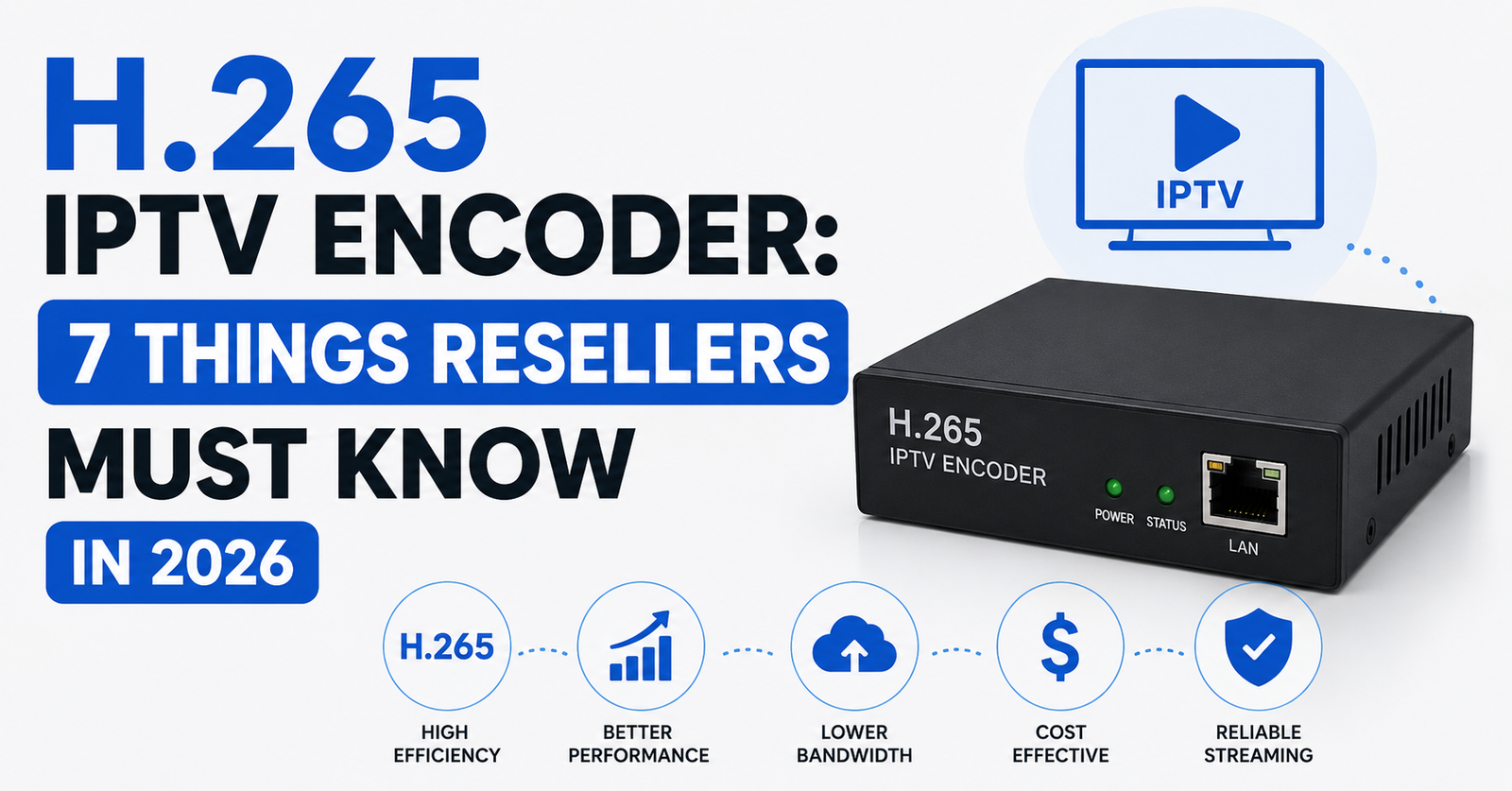
The Era of “Any Box Will Do” Is Finished
Three years ago, a reseller could get away with pushing H.264 streams to any box on the market and calling it a day. That era is finished. The H.265 IPTV encoder has quietly become the backbone of nearly every serious panel provider’s delivery pipeline, and if you’re still treating codec selection as someone else’s problem, your support inbox is about to teach you otherwise.
Here’s the reality from the ground floor. Panel providers have moved to H.265 encoding almost entirely. The decision wasn’t optional, it was economic. H.265 IPTV encoder technology compresses video at roughly half the bitrate of its predecessor while maintaining identical visual quality. For providers running thousands of concurrent streams across uplink servers, that bandwidth saving isn’t a luxury. It’s survival.
But the shift landed squarely on resellers’ shoulders. Subscribers started reporting black screens, audio-only playback, and mysterious buffering that had nothing to do with their internet speed. The culprit wasn’t the network. It was the device sitting under their television.
Pro Tip: When a customer reports buffering on only certain channels, especially HD sports or premium movie feeds, the first question isn’t about their router. It’s about their device’s chipset. If it can’t hardware-decode H.265, you’ve found your answer.
The H.265 IPTV encoder problem isn’t a future concern. It’s a current operational reality that separates UK IPTV resellers who retain subscribers from those who churn through them.
What Actually Happens Inside an H.265 IPTV Encoder
Most reseller content online throws around “HEVC” and “compression” without explaining what the H.265 IPTV encoder actually does differently. Let’s fix that.
H.264 encodes video by comparing each frame to the one before it and storing only the differences. The H.265 IPTV encoder does the same thing but with dramatically larger comparison blocks. Where H.264 uses 16×16 pixel macroblocks, H.265 works with coding tree units up to 64×64 pixels. That means fewer data points to describe the same image.
The result: a 1080p sports stream that required 8 Mbps under H.264 encoding now needs roughly 4 to 5 Mbps through an H.265 IPTV encoder. For 4K content, the difference is even more pronounced.
Motion prediction is more advanced, H.265 supports 35 directional intra-prediction modes versus 9 in H.264. Parallel processing is built into the spec, allowing modern chipsets to decode multiple tiles simultaneously. And deblocking filters in H.265 reduce artefacts at lower bitrates, which matters when providers compress aggressively.
None of this encoding happens at the reseller level. Your panel provider’s H.265 IPTV encoder infrastructure handles it upstream. But understanding the mechanics is what lets you diagnose problems instead of guessing.
The Device Compatibility Crisis Resellers Created
Let’s be honest about something the industry doesn’t talk about publicly. A huge percentage of IPTV customer complaints trace back to devices that resellers themselves recommended, or at least didn’t discourage.
When H.265 IPTV encoder streams became the default, every cheap Android box manufactured before 2019 became a liability. Allwinner H3 chipsets, Amlogic S805 processors, first-generation MAG boxes, none of these handle hardware H.265 decoding. They either fail silently, fall back to software decoding and overheat, or produce unwatchable artefacts.
The financial impact is measurable. Resellers who didn’t address device compatibility upfront reported significantly higher support ticket volumes and substantially worse monthly churn. Those who built a recommended device list and shared it during onboarding saw the opposite, fewer tickets, longer subscriber lifecycles.
The table below shows this pattern across three approaches:
| Scenario | Support tickets (monthly) | Churn rate |
|---|---|---|
| No device guidance given | High volume | 18–25% |
| Basic compatibility list shared | Moderate volume | 10–14% |
| Active device vetting + setup guide | Low volume | 6–9% |
This isn’t speculation. This is operational data from reseller networks running H.265 IPTV encoder streams across hundreds of end users.
Pro Tip: Build a one-page PDF with three recommended devices at different price points. Send it before activation. That single document will cut your support workload more than any FAQ page ever will.
Why Panel Providers Went All-In on H.265
If you’re wondering why your panel suddenly stopped offering H.264 alternatives, the answer is infrastructure economics.
Running an IPTV uplink operation means paying for bandwidth at scale. A provider serving 10,000 concurrent viewers on H.264 at 8 Mbps per stream needs 80 Gbps of outbound capacity. Switch those same streams to an H.265 IPTV encoder pipeline at 4.5 Mbps, and that number drops to 45 Gbps. At data centre pricing, that difference is tens of thousands in monthly savings.
There’s a second driver that gets less attention: ISP-level deep packet inspection. Modern ISP blocking tools use traffic pattern analysis to identify IPTV streams. An H.265 IPTV encoder produces different traffic signatures than H.264, smaller, more burst-oriented packets. Some providers believe this makes their streams marginally harder to fingerprint, though that advantage erodes as ISP detection tools adapt.
Bandwidth costs drop 40 to 50% per stream with H.265 encoding. Server capacity effectively doubles without hardware upgrades. Backup uplink servers can handle more failover load during outages. And HLS latency improves slightly due to smaller segment sizes.
The migration to H.265 wasn’t about picture quality for providers. It was about margins. The quality improvement was a side effect they could market.
H.265 IPTV Encoder and the Load Balancing Equation
Here’s an angle nobody writes about: how H.265 encoding interacts with load balancing architecture.
When a panel provider runs an H.265 IPTV encoder stack, each transcode instance consumes less outbound bandwidth but more CPU per stream compared to H.264. This creates a different bottleneck profile. Instead of maxing out network interfaces first, H.265 environments tend to hit CPU ceilings sooner.
Smart providers solve this with DNS-based load balancing that accounts for both CPU utilisation and bandwidth headroom. The worst providers just round-robin across servers and wonder why half their nodes are thermal-throttling during League nights.
For resellers, this matters because your stream quality is only as good as your provider’s weakest infrastructure decision. If their H.265 IPTV encoder farm isn’t properly load-balanced, your subscribers experience buffering that looks like a network issue but is actually a compute bottleneck.
Pro Tip: Ask your panel provider whether they use hardware-accelerated H.265 encoding (dedicated GPU/ASIC) or software encoding (CPU-based). Hardware encoding handles scale. Software encoding on commodity servers is the number one cause of peak-hour quality drops.
ISP Blocking in 2026: How AI Detection Targets H.265 Traffic
The enforcement landscape has changed fundamentally. ISPs no longer just block known IP addresses. In 2026, AI-driven traffic classification systems analyse packet behaviour in real time, and the H.265 IPTV encoder has become part of that detection matrix.
Here’s what’s happening technically. AI models trained on millions of traffic samples can now distinguish between legitimate H.265 video traffic (streaming platforms, video calls) and IPTV panel distribution based on behavioural patterns, concurrent connection counts from single IPs, stream duration distributions, and DNS query patterns associated with panel authentication.
DNS poisoning remains a primary enforcement tool. ISPs intercept DNS queries for known panel domains and return false responses. But the newer approach layers traffic analysis on top. Even if a reseller uses encrypted DNS, the H.265 IPTV encoder traffic pattern itself can trigger secondary inspection.
AI classifiers now flag sustained H.265 streams exceeding typical household viewing patterns. Multi-device concurrent streams from one connection draw automated scrutiny. And time-of-day usage spikes correlating with major sports events trigger investigation queues.
Resellers who survive this environment are those who educate subscribers about VPN usage and connection hygiene. The H.265 IPTV encoder isn’t the vulnerability, the traffic pattern around it is.
Bitrate Profiles: What Your Provider Isn’t Telling You
Not all H.265 streams are encoded equally, and most UK IPTV resellers have zero visibility into this.
Panel providers make encoding decisions that directly affect your customer experience. A news channel might be encoded at 2 Mbps through the H.265 IPTV encoder, perfectly adequate for talking heads and static graphics. A league alternative gets 6 to 8 Mbps to handle fast motion without artefacting. A movie channel sits somewhere in between.
The problem is when providers apply a single bitrate profile across all channel categories to save on encoding resources. This creates a situation where sports streams look muddy during fast action while news channels waste bandwidth on unnecessary quality.
The table below shows the mismatch between ideal and common provider bitrates:
| Channel type | Ideal H.265 bitrate | Common provider bitrate | Quality impact |
|---|---|---|---|
| News / Talk | 1.5–2.5 Mbps | 4 Mbps | Wasted bandwidth |
| Sports (Live) | 6–8 Mbps | 4 Mbps | Motion blur, artefacts |
| Movies (1080p) | 4–5 Mbps | 4 Mbps | Acceptable |
| Kids / Animation | 2–3 Mbps | 4 Mbps | Wasted bandwidth |
As a reseller, you can’t change how the H.265 IPTV encoder is configured upstream. But you can test channels across categories and choose providers whose encoding profiles actually vary by content type. That single evaluation step predicts subscriber satisfaction better than any uptime guarantee.
Scaling a Reseller Operation Around H.265 Streams
Growing from 50 subscribers to 500 with H.265 streams introduces problems that don’t exist at smaller scale.
The first is device fragmentation. At 50 users, you might personally know which box each customer uses. At 500, you’re dealing with dozens of device models, each with different H.265 IPTV encoder decoding capabilities. Without a standardised device policy, your support costs scale faster than your revenue.
The second is sub-reseller education. When you bring on downstream resellers, they inherit your H.265 compatibility challenges but rarely your operational knowledge. The resellers who scale successfully build onboarding documentation that covers device requirements, basic troubleshooting flows for H.265 playback issues, and escalation paths.
Create a device whitelist and update it quarterly. Record a 5-minute video walkthrough for sub-resellers covering H.265 basics. Set up a template response library for common H.265 IPTV encoder complaints. And track which devices generate the most tickets and blacklist problem models.
Pro Tip: The single highest-ROI investment for a growing reseller isn’t more credits or more channels. It’s a 20-minute onboarding call with every new sub-reseller that covers H.265 device requirements. That call pays for itself within the first month through reduced escalations.
Customer Churn Psychology and the H.265 Factor
Subscribers don’t cancel because of codecs. They cancel because of experiences, and the H.265 IPTV encoder is invisible in the chain until something breaks.
When a subscriber’s device can’t properly decode H.265, they don’t think “my box doesn’t support this codec.” They think “this service is rubbish.” That perception gap is where churn lives. The subscriber blames the service, not the hardware, because the hardware worked fine with their previous provider who was still on H.264.
Understanding this psychology changes how you handle support. Instead of defensive responses about “your device being too old,” reframe the conversation around upgrading the experience. A subscriber who buys a compatible device on your recommendation becomes a longer-term customer because they’ve invested in the ecosystem.
The maths works clearly in your favour. A compatible device costs the subscriber a one-time fee. Losing that subscriber and acquiring a new one costs you ongoing marketing spend and credits. Every reseller running H.265 IPTV encoder streams should calculate their cost-per-churn and compare it against subsidising device upgrades for at-risk subscribers.
Frequently Asked Questions
What is an H.265 IPTV encoder and why does it matter for resellers?
An H.265 IPTV encoder compresses video streams using the HEVC standard, delivering equivalent quality at roughly half the bitrate of H.264. For resellers, this means providers can serve more concurrent viewers at lower infrastructure cost, but it also means every subscriber needs a device capable of hardware-decoding H.265 streams, which directly affects support workload and customer satisfaction.
How do I know if my subscribers’ devices support H.265 IPTV encoder streams?
Check the device chipset specifications. Any Amlogic S905X or newer, Broadcom chips from 2018 onward, and most Qualcomm mobile processors support hardware H.265 decoding. If a device was manufactured before 2017 or uses budget chipsets like the Allwinner H3, it almost certainly lacks proper H.265 support and will cause playback problems.
Can I force my panel provider to offer H.264 streams instead of H.265?
In most cases, no. The majority of panel providers have migrated entirely to H.265 IPTV encoder infrastructure because of the significant bandwidth savings. Some panels offer a limited selection of H.264 fallback channels, but these are typically lower quality and cover fewer categories. The practical solution is upgrading subscriber devices rather than seeking H.264 alternatives.
Does the H.265 IPTV encoder affect buffering issues?
Indirectly, yes. H.265 streams use less bandwidth, which can reduce network-related buffering. However, if a device lacks hardware decoding, it attempts software decoding, which overloads the processor and causes stuttering that looks identical to buffering. Distinguishing between network buffering and decode failure is critical for accurate troubleshooting.
How does ISP blocking relate to H.265 IPTV encoder traffic in 2026?
ISPs now use AI-driven traffic analysis that examines stream behaviour patterns rather than just blocking IPs. H.265 traffic has distinct packet characteristics that detection systems can profile. While the codec itself isn’t targeted, the viewing patterns around sustained H.265 streams, especially multi-device concurrent usage, can trigger automated ISP investigation.
What bitrate should H.265 IPTV encoder streams run at for good quality?
Quality depends on content type. Sports channels need 6 to 8 Mbps to handle fast motion without artefacts. News and talk channels look sharp at 2 to 2.5 Mbps. Movies sit comfortably at 4 to 5 Mbps. Providers using a flat bitrate across all channels are making a cost-saving decision that sacrifices quality on demanding content.
Is H.265 IPTV encoder technology future-proof for resellers?
For the medium term, absolutely. H.265 remains the dominant encoding standard in IPTV distribution, and device support is now near-universal on hardware manufactured after 2019. H.266 (VVC) exists but is years away from widespread panel adoption due to licensing costs and encoder hardware requirements. Building your operation around H.265 is the correct strategic decision through at least 2028.
How can I reduce support tickets related to H.265 playback failures?
Build a pre-activation device compatibility check into your onboarding process. Share a recommended device list at the point of sale, not after complaints arise. Track which device models generate the most tickets and proactively contact those subscribers with upgrade guidance. UK IPTV Resellers who implement pre-sale device vetting consistently report significantly lower support volumes.
Your H.265 IPTV Encoder Readiness Checklist
This is what separates resellers who scale from those who stall. Execute each step, not next month, this week.
- Audit every device model your current subscribers use and flag anything that lacks hardware H.265 decoding
- Build a recommended device list at three price tiers and distribute it to all active sub-resellers
- Create a one-page troubleshooting guide that distinguishes between network buffering and H.265 decode failure
- Test your panel provider’s streams across channel categories, verify that sports, news, and movie channels are encoded at appropriate bitrates
- Ask your provider directly whether they use hardware-accelerated or software-based H.265 encoding
- Set up a monthly ticket audit that tracks complaints by device model, identify and blacklist problem hardware
- Record a short onboarding walkthrough for sub-resellers covering H.265 basics and device requirements
- Implement a pre-activation device compatibility check before issuing any new subscription
- Calculate your cost-per-churn and compare it against subsidising device upgrades for at-risk subscribers
- Review your operation’s readiness against evolving ISP detection methods, ensure subscribers understand connection hygiene