Book Appointment Now
IPTV Reseller Glossary: 20 Essential Terms You Need to Master for 2026 Success
Why IPTV Reseller Glossary Knowledge Directly Affects Your Revenue
If you’ve spent more than a week dealing with providers, troubleshooting subscriber setups, or trying to make sense of a reseller panel, you’ve probably hit a wall with terminology. Not because the concepts are complicated, but because nobody explains them in the context of actually running the business.
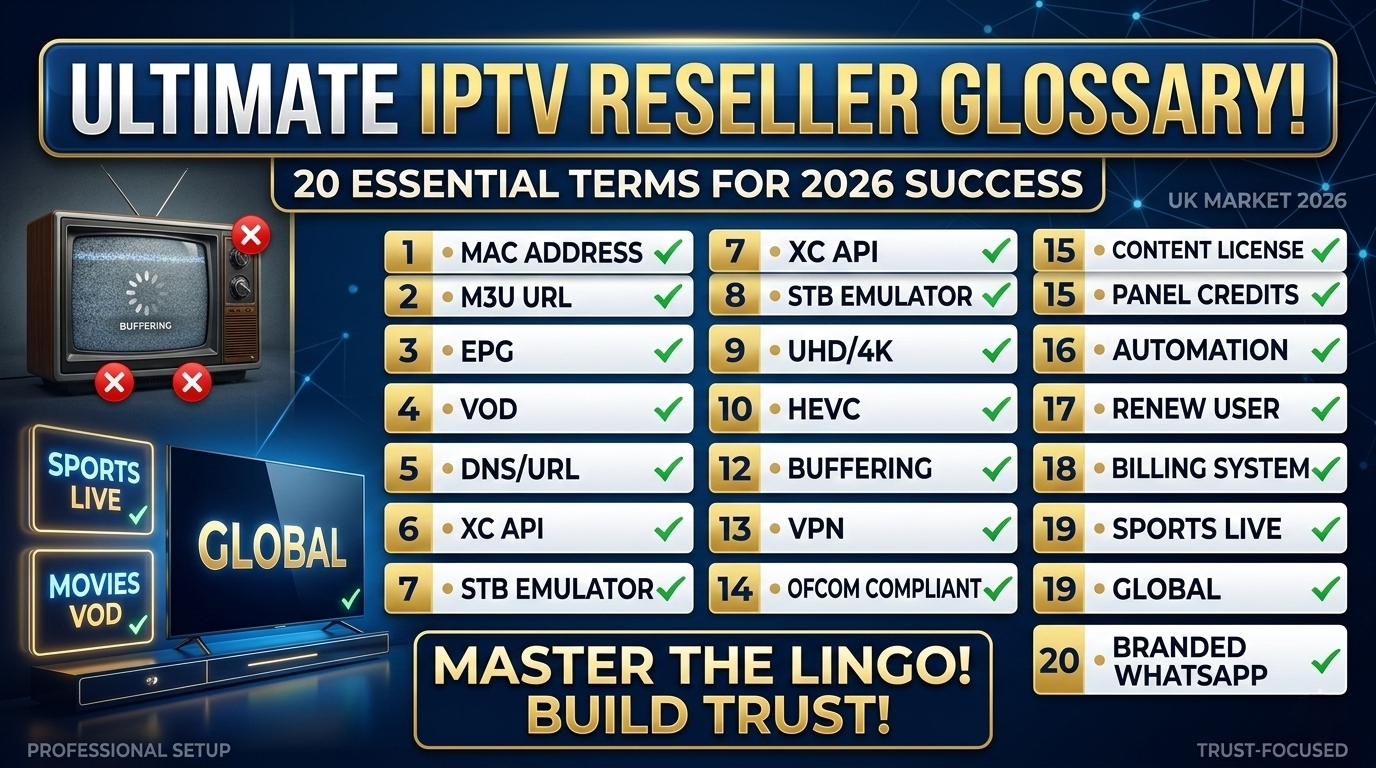
This IPTV reseller glossary covers 20 terms that come up constantly in real operations. Not in theory. In the panel, in support chats, in provider negotiations, and in your monthly numbers. Each one is explained plainly, with a note on why it matters at the operational level, not just what it means in the abstract.
If you’re still getting your bearings on how the management side works, reading about What Is an IPTV Reseller Panel is a solid starting point before working through this glossary.
This isn’t about sounding technical. It’s about what happens when you don’t know the terms.
I’ve watched resellers lose provider negotiations because they couldn’t ask the right questions about CDN infrastructure or API compatibility. I’ve seen support tickets drag on for 45 minutes because the reseller didn’t know whether a subscriber’s buffering issue was server-side or a local bandwidth problem. Both situations cost money, either in poor deals or in subscriber churn.
When you understand the language, you move faster. Provider responses make sense on the first read. Subscriber issues get diagnosed in minutes, not hours. And your pricing decisions are based on actual cost mechanics rather than guesswork.
The 20 terms below are the ones I come back to consistently. Learn these first. The rest fills in naturally as you operate.
IPTV Reseller Glossary: Infrastructure and Platform Terms
These are the technical-layer terms. You’ll hit them when evaluating providers, configuring accounts, helping subscribers set up apps, and diagnosing stream quality problems.
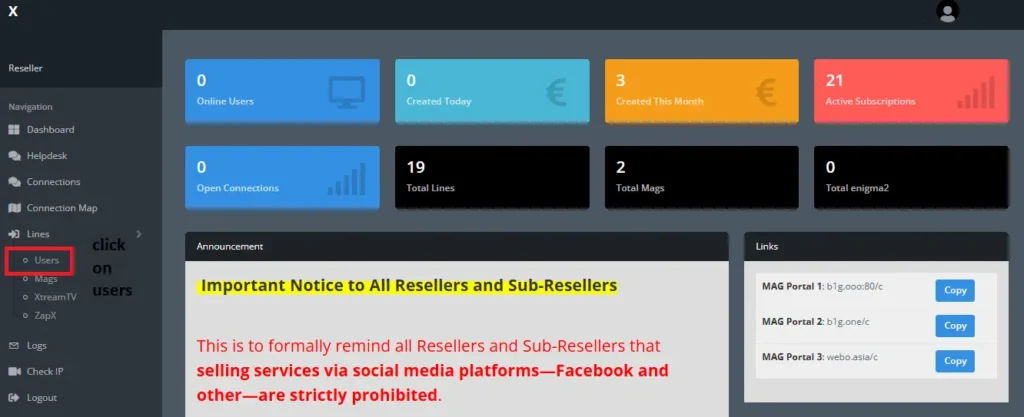
IPTV reseller panel dashboard showing renewals
Core IPTV Reseller Terms for Platform Setup
IPTV: Internet Protocol Television. Delivering TV content over an internet connection instead of cable or satellite. This is the product you’re reselling. Being able to explain it clearly, without jargon, is one of the first things subscribers will ask you to do.
Reseller Panel: A web-based management interface that lets you create and manage subscriber accounts without touching any server infrastructure. This is where you spend most of your working time. Account creation, renewals, credit tracking, and trial issuance all happen here. The UI varies by provider, some panels feel modern and responsive, others are noticeably clunky. Either way, it’s your primary operational tool.
Credits: Units purchased from your provider that get spent when you activate or renew subscriber accounts. Credits are your cost currency. The single most important thing to understand before you set pricing is how many credits each plan type burns per month. A single-connection monthly account costs fewer credits than a dual-connection quarterly one. Get that math wrong and your margins evaporate quietly.
M3U Playlist: A file format containing a list of stream URLs that a media player app reads to display channels. Subscribers who prefer apps like TiviMate or IPTV Smarters will often ask for their M3U link. It’s downloaded once and loaded into the player manually. If the file updates server-side, subscribers sometimes need to reload it to get new channels, worth knowing before they ask why something’s missing.
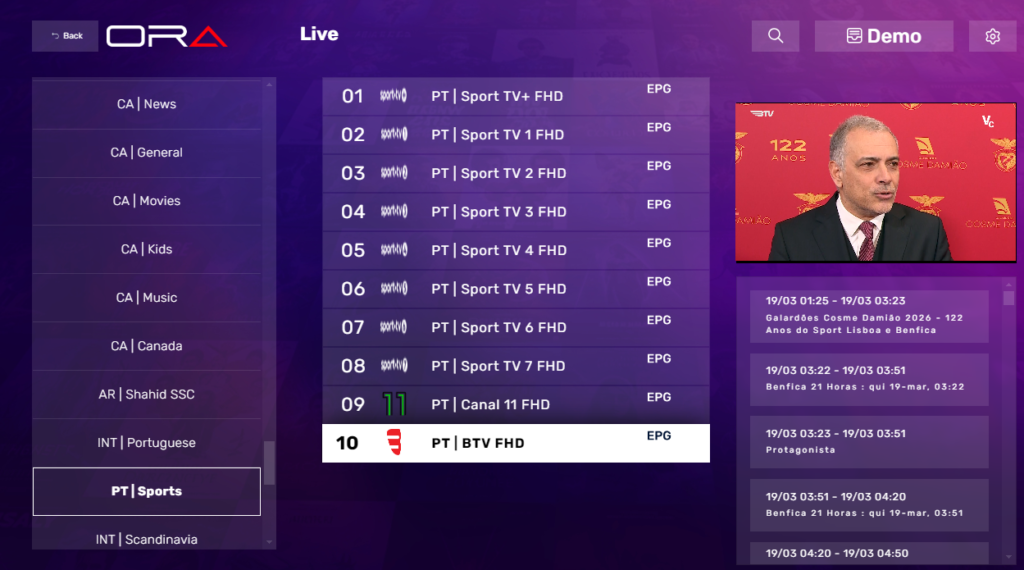
EPG: Electronic Programme Guide. The on-screen schedule showing what’s currently airing and what comes next. When it works, subscribers don’t think about it. When it breaks, wrong times, missing data, blank listings, it’s one of the most common support complaints you’ll get. Almost always an app-side config issue rather than a provider problem.
Connection Protocol Terms in the IPTV Reseller Glossary
Xtream Codes API: A widely used authentication protocol that allows media player apps to connect to a streaming service using a server URL, username, and password. This is the most common connection method across modern IPTV apps. When a subscriber says they’re setting up IPTV Smarters or any similar app, they’ll almost certainly need their Xtream Codes credentials. Know how to locate these in your panel before the first subscriber asks, it takes about 30 seconds once you know where to look.
Stalker Portal: A middleware protocol used for IPTV authentication on certain set-top boxes and emulator apps. Less common than Xtream Codes, but some subscribers will specifically ask if your service supports it. Knowing what it is prevents an awkward silence. It means your service connects via a portal URL rather than a username and password login.
Middleware: Software that sits between a subscriber’s device and the streaming server, managing authentication and session control. Not all panels use it visibly, but understanding the term helps when you’re reading provider documentation or comparing platform architecture during a provider review.
VOD: Video on Demand. A library of content that subscribers can browse and watch at any time, separate from live TV channels. Many plans bundle VOD access. When describing plan contents to subscribers, being clear about what’s live and what’s on-demand prevents mismatched expectations, especially from subscribers who assume everything is available on-demand.
CDN: Content Delivery Network. A distributed system of servers that routes stream data to viewers efficiently based on geographic location. CDN quality is one of the most important infrastructure questions to ask a provider. A provider with UK-based CDN nodes will generally deliver better performance to UK subscribers than one routing everything through overseas servers. When a provider talks about “stable streams,” ask specifically about CDN coverage.
Business and Operational Terms Every IPTV Reseller Should Know
These are the terms that live in your day-to-day business decisions, subscriber management, performance tracking, plan design, and scaling strategy.
Stream configuration settings
Key IPTV Reseller Metrics You Need to Track
Churn Rate: The percentage of subscribers who cancel or lapse in a given period, typically measured monthly. This is the most important single metric in a UK IPTV reseller business. High churn means you’re constantly replacing subscribers you already acquired, with no net growth to show for it. A churn rate above 10–15% per month usually signals a problem, service quality, pricing, support, or misaligned subscriber expectations. Start tracking it from month one.
Connections: The number of simultaneous streams a single subscriber account is permitted to run at the same time. Connections define your plan tiers. A single-connection plan suits a solo viewer. Dual or triple connections suit households sharing a subscription. Credits cost more for higher-connection plans, so understanding this variable is essential for building a tiered pricing structure that’s both competitive and profitable.
Uptime: The percentage of time a service or server is operational and accessible without interruption. 99.9% is the standard benchmark. The difference between 99.5% and 99.9% sounds minor until you calculate it: that’s roughly an extra 3.5 hours of downtime per month. For subscribers watching live sport or scheduled events, those hours matter and they’ll contact you about them.
Buffering: A pause or interruption in stream playback caused by slow data delivery from the server, server load, or insufficient bandwidth on the subscriber’s end. This is the most common support complaint you will receive. The diagnosis question is straightforward: does it happen at peak hours only, or constantly regardless of time? Peak-hours-only buffering usually points to provider server load. Constant buffering on one device when others work fine usually points to the subscriber’s local connection.
Bitrate: The amount of data transmitted per second for a video stream. Higher bitrate means sharper, smoother picture quality, but only if the subscriber’s connection can handle it. A high-bitrate stream on a slow connection produces more buffering, not better quality. When a subscriber on a slower connection reports persistent buffering, suggesting a lower-quality stream option is often more practical than running through a full technical diagnostic.
IPTV Reseller Panel Features for Subscriber Management
Trial Account: A short-duration subscriber account created to let a prospect test the service before committing to a paid plan. Most panels let you issue trials directly from the management interface, it takes about 10–15 seconds once you’ve done it a few times. Trials are a sales tool. They are temporary and tied to a specific prospect. They are not a free tier.
Renewal: The process of extending an existing subscriber account for another billing period by spending credits from your balance. Renewals are your recurring revenue engine. Proactive renewal management, reaching out before accounts lapse rather than after, is one of the simplest retention habits you can build. Most panels show upcoming expiry dates in the subscriber list. Check it at least twice a week.
White Label: A service presented entirely under your own brand with no visible reference to the underlying provider. A white-label panel setup means subscribers see your business name and contact details, not your provider’s. This builds loyalty to your brand rather than the infrastructure behind it. Worth noting: white label changes the subscriber-facing presentation, not the underlying infrastructure. Your provider still knows who you are.
MAG Device: A dedicated hardware set-top box designed specifically for IPTV. Popular with subscribers who prefer a TV-connected device over app-based setups. MAG boxes connect via a portal URL rather than Xtream Codes credentials. Before your first MAG subscriber contacts you for setup help, get the portal URL from your provider and keep it somewhere accessible. The setup process on the device itself is straightforward, the friction is usually just not having the URL ready.
Sub-reseller: A reseller who purchases credits or access from you rather than directly from the original panel provider, and then manages their own subscriber base. Building a sub-reseller network is a scaling model, not a starting strategy. It increases operational complexity and only makes sense once your primary subscriber base is generating consistent, stable revenue. Most operators don’t pursue it until they’re well established.
IPTV Reseller Terms That Get Confused Most Often
A few pairs of terms in the IPTV reseller glossary sound related but mean different things. Mixing them up creates real problems, wrong setup instructions, bad provider questions, and subscriber confusion.
M3U vs. Xtream Codes: M3U is a file that gets downloaded and loaded into a player manually. Xtream Codes is an in-app authentication method using login credentials. Both deliver the same streams. The setup process is completely different. When a subscriber says their connection isn’t working, find out which method they’re using before troubleshooting.
Credits vs. Connections: Credits are the units you spend to activate or renew an account. Connections are a plan feature that determines how many simultaneous streams that account allows. You spend more credits to activate a plan with more connections. These are separate variables that interact to determine your cost per subscriber.
VOD vs. Live TV: VOD is a browsable content library. Live TV is real-time broadcast streaming. Both may be included in a plan, but they’re delivered and indexed differently. Some subscribers expect everything to be on-demand. Setting that expectation correctly at signup prevents support contact later.
Uptime vs. Bitrate: Uptime measures whether a service is available at all. Bitrate measures the quality of the stream when it is available. A provider can have excellent uptime but poor bitrate, or high bitrate but frequent outages. Both metrics matter. Evaluate them separately.
Trial vs. Free Plan: A trial is temporary, issued to a specific prospect, and designed to convert to a paid plan. A free plan is an ongoing lower-tier product. Most resellers offer trials. Almost none offer free plans, because the economics don’t work at the reseller level. If a subscriber expects ongoing free access after a trial ends, there’s been a miscommunication somewhere in your onboarding.
Real IPTV Reseller Situations Where These Terms Actually Matter
Reading definitions is useful. Seeing how the terms behave in real scenarios is more useful.
Evaluating a New IPTV Provider
You’re comparing two providers. The first specifies 99.9% uptime, UK-based CDN nodes, and full Xtream Codes API compatibility. The second describes their service as “stable with good quality.” The first provider is making verifiable claims. The second is using language that means nothing until you push for specifics. Knowing what uptime, CDN, and Xtream Codes mean lets you ask the follow-up questions that separate a real infrastructure from a marketing pitch.
Diagnosing a Buffering Complaint in the IPTV Reseller Panel
A subscriber messages to say their stream keeps pausing. Instead of immediately escalating to your provider, you ask three things: what device they’re using, what their broadband speed is, and whether the issue happens at peak hours or constantly. If it’s peak hours only, server-side load is likely the cause. If it’s constant while other household devices stream fine, the subscriber’s local connection or device is the issue. This diagnosis takes about five minutes when you understand what buffering actually is.
Setting Up a MAG Device Subscriber
A new subscriber has a MAG box and needs setup help. If you know MAG devices connect via portal URL rather than Xtream Codes, you immediately ask your provider for the portal URL, share it with the subscriber, and walk them through entering it in the device settings. If you don’t know how MAG connects, you send Xtream Codes credentials that don’t work on that device and spend 30 minutes troubleshooting a problem that isn’t there.
Reviewing Monthly Performance as an IPTV Reseller
End of month. You pull your subscriber data. Your single-connection monthly plan has noticeably higher churn than your dual-connection quarterly plan. Subscribers on shorter, cheaper plans are leaving at nearly twice the rate. That pattern is worth investigating, either those subscribers are testing the service and not committing, or the value-per-price ratio on your cheapest plan isn’t strong enough to retain them. You only spot this if you’re tracking churn rate as a metric rather than just watching total subscriber numbers.
What Most IPTV Reseller Glossaries Don’t Tell You
Most glossaries list definitions. They don’t tell you where the real friction points are. Here’s what I’ve noticed from actually running these operations.
Credit forecasting is harder than it looks at first. It’s not just about knowing the credit cost per plan. It’s about tracking the mix of plan types across your subscriber base. A base that skews heavily toward single-connection monthly accounts burns credits faster and generates less predictable revenue than a base weighted toward quarterly plans. Most operators don’t realise this until they run short on credits mid-month.
EPG is the support issue nobody prepares for. Everyone worries about buffering. EPG problems are just as frequent and much harder to diagnose remotely, because the fix depends on which app the subscriber is using, how that app handles EPG URLs, and whether the app has cached an outdated guide. Keeping a reference note that maps each supported app to its EPG configuration method saves significant support time.
White label has a hidden expectation problem. When subscribers see only your brand, they assume you own and control everything. When there’s a provider outage, they’ll contact you expecting an instant fix. Your provider may take hours to respond. Managing subscriber expectations around service incidents, before one happens, is a white-label operational reality most guides skip.
Churn data takes 90 days to mean anything. Monthly churn snapshots show noise. Patterns only emerge over three or more months. Operators who react to a single bad month often make pricing or plan changes that aren’t justified by the underlying data. Build a simple tracking sheet. Review trends, not individual months.
Common Misconceptions Around These IPTV Reseller Terms
Higher bitrate always means a better experience. It doesn’t. It means a better experience when the subscriber’s connection can sustain it. On slower connections, high bitrate causes more buffering. The right recommendation is a lower-quality stream, not a debugging session.
Uptime only matters during major outages. Minor instability, short periods of degraded performance that don’t fully take the service down, still counts against uptime and still generates subscriber complaints. Evaluate provider uptime data over 30-day and 90-day periods, not just whether they’ve had a visible outage recently.
White label means operating anonymously. It means your branding is visible to subscribers, not your provider’s. Your provider still knows who you are. The infrastructure relationship is unchanged. White labelling is a presentation feature, not a structural arrangement.
Trial accounts and free plans are the same thing. A trial is a temporary conversion tool issued to a specific prospect. A free plan is an ongoing product tier. Most resellers offer trials. Almost none offer free plans at the reseller level because the cost structure doesn’t support it.
Best Practices for Using IPTV Reseller Terminology Effectively
In Provider Conversations
- Ask for uptime expressed as a specific percentage, supported by monitoring data, not a general assurance
- Ask which connection protocols are supported: Xtream Codes, M3U, Stalker Portal, or a combination
- Ask about CDN node locations relative to your target subscriber geography
- Ask for credit-to-connection ratios across plan durations before committing to a purchase
In Subscriber Support
- When a subscriber reports buffering, ask about connection speed and time-of-day before assuming provider fault
- Confirm which app and device a subscriber is using before providing setup instructions
- Keep a reference document mapping each supported app to its connection method and EPG configuration
- Translate technical terms into plain instructions for subscribers, don’t repeat the jargon back at them
In Business Planning as an IPTV Reseller
- Track churn rate monthly as a percentage of your active subscriber base, and review trends over 90-day windows
- Monitor credit balance against projected renewal demand at least twice per week
- Build plan tiers around connection count and duration, the two variables that most directly drive credit cost and subscriber perceived value
- Flag unfamiliar terms in provider documentation immediately, if something in their setup guide isn’t clear before you sign up, it won’t get clearer after
IPTV Reseller Glossary FAQ
Do I need to know all 20 terms before I start operating as a reseller?
No. The five to understand before launch are credits, reseller panel, Xtream Codes, connections, and uptime. These cover your cost structure, your primary tool, the most common subscriber setup method, your plan variable, and your main provider evaluation metric. The rest become useful as you encounter them in real operations. Return to the full glossary when a term appears in a provider conversation or support situation, context makes definitions stick faster than memorisation.
What is the most important IPTV reseller metric for subscriber retention?
Churn rate. It measures the percentage of subscribers leaving your service each month. A rising churn rate is an early warning signal, something about the service, pricing, or support experience isn’t meeting subscriber expectations. Track it monthly. Investigate upward trends before they compound into a structural problem. A single bad month may be noise. Two or three consecutive months of rising churn usually isn’t.
What is the difference between an M3U playlist and an Xtream Codes connection?
An M3U playlist is a file containing a list of stream URLs. The subscriber downloads it and loads it into a compatible media player manually. An Xtream Codes connection authenticates directly inside a supported app using a server URL, username, and password, no file download required. Both deliver the same content. Xtream Codes is simpler for subscribers to set up and is supported by more modern IPTV apps. M3U is useful for apps or devices that don’t support Xtream Codes natively.
What should I do when a subscriber says their EPG isn’t working?
Ask which app they’re using before anything else. EPG configuration is app-specific. The fix for IPTV Smarters is different from the fix for TiviMate or GSE Player. Once you know the app, check whether the EPG URL is correctly entered in that app’s settings, and whether the app needs a manual refresh or cache clear. In most cases the fix takes under five minutes once you’ve handled it once for each app type.
How do I explain IPTV to a subscriber who’s never encountered the term?
Keep it short. Tell them it delivers TV channels and on-demand content over their existing internet connection, no satellite dish, no cable box required. It runs on an app they install on their phone, smart TV, or streaming device. Most subscribers already have everything they need. That’s the explanation. Don’t expand it unless they ask a follow-up question.
When does building a sub-reseller network make sense?
When your primary subscriber base is stable, your credit management is consistent, and your panel setup supports sub-reseller account tiers. Not before. Sub-reseller management adds operational complexity, credits flowing in multiple directions, support questions from operators rather than end users, and accountability for someone else’s subscriber experience. It’s a scaling model for an established operation, not an early-stage growth strategy.
What’s the biggest mistake new resellers make with credits?
Underestimating how plan mix affects monthly credit consumption. It’s easy to calculate cost for a single plan type. It’s harder to forecast accurately when your subscriber base includes a mix of single-connection monthly accounts, dual-connection quarterly accounts, and trials converting at different rates. Build a simple spreadsheet that tracks active accounts by plan type and maps each to its monthly credit cost. Review it weekly. Running short on credits mid-month is an avoidable problem.
Final Thoughts on This IPTV Reseller Glossary
Terminology isn’t a side issue in this business. Every term you understand clearly is a conversation you can have faster and more effectively, with providers, with subscribers, and with yourself when you’re reviewing your own data.
The 20 terms in this IPTV reseller glossary cover the full operational range: the infrastructure delivering the service, the panel managing your business, and the metrics telling you how well it’s performing. None of them require a technical background to understand. They require operational context, which is exactly what this glossary is built around.
Return to it when a provider uses a term you haven’t seen before. Use it before evaluating a new provider. Refer to it when a subscriber support question involves a concept that isn’t quite clear. The cleaner your understanding of the language, the sharper every decision you make in this business.
This article covers UK IPTV reseller panel management terminology, software tools, and business operations concepts only. No media content, channels, or streams of any kind are hosted or provided. All guidance is strictly educational and informational.